Why the Cloud-Based POS Works for Small Retailers in 2026
Cloud-based POS systems provide small retailers with a centralized, internet-driven platform to manage sales, inventory, and customer data from any device. Unlike legacy systems, these modern solutions eliminate high upfront costs and...
Cloud-based POS systems provide small retailers with a centralized, internet-driven platform to manage sales, inventory, and customer data from any device. Unlike legacy systems, these modern solutions eliminate high upfront costs and offer real-time visibility, allowing boutique owners to compete with larger enterprises through streamlined operations and enhanced mobility.
Contents
The Fundamental Shift from Legacy to Cloud-Based Point of Sale
The retail landscape has undergone a definitive transformation. Historically, Point of Sale (POS) systems were "on-premise" or "legacy" installations. This meant that the software resided on a physical server located within the four walls of the store. If that server failed, the business stopped. Furthermore, accessing data from home or a second location required complex remote-access setups or physical presence.
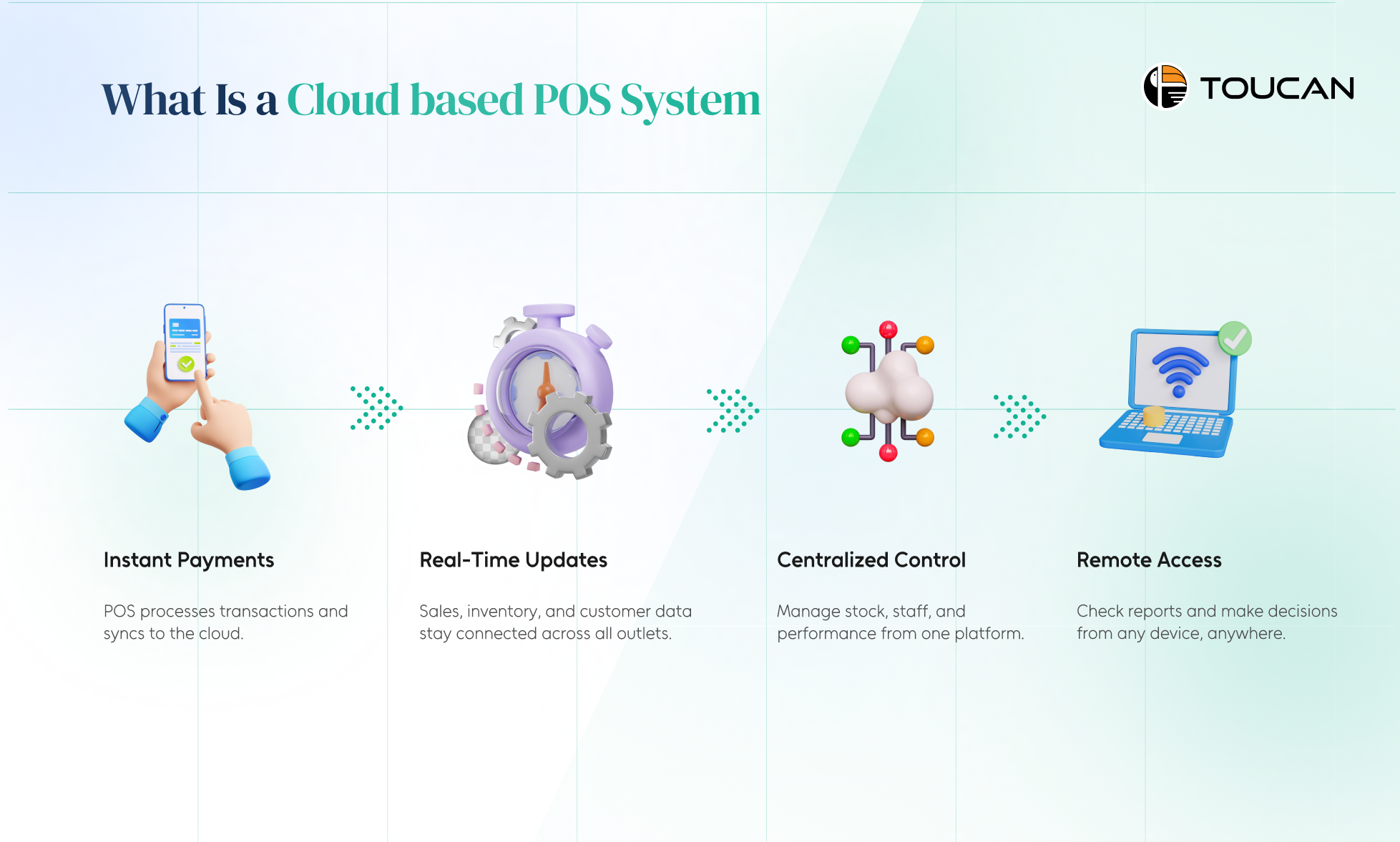
As we navigate 2026, the cloud-based model has become the standard for small retailers. These systems operate on a Software-as-a-Service (SaaS) model, where data is stored on secure, remote servers managed by the provider. The "cloud" aspect means the retailer interacts with the software via a web browser or a dedicated app on a tablet, smartphone, or specialized terminal. This shift is not merely a change in where data is stored; it is a fundamental change in how a small business functions. The cloud allows for a level of agility that was previously reserved for multi-national corporations with massive IT budgets.
Cost-Effectiveness and Lower Barriers to Entry
For a small retailer, cash flow is the most critical metric for survival. Traditional POS systems often required thousands of dollars in upfront investment for proprietary hardware, software licenses, and professional installation. Cloud-based POS systems have effectively dismantled these barriers to entry.
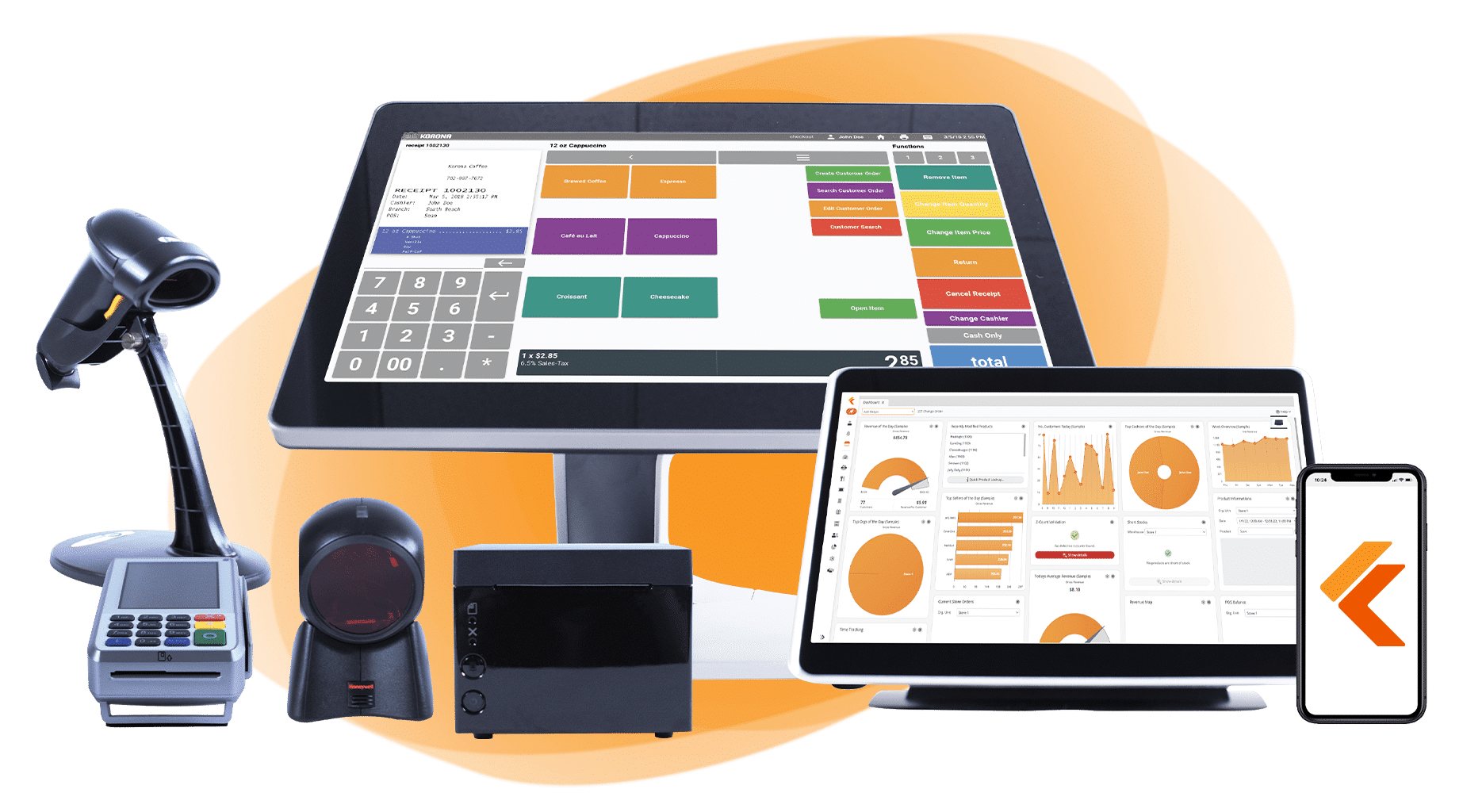
By utilizing a subscription-based pricing model, retailers can move POS expenses from a Capital Expenditure (CapEx) to an Operational Expenditure (OpEx). Most providers offer tiered monthly plans that scale with the volume of the business. This flexibility is vital for seasonal businesses or startups that cannot afford a massive initial outlay. Furthermore, cloud systems are often hardware-agnostic. Instead of purchasing expensive, proprietary cash registers, a small retailer can often use an existing iPad or Android tablet combined with a simple card reader. This significantly reduces the total cost of ownership and allows for easier hardware replacements or upgrades as the business grows.
Real-Time Inventory Management and Multi-Channel Synchronization
One of the primary reasons cloud-based POS systems work so effectively for small retailers is their ability to provide a "single source of truth" for inventory. In 2026, many small retailers do not just sell in a physical store; they sell on Instagram, TikTok, their own e-commerce websites, and third-party marketplaces.
Managing inventory across these disparate channels manually is a recipe for disaster. A cloud POS synchronizes sales data instantly. If a customer buys the last vintage lamp in the physical boutique, the item is automatically marked as "sold out" on the retailer's website. This real-time synchronization prevents overselling and the subsequent customer dissatisfaction. Moreover, advanced cloud systems offer automated reordering alerts. By analyzing sales velocity, the software can notify the owner when stock levels reach a predetermined threshold, ensuring that popular items are always available without tying up excessive capital in overstock.
Mobility and Operational Flexibility
The modern retail environment demands mobility. Cloud-based POS systems enable "line-busting," where staff can process transactions anywhere on the sales floor using a mobile device. This reduces wait times during peak hours and creates a more personalized shopping experience.
Beyond the sales floor, the cloud offers unprecedented flexibility for the business owner. Because the dashboard is accessible via any internet-connected device, an owner can check sales figures, adjust pricing, or manage staff schedules from home, while traveling, or even from the warehouse. This level of remote management is a significant quality-of-life improvement for small business owners who often wear multiple hats. Whether managing a pop-up shop at a local fair or checking end-of-day reports from a laptop at 10 PM, the data is always current and accessible.
Advanced Data Analytics and Reporting for Small Shops
In the past, detailed data analytics were the domain of retail giants with dedicated data science teams. Today, cloud-based POS systems democratize this information. Small retailers can access sophisticated reports that highlight their most profitable items, busiest hours of the week, and customer retention rates.
These insights allow for data-driven decision-making rather than relying on "gut feelings." For instance, a retailer might discover that while a certain product line has high sales volume, its low margins and high return rate make it less profitable than a slower-moving, high-margin item. Cloud systems can also track individual employee performance, helping owners identify who needs more training and who deserves a bonus. In 2026, the ability to pivot based on real-time data is often the difference between a thriving business and one that is struggling to keep up with market trends.
Security and Compliance in 2026
Security remains a paramount concern for any business handling sensitive customer information and financial data. For a small retailer, maintaining a secure local server that is compliant with the latest Payment Card Industry Data Security Standard (PCI DSS) is a daunting and expensive task.
Cloud-based POS providers assume the bulk of this responsibility. Since the data is stored on the provider's enterprise-grade servers, the retailer benefits from high-level encryption, routine security audits, and automatic backups. If a physical store experiences a fire, flood, or theft of hardware, the business's data remains safe in the cloud. Most modern systems are compliant with PCI DSS 4.0, which mandates rigorous security controls. By outsourcing these technical burdens to a cloud provider, small retailers can focus on their customers rather than worrying about the latest cybersecurity threats or data loss.
Key Comparisons: Cloud POS vs. Legacy Systems
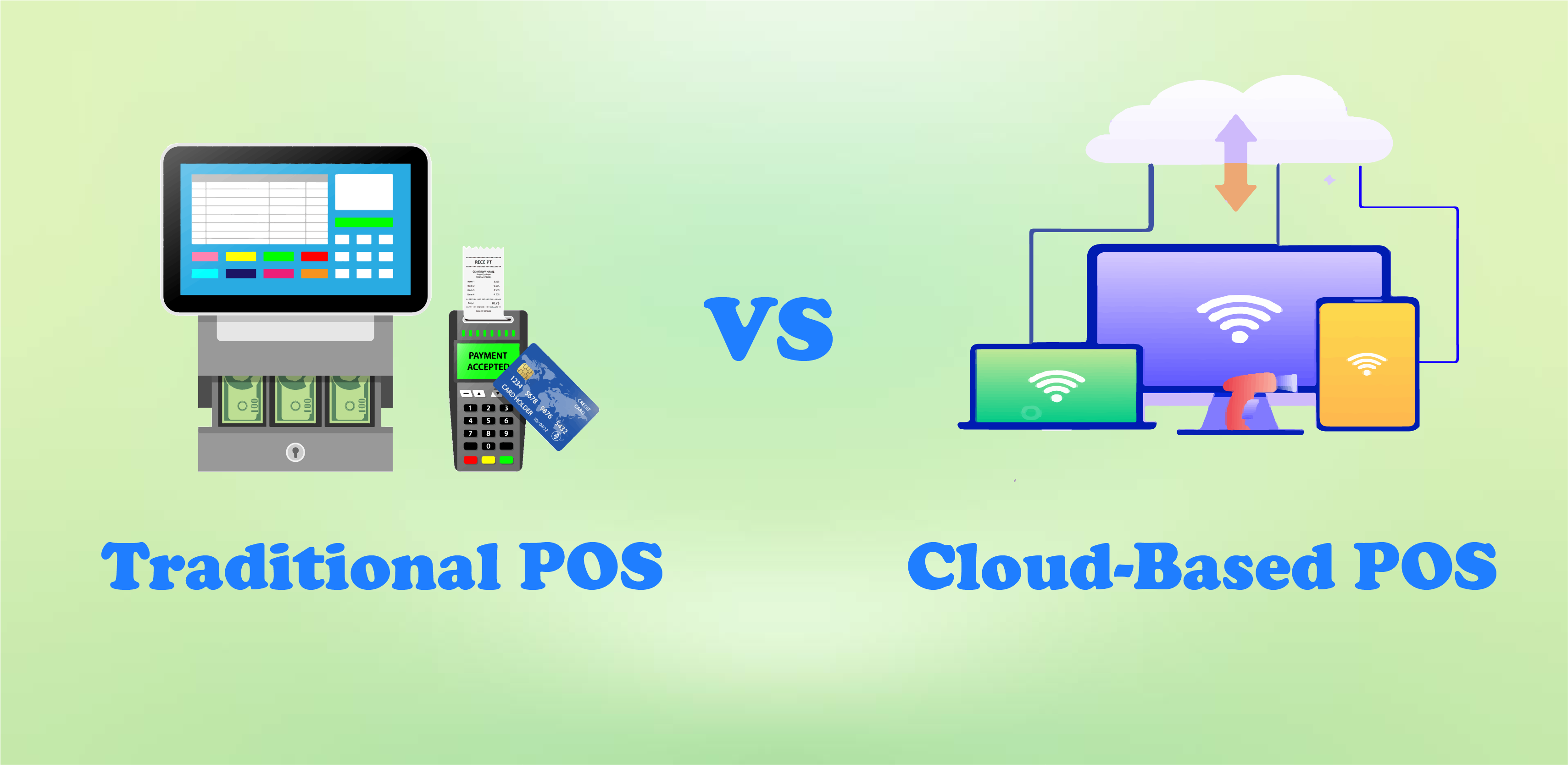
The following table outlines the material differences between traditional legacy systems and the modern cloud-based solutions used by small retailers in 2026.
| Feature | Legacy On-Premise POS | Cloud-Based POS (2026) |
|---|---|---|
| Initial Investment | High (Hardware + License + Setup) | Low (Subscription + Generic Hardware) |
| Software Updates | Manual / Often Requires Paid Upgrades | Automatic / Included in Subscription |
| Data Accessibility | Limited to the Store Location | Remote / Anywhere with Internet |
| Integrations | Complex / Requires Custom APIs | Seamless / Built-in App Ecosystems |
| Hardware Flexibility | Proprietary Terminals | Tablets, Smartphones, and Laptops |
| Disaster Recovery | Manual Backups (High Risk of Loss) | Continuous Cloud Backups (Low Risk) |
| Maintenance | Requires IT Support / On-site Technicians | Vendor-managed / Remote Support |
Integration Capabilities: Building a Retail Ecosystem
A cloud-based POS does not operate in a vacuum; it serves as the hub of a larger digital ecosystem. Small retailers often struggle with fragmented workflows—using one software for accounting, another for email marketing, and a third for staff scheduling.
Modern cloud systems offer "one-click" integrations with popular business tools. For example, a POS can automatically sync daily sales totals with accounting software like QuickBooks or Xero, eliminating the need for manual data entry and reducing the risk of human error. Similarly, it can integrate with customer relationship management (CRM) tools to track purchase history and send personalized marketing offers. This connectivity streamlines the entire business operation, allowing a small team to achieve the productivity levels of a much larger organization.
Practical Challenges and Considerations
While the benefits are significant, small retailers must also consider the potential drawbacks of a cloud-based system. The most prominent is the dependency on internet connectivity. Since the software lives in the cloud, a localized internet outage can potentially disrupt sales.
To mitigate this, most leading cloud POS providers in 2026 have developed robust "offline modes." This allows the system to continue processing transactions and queuing data locally; once the internet connection is restored, the system automatically syncs the data to the cloud. Retailers should also consider the "subscription fatigue" of recurring monthly costs, though these are typically offset by the lack of maintenance and upgrade fees. Finally, data privacy remains a point of due diligence; retailers must ensure their provider adheres to regional regulations such as the GDPR or CCPA, depending on their location.
Frequently Asked Questions
Does a cloud POS work if my internet goes down?
Most modern cloud POS systems include an "offline mode." This feature allows you to continue ringing up sales and accepting certain payment types (though credit card authorization may vary) while the internet is disconnected. The data is stored locally on your device and automatically uploaded to the cloud once your connection is restored.
Is my customer data safe in the cloud?
Yes, and generally more so than on a local server. Cloud providers use advanced end-to-end encryption and adhere to strict PCI compliance standards. They also perform regular, automated backups, ensuring that your data is protected against hardware failure, theft, or local disasters like fires or floods.
Can I use my existing hardware with a cloud POS?
Many cloud-based systems are "hardware-agnostic," meaning they can run on standard tablets like iPads or Android devices. However, you should check with the specific software provider, as some may require specific receipt printers, barcode scanners, or card readers to ensure full functionality and security.
How long does it take to set up a cloud-based POS?
The initial setup can often be completed in a few hours. Because the software is hosted in the cloud, there is no lengthy installation process. The majority of the time is typically spent uploading your inventory list and training staff on the interface, which is usually designed to be as intuitive as a standard smartphone app.
Are there hidden fees with cloud-based systems?
While the monthly subscription is transparent, retailers should be aware of transaction fees associated with integrated payment processing. Some providers offer lower monthly rates but charge higher per-transaction percentages. It is essential to calculate the "total cost of processing" based on your average monthly sales volume.
Practical Recommendation
Small retailers looking to modernize should begin by auditing their current sales channels and identifying where data silos exist. If you find yourself manually updating inventory or struggling to access sales reports away from the store, it is time to transition to a cloud-based system.
Start by identifying 2-3 providers that specialize in your specific retail niche—for example, clothing boutiques have different needs than hardware stores. Take advantage of free trials to test the user interface on your existing mobile devices. Prioritize a system that offers a robust offline mode and seamless integration with your current accounting software to ensure that the transition simplifies your workload rather than adding to it.
Image Gallery