Implementing a Seamless Review Rating on Trustpilot for Modern Businesses
Integrating a seamless review rating mechanism on Trustpilot is essential for businesses seeking to build authentic customer trust, improve search visibility, and streamline customer feedback collection without introducing friction int...
Integrating a seamless review rating mechanism on Trustpilot is essential for businesses seeking to build authentic customer trust, improve search visibility, and streamline customer feedback collection without introducing friction into the user journey.
Contents
Understanding Trustpilot and Review Automation
Trustpilot operates as an independent online review community, bringing businesses and consumers together to foster transparency and improve commercial offerings. For businesses operating in competitive digital markets, maintaining a steady stream of verified customer feedback is critical. However, asking for reviews manually often yields low response rates because customers are forced to navigate multiple steps, remember login details, or search for a business profile manually.
A seamless review rating approach eliminates these barriers by embedding invitations directly into post-purchase workflows. By leveraging Trustpilot’s official integration tools, automated email triggers, and API connections, companies can invite users to share their experiences at the exact moment satisfaction or engagement is highest. This operational efficiency not only increases the volume of reviews but also enhances the overall rating profile by capturing unbiased feedback from a representative sample of all customers, rather than just those who are extremely disgruntled or exceptionally pleased.
Prerequisites and Integration Methods
Before deploying a streamlined feedback collection system, organizations must prepare their technical infrastructure and align their customer relationship management (CRM) or e-commerce platforms with Trustpilot’s ecosystem. The platform supports multiple integration pathways depending on a business’s technical stack and transaction volume.
1. E-Commerce Platform Integrations
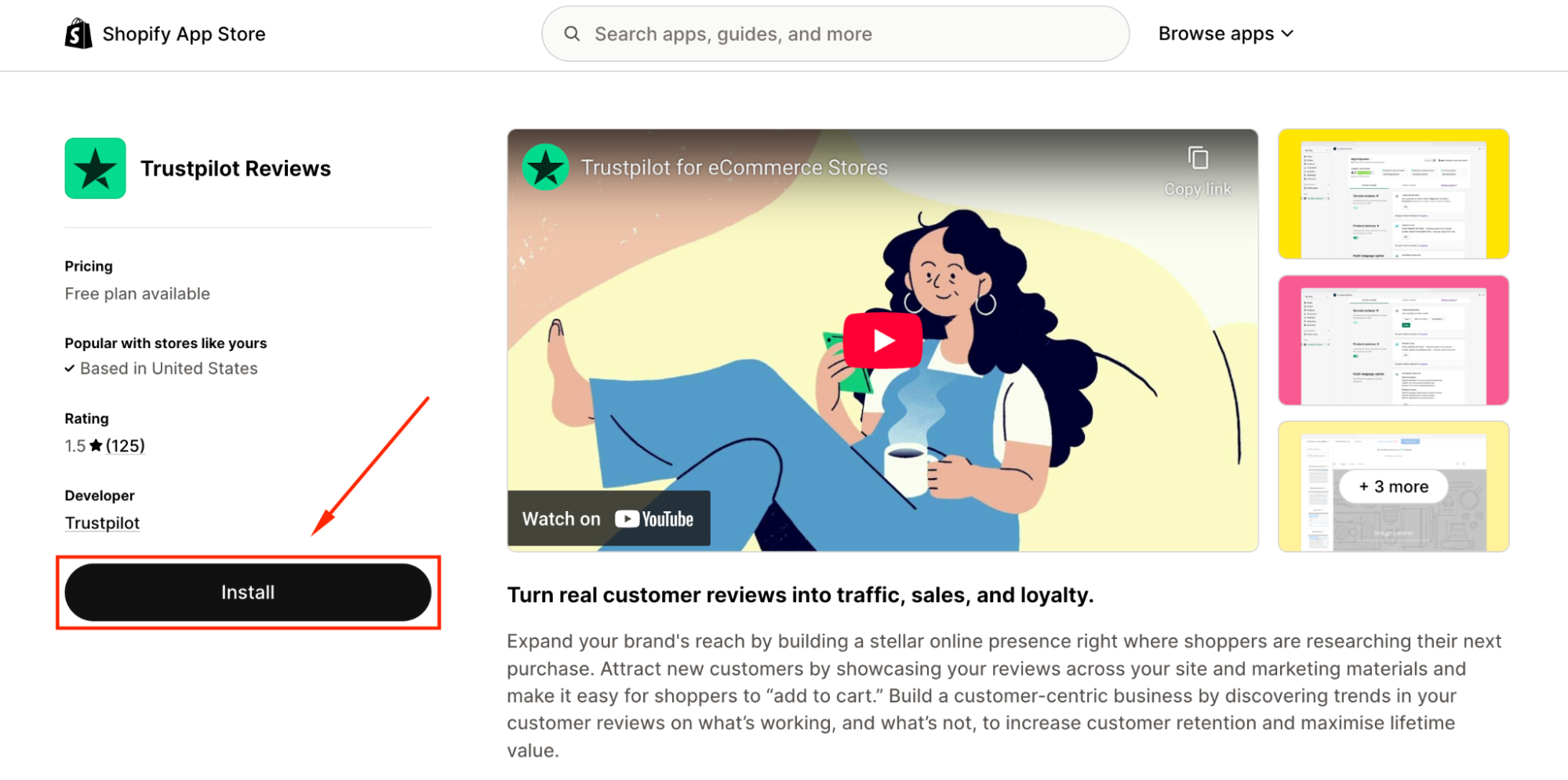
For retailers using platforms such as Shopify, WooCommerce, Magento, or Salesforce Commerce Cloud, Trustpilot offers pre-built applications. These plugins require administrative access to the e-commerce backend and standard authorization permissions. Once installed, they synchronize order status data to automatically dispatch review invitations after a specified fulfillment or delivery delay.
2. Automated Email Triggers (BCC and API)
Businesses with custom web applications can utilize Trustpilot’s Automated Feedback Service (AFS) or direct API endpoints. AFS works by parsing order confirmation or fulfillment emails sent via a business's email server (such as SendGrid or Amazon SES) via a hidden BCC address. Trustpilot automatically reads the customer's name, email, and reference number, queuing a timed review invitation without requiring custom frontend coding.
3. Verification and Account Readiness
- Business Profile Claiming: Ensure your domain is verified and your Trustpilot Business account is fully active.
- Service Reviews vs. Product Reviews: Decide whether you are collecting general company service reviews, product-specific reviews, or both.
- Compliance Checks: Ensure your automated triggers respect local data privacy regulations (such as GDPR or CCPA) by including proper consent mechanisms for marketing and feedback communications.
| Integration Method | Best Suited For | Technical Complexity | Setup Time |
|---|---|---|---|
| Pre-built E-Commerce Plugins | Shopify, WooCommerce, Magento stores | Low | Under 1 hour |
| Automated Feedback Service (BCC) | Custom checkouts, standard email receipts | Low to Moderate | 1 to 3 hours |
| Direct API Integration | Enterprise platforms, complex routing | High | Several days |
Designing a Frictionless Customer Review Journey
To achieve a seamless review rating on Trustpilot, the user experience must be prioritized at every touchpoint. Friction is the primary enemy of user-generated content; if a customer encounters a broken link, a mandatory account creation wall, or a confusing interface, they will abandon the process entirely.
The journey begins immediately after a successful transaction or service interaction. The timing of the review invitation is vital: sending an email too early, before the product has arrived, leads to confusion, while waiting weeks diminishes the emotional recency of the transaction. A standard practice for physical retail is setting a delivery buffer of 3 to 7 days, whereas digital services and software companies often prompt users within 24 to 48 hours of onboarding.
Furthermore, the design of the invitation email itself should be clean and mobile-responsive. Trustpilot provides customizable templates that embed interactive rating stars directly within the email body. When a customer clicks a star rating in their inbox, they are seamlessly redirected to a pre-populated Trustpilot landing page where their rating is locked in, requiring only a brief written headline and review body to finalize submission.
Technical Configuration and Optimization Best Practices
Maximizing the effectiveness of your Trustpilot integration requires careful tuning of technical settings and adherence to platform guidelines. Improper configuration can result in delayed invitations, flagged reviews, or violations of Trustpilot's strict anti-manipulation policies.
Optimizing Invitation Timing and Reminders
Configure reminder schedules thoughtfully. If a customer does not engage with the initial invitation, Trustpilot allows automated reminder emails. Setting a single reminder 4 to 7 days after the initial request typically captures responsive users who missed the first notification, without crossing into intrusive territory that risks user annoyance or spam complaints.
Implementing Structured Data and SEO Benefits
Collecting reviews seamlessly feeds into your broader search engine optimization (SEO) strategy. Trustpilot is an official Google Review Partner. High volumes of verified reviews can qualify a business for Google Seller Ratings, displaying star ratings directly within paid search advertisements and organic listings. To maximize this visibility, ensure your website utilizes appropriate schema markup and that your Trustpilot profile name strictly matches your legal business entity or trading name.
Common Pitfalls and Troubleshooting
Even with robust integrations, businesses occasionally encounter hurdles when attempting to maintain a smooth review collection workflow. Recognizing these challenges helps prevent data loss and customer frustration.
- Webhook Failures and API Timeouts: If using custom API connections, ensure error logging is active. Temporary network drops between your server and Trustpilot can cause missed review triggers, requiring automated batch retries.
- Email Deliverability Issues: Automated invitation emails can sometimes land in spam folders. Authenticate your domain using SPF, DKIM, and DMARC records to ensure Trustpilot-generated emails pass spam filters successfully.
- Policy Violations: Never incentivize reviews by offering financial rewards, discounts, or conditional perks in exchange for positive ratings. Trustpilot utilizes sophisticated fraud detection algorithms; incentivized or artificially generated reviews can result in warning banners on your public profile or suspension of your account.
Frequently Asked Questions
Can I automate Trustpilot review invitations without using a pre-built plugin?
Yes. You can use Trustpilot’s Automated Feedback Service (AFS) by adding a designated Trustpilot BCC address to your transactional emails, or by integrating directly with Trustpilot’s REST API to programmatically dispatch review requests following order fulfillment events.
What is the ideal time to send a review invitation?
The ideal timing depends on your industry. For e-commerce shipping physical goods, schedule invitations to arrive a day or two after the estimated delivery date. For software-as-a-service (SaaS) or digital agencies, prompt users shortly after successful onboarding or project completion.
Do embedded star ratings in emails actually improve conversion rates?
Yes. Embedded interactive stars allow customers to start the review process directly inside their email client. This reduces the number of required clicks and significantly improves overall conversion rates compared to static text links.
Will collecting more reviews improve my Google search ranking?
While review volume and ratings are not direct algorithmic ranking factors for organic web search, they heavily influence click-through rates (CTR) via Google Seller Ratings in ads and build overall brand authority and consumer trust.
How do I handle negative reviews collected through automated workflows?
View negative reviews as operational feedback rather than failures. Respond publicly, professionally, and promptly to address the customer's concerns, outline corrective actions, and invite them to resolve the issue offline via customer support.
Final Recommendations for Implementation
Deploying a seamless review rating workflow on Trustpilot requires balancing technical automation with a respectful, customer-centric approach. Begin by selecting an integration method that matches your existing technical capabilities—opting for pre-built e-commerce plugins if available, or setting up automated email parsing for custom systems. Test the end-to-end user journey on mobile and desktop devices to ensure zero friction exists between opening an invitation and submitting feedback. Finally, monitor your review metrics regularly, respond actively to all feedback, and maintain strict compliance with Trustpilot's guidelines to protect your brand reputation and maximize long-term digital growth.
Image Gallery