How to Check Your Bank Account Balance and Avoid Hidden Fees
Checking your bank account balance without incurring fees requires using free digital tools like official mobile banking apps, secure online portals, or automated phone systems. You can avoid hidden charges by avoiding out-of-network A...
Checking your bank account balance without incurring fees requires using free digital tools like official mobile banking apps, secure online portals, or automated phone systems. You can avoid hidden charges by avoiding out-of-network ATM balance inquiries, opting out of paper statements, and distinguishing between your current balance and available balance to prevent costly overdraft charges.
Contents
Disclaimer: This article is provided for informational and educational purposes only and does not constitute formal legal or financial advice. Banking policies, fee structures, and regulations vary by financial institution and jurisdiction.
Core Channels to Check Your Bank Account Balance Fee-Free
Checking your bank account balance regularly is fundamental to personal financial management. However, how you check your balance determines whether the service is free or incurs unexpected service fees. Commercial banks, credit unions, and digital banking platforms offer several official channels for balance monitoring.
1. Mobile Banking Apps
The most direct and cost-effective method to monitor account activity is through your financial institution's official mobile banking application. Modern banking apps on iOS and Android allow secure authentication using biometrics (such as facial recognition or fingerprint scanning) or passcode access.
- Instant Access: Mobile apps display real-time transaction updates, pending authorizations, and cleared funds.
- Cost: Free across virtually all deposit institutions.
- Security: Transmissions use end-to-end encryption. Mobile apps eliminate the security risks of paper receipts left at physical machines.
2. Desktop Online Banking Portals
Accessing your institution's web portal via a secure internet browser provides a full financial dashboard. Online banking allows you to view historical statements, search past cleared checks, download tax forms, and review pending debit authorizations.
- Cost: Completely free.
- Key Advantage: Online web dashboards provide comprehensive transaction histories and tools to download records into CSV or accounting formats without requesting paid printed histories from a teller.
3. Automated Phone Banking (IVR Systems)
If internet access is unavailable, financial institutions maintain automated Interactive Voice Response (IVR) phone systems accessible via a toll-free customer service line.
- How It Works: Callers enter their debit card number or account number alongside a Telephone Identification Number (TIN) or automated passcode.
- Cost: Free when using the automated system.
- Important Caution: Requesting to speak directly with a live customer service representative to perform basic balance inquiries can trigger a live-agent fee ($2.00 to $5.00 per call) at certain retail institutions unless your account tier includes fee waivers.
4. Text (SMS) Banking and Instant Alerts
SMS banking enables customers to send short text commands (such as BAL or HIST) to a short-code number managed by their bank to receive an immediate text reply with current balance information.
- Cost: Banks do not charge for SMS banking commands, though standard text messaging rates from your mobile carrier apply.
- Setup: Requires initial enrolment through your bank's online settings dashboard to pair your mobile phone number with your deposit accounts safely.
5. In-Network ATMs
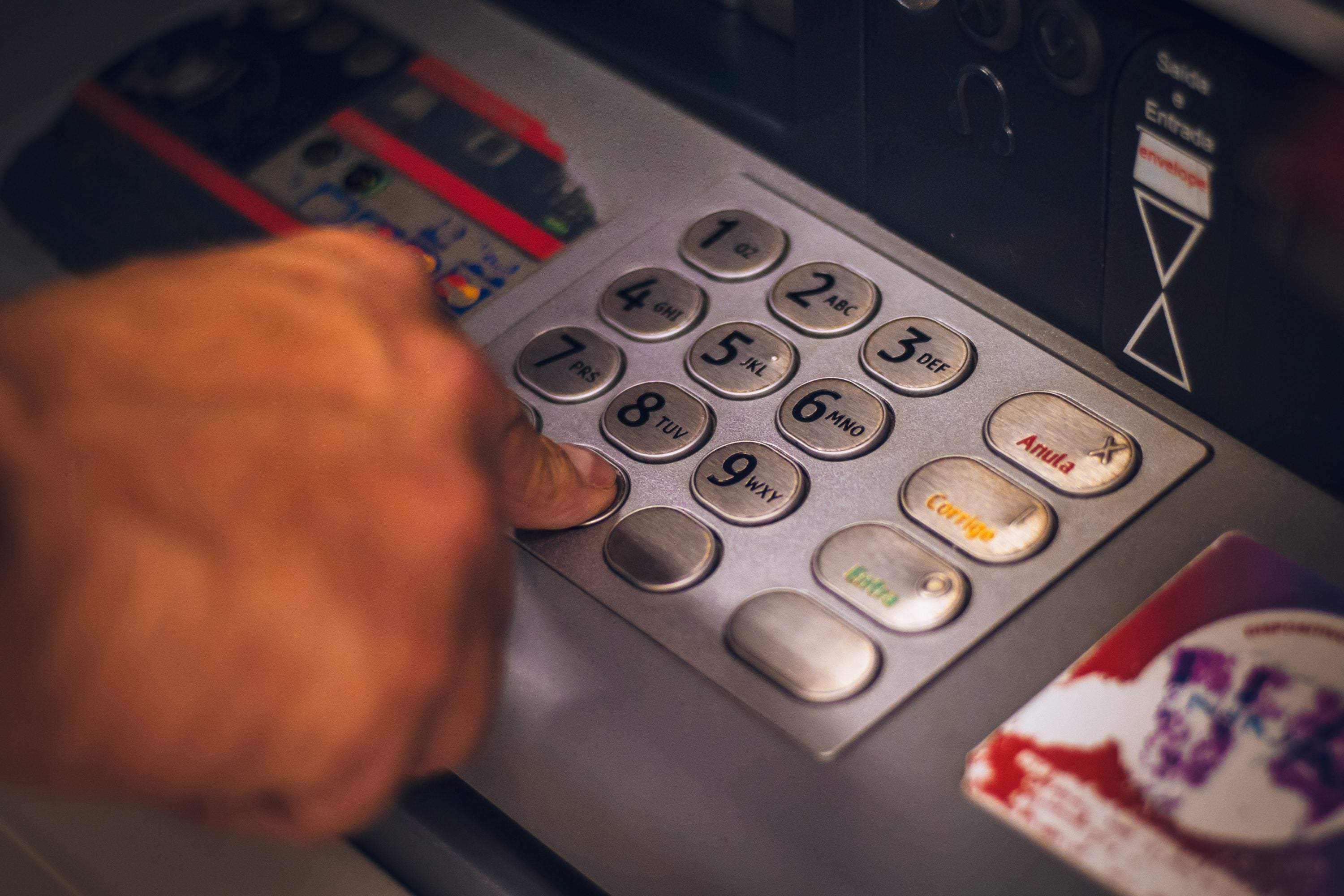
Inserting or tapping your debit card at an ATM owned directly by your bank or within your bank's designated partner network (such as Allpoint, MoneyPass, or CO-OP networks) allows fee-free balance inquiries displayed on-screen or printed on a paper receipt.
Understanding Bank Fees Associated with Balance Inquiries
While checking a account balance seems straightforward, unintended fees can arise if you use third-party networks or non-standard request channels.
- Bank Account Balance Channels
- Fee-Free Channels
- Mobile App & Online Portals
- Automated Phone Systems (IVR)
- In-Network ATMs
- SMS / Text Banking
- Potential Fee Traps
- Out-of-Network ATM Inquiries
- Live Representative Assistance
- Paper Statements
- Ledger vs. Available Misreading
- Fee-Free Channels
Out-of-Network ATM Balance Inquiry Fees
Checking your balance at an ATM that does not belong to your bank's proprietary or partner network often triggers two separate fees:
- Non-Network ATM Operator Surcharge: The owner of the physical ATM charges a fee (typically $1.50 to $4.00) simply to query their system and display your balance.
- Out-of-Network Inquiry Fee from Your Own Bank: Many major banks charge an additional out-of-network balance inquiry fee (ranging from $1.00 to $3.00) when you initiate a non-transaction query at a third-party terminal.
Querying a balance at an out-of-network ATM can cost up to $7.00 without completing a withdrawal.
Paper Statement Fees
Receiving physical bank statements by mail often carries a monthly paper statement fee of $2.00 to $5.00 per account. Financial institutions institute these fees to offset printing and postage costs while encouraging digital adoption. Switching to electronic statements (e-Statements) via online banking settings waives this recurring charge completely while providing digital access to official monthly PDFs.
Live Teller and Representative Fees
Some specialized or low-fee checking accounts limit in-person teller interactions. Performing routine tasks at a branch office—such as requesting a verbal balance check or requesting a printed transaction history from a bank teller—may result in a human-assistance fee ($2.00 to $5.00) if those services are accessible for free via self-service digital kiosks or mobile apps.
Balance Checking Methods and Potential Costs
The table below outlines common balance-checking methods, potential costs, and key operational details to help you choose fee-free options:
| Method / Channel | Typical Cost | Processing Speed | Risk of Fees | Best Practical Use Case |
|---|---|---|---|---|
| Mobile Banking App | $0.00 | Real-Time | None | Everyday balance checks and real-time push notifications. |
| Online Banking Web Portal | $0.00 | Real-Time | None | In-depth transaction reviews, e-statement downloads, and budget reconciliation. |
| Automated Phone (IVR) | $0.00 | Real-Time | Low (Fee applies if escalated to live agent) | Quick checks without a smartphone or active mobile data connection. |
| SMS/Text Banking | $0.00 (Standard carrier rates apply) | Near Instant | None | Rapid balance inquiries without logging into an app. |
| In-Network ATM | $0.00 | Real-Time | None | Balance checks immediately preceding physical cash deposits or withdrawals. |
| Out-of-Network ATM | $1.50 – $7.00 | Real-Time | High (Double fee: ATM owner + home bank) | Avoid entirely; use mobile app instead. |
| Branch Teller / Live Agent | $0.00 – $5.00 | Real-Time | Moderate (Depends on account agreement details) | Complex balance reconciliations or resolving account disputes. |
| Mailed Paper Statement | $2.00 – $5.00 / month | Monthly Delay | Moderate (Recurring paper statement fee) | Avoid by enrolling in digital e-Statements. |
Available Balance vs. Ledger Balance: Preventing Overdraft Charges
Understanding how to read your balance is just as important as knowing how to check it. Misinterpreting line items on a banking app can lead to non-sufficient funds (NSF) charges or overdraft fees, which average $30.00 to $35.00 per incident across major institutions.
- Total Account Funds
- Available Balance
- Funds ready for immediate use (Ledger Balance MINUS Holds)
- Pending Holds / Transactions
- Gas station pre-authorizations
- Hotel / rental car holds
- Uncleared check payments
- Ledger Balance
- Settled transactions at close of business
- Available Balance
Ledger Balance (Current Balance)
The ledger balance (often labeled as "Current Balance") represents the total settled funds in your account at the close of the previous business day. It reflects posted deposits, cleared checks, and processed debit purchases. It does not account for pending authorizations, outstanding checks you have written that have not yet cleared, or scheduled automatic bill payments due that day.
Available Balance
The available balance represents the funds immediately accessible for withdrawal, debit card purchases, or transfer. The available balance calculation takes the current ledger balance and subtracts:
- Pending debit card authorizations (e.g., gas station holds, restaurant tips, or online retailer pre-authorizations).
- System-enforced deposit holds on recently deposited checks under Regulation CC guidelines.
- Outstanding processing transactions scheduled for immediate settlement.
Key Takeaway: Always rely on your Available Balance—not your Current Balance—when deciding whether you have sufficient funds for a transaction. Writing a check or authorizing a card purchase based on the Current Balance when pending holds exist can trigger an overdraft fee.
Setting Up Free Automated Alerts to Monitor Your Balance
Rather than manually logging into accounts multiple times per day, set up automated notifications through your bank’s security and preferences portal. Automated notifications help maintain fee-free management by providing continuous account visibility.
| Recommended Automated Alert Configuration | Description |
|---|---|
| 1. Low Balance Threshold Alert | Triggers when available balance drops below $100 |
| 2. Large Transaction Alert | Flags debits exceeding $100 to catch fraud |
| 3. Daily Balance Summary | Sends daily morning SMS or push notification |
| 4. Overdraft Warning Notice | Alert sent before end-of-day clearing cutoffs |
1. Low Balance Alerts
Configure a low-balance alert triggered whenever your available balance drops below a specified threshold (e.g., $50 or $100). Receiving a push notification or email alert gives you time to transfer funds from savings or suspend non-essential spending before incurring overdraft or returned-item charges.
2. Large Transaction Alerts
Set instant alerts for any debit purchase, withdrawal, or electronic transfer exceeding a designated limit (such as $100). This serves a dual purpose: confirming that a payment cleared for the expected amount and providing real-time notification of potential unauthorized card usage.
3. Daily Balance Summaries
Many institutions offer a automated daily morning text or push notification containing your opening available balance. This keeps your available balance top-of-mind every day without manual logins.
How to Waive Monthly Account Maintenance Fees
Checking your balance regularly is one part of avoiding bank charges; ensuring your checking account itself does not carry a monthly maintenance fee is equally critical. Retail checking accounts frequently assess monthly maintenance fees ranging from $5.00 to $15.00 unless specific qualifying conditions are met each statement cycle.
Common Fee-Waiver Requirements
- Direct Deposit Minimums: Most banks waive monthly fees if you receive a minimum total amount in qualifying direct deposits each cycle (e.g., $500 to $1,500 monthly from an employer, government benefits provider, or pension administrator).
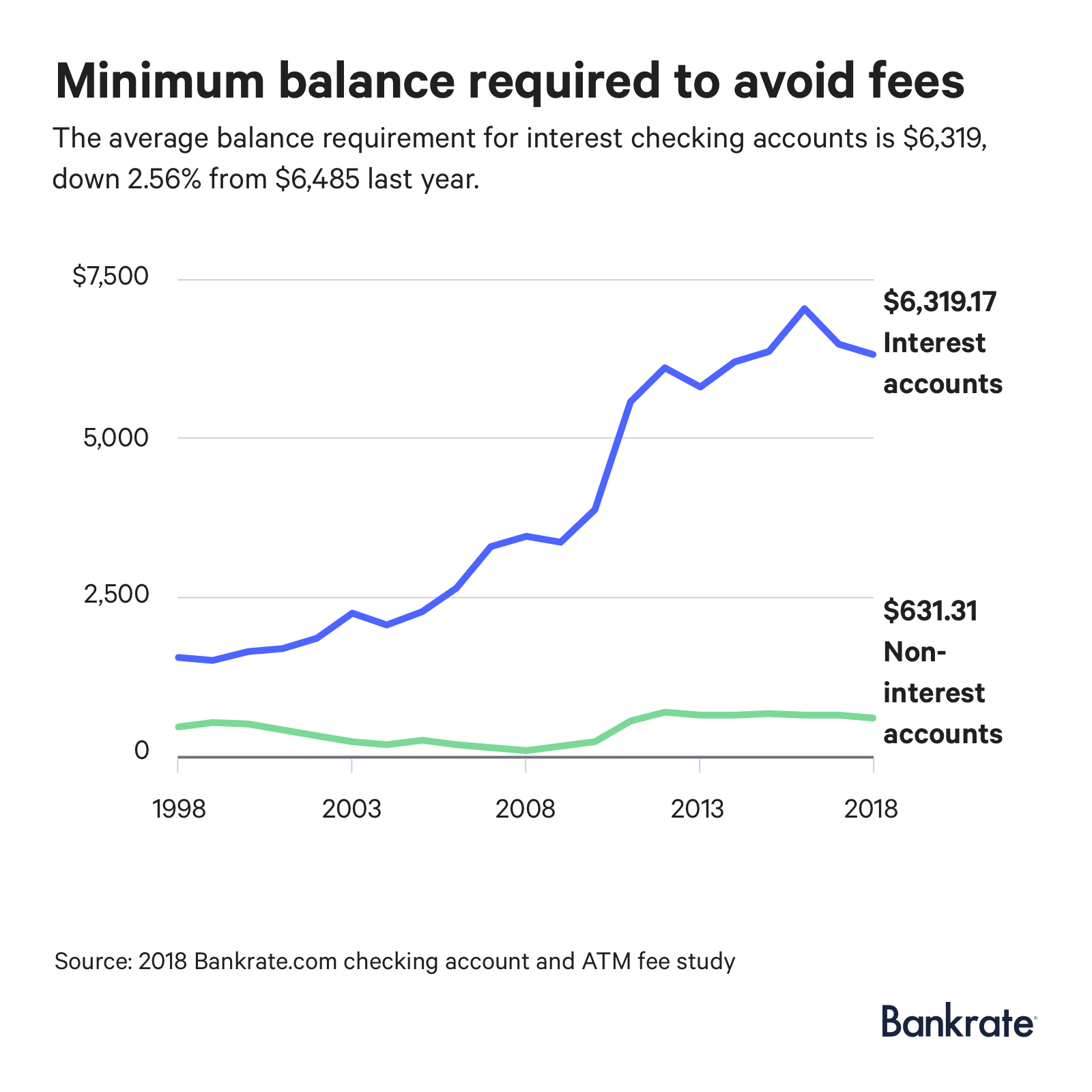
- Minimum Daily Balance: Maintaining a minimum balance (often $1,500 in standard checking, or higher in premium accounts) throughout the monthly billing cycle keeps the account fee-free.
- Linked Account Relationships: Linking a checking account to a savings account, mortgage, or credit card with the same institution often waives monthly service charges if combined balances meet specified limits.
- Student or Age-Based Exemptions: High school and college students aged 17 to 24 frequently qualify for fee-waived student checking accounts without balance minimums.
Troubleshooting Common Balance Inquiry Errors and Fee Traps
Even cautious account holders can encounter unexpected charges or balance discrepancies. Understanding common fee traps helps ensure every balance inquiry remains free.
1. Out-of-Network ATM Balance Inquiry Traps
When using an independent ATM located inside a convenience store, gas station, or entertainment venue, inserting your card to inspect your balance often prompts an on-screen warning regarding the operator's surcharge fee. However, the screen rarely warns you that your own bank may charge a secondary fee for out-of-network balance requests.
- Solution: Decline the ATM balance inquiry option. Instead, open your bank's mobile app on your phone while standing near the machine to check your available balance fee-free before inserting your card for cash access.
2. Third-Party Budgeting App Security and Discrepancies
Third-party financial aggregation apps sync data via Application Programming Interfaces (APIs) or web scraping. While generally safe, sync delays can occur.
- Solution: A third-party budgeting app may show an outdated available balance if the background account sync has not refreshed recently. Always verify balance details on your bank's official application before executing major transactions.
3. International ATM Balance Inquiry Charges
Checking your balance at an international ATM while traveling abroad can incur multiple charges, including out-of-network inquiry fees, international terminal surcharges, and currency conversion fees.
- Solution: Turn off international ATM inquiries entirely. Access your funds via local ATMs using verified international banking networks, and use international mobile data or secure Wi-Fi to monitor balances on your mobile app.
Frequently Asked Questions
Can a bank charge a fee just for checking your balance on an app?
No. Standard commercial banks, credit unions, and digital banking platforms do not charge fees for checking balances via their official mobile applications or online web portals. These digital self-service tools are provided fee-free to all account holders.
Does checking a bank account balance affect your credit score?
No. Checking your deposit account balance (checking, savings, or money market) has no impact on your credit score. Balance inquiries interact exclusively with your deposit institution and do not involve credit reporting bureaus or credit checks.
Why does my available balance differ from my actual balance?
Your current or ledger balance reflects all settled, completed transactions. Your available balance subtracts pending authorizations (such as pending card purchases, gas station holds, or unposted checks) and accounts for temporary deposit holds. The available balance shows the funds you can spend immediately without overdrawing your account.
How can I check my bank balance if I don't have internet access or a smartphone?
You can use your bank's automated phone system (IVR) by dialing the customer service number on the back of your debit card and entering your security details. Alternatively, you can use SMS text banking by texting commands like BAL to your bank's designated short-code number, or use an in-network ATM.
What should I do if I am charged an out-of-network ATM balance inquiry fee?
If you incurred an out-of-network balance inquiry fee by mistake, call your bank's customer support line. If you are a long-standing customer with few account fees, representatives often grant a one-time courtesy fee waiver. Moving forward, use your bank's mobile app or in-network locator to avoid third-party ATMs.
Actionable Next Steps
To streamline your banking and avoid balance-related fees:
- Download and Secure Your Bank's Official Mobile App: Enable biometric login (Face ID/Fingerprint) and turn off paper statements inside settings to eliminate monthly paper statement fees.
- Configure Automated Push Notifications: Set up a low-balance alert (e.g., when funds drop below $100) and a daily balance summary delivered to your phone each morning.
- Locate In-Network ATMs: Use your bank's app locator map to find nearby fee-free partner ATMs, and avoid out-of-network machines for routine balance checks.
- Base Purchases on Available Balance: Before authorizing large payments, verify your Available Balance rather than your Current Balance to prevent accidental overdrafts.
Image Gallery