Comprehensive Guide to Finding and Using an Example of Minutes of a Meeting PDF
An example of minutes of a meeting PDF provides a standardized, professional blueprint for documenting organizational decisions, tracking action items, and maintaining legal compliance. Utilizing a portable document format template ens...
An example of minutes of a meeting PDF provides a standardized, professional blueprint for documenting organizational decisions, tracking action items, and maintaining legal compliance. Utilizing a portable document format template ensures formatting remains consistent across devices, making it easier to share, archive, and legally safeguard corporate and nonprofit records.
Contents
Understanding the Purpose of Meeting Minutes
Meeting minutes serve as the official written record of a gathering, capturing the essence of discussions, motions passed, and future responsibilities assigned to participants. Far beyond mere bureaucratic formality, well-constructed minutes protect organizations by establishing a clear timeline of corporate actions, providing accountability for stakeholders, and ensuring continuity when board members or employees transition out of their roles.
When organizations look for a meeting minutes example PDF, they are usually seeking a layout that balances brevity with thoroughness. Good minutes do not transcribe every word spoken; instead, they focus on outcomes. They record what was decided, who is responsible for executing the decision, and by what deadline. This precision reduces ambiguity, resolves disputes over past agreements, and offers a reliable reference point for future strategic planning.
Essential Components of Professional Meeting Minutes
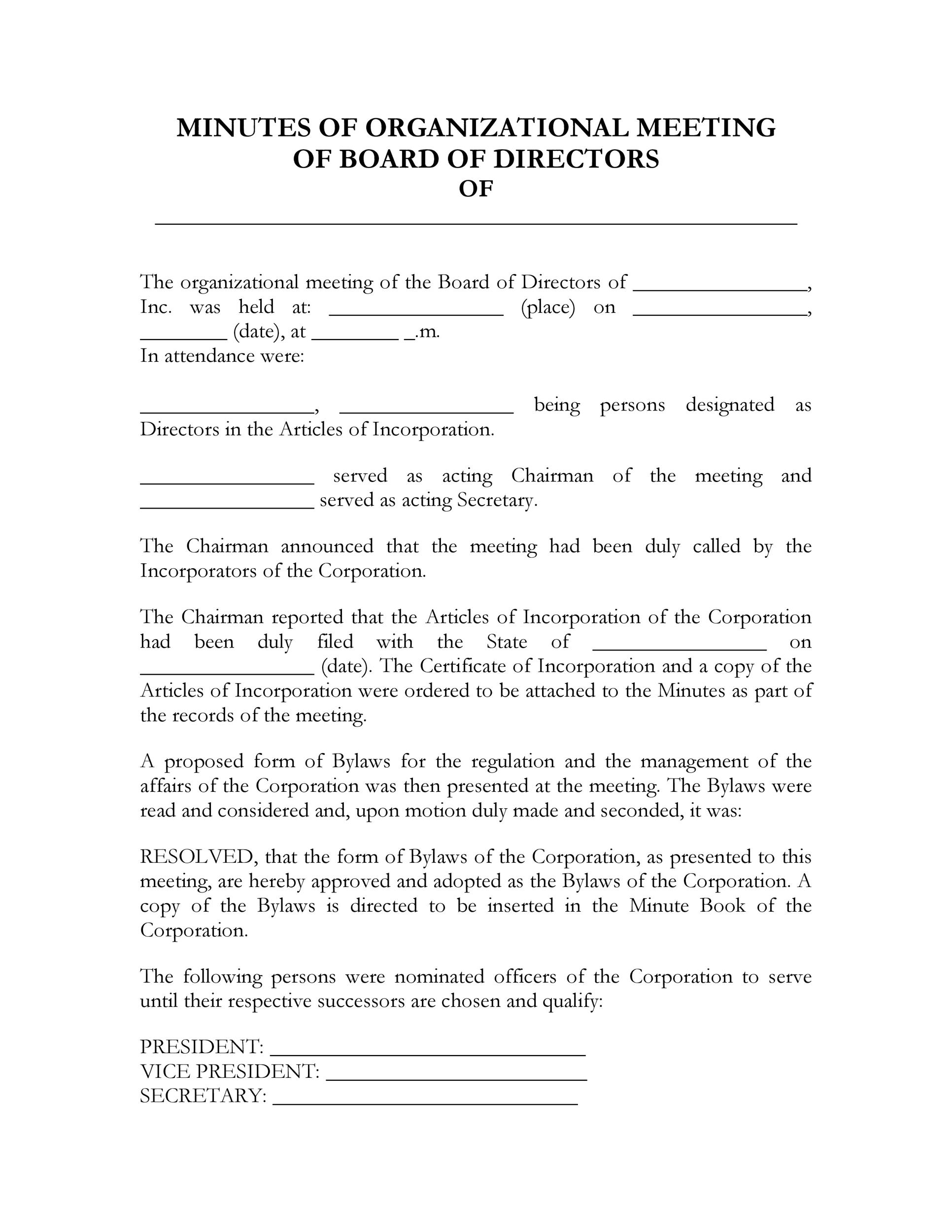
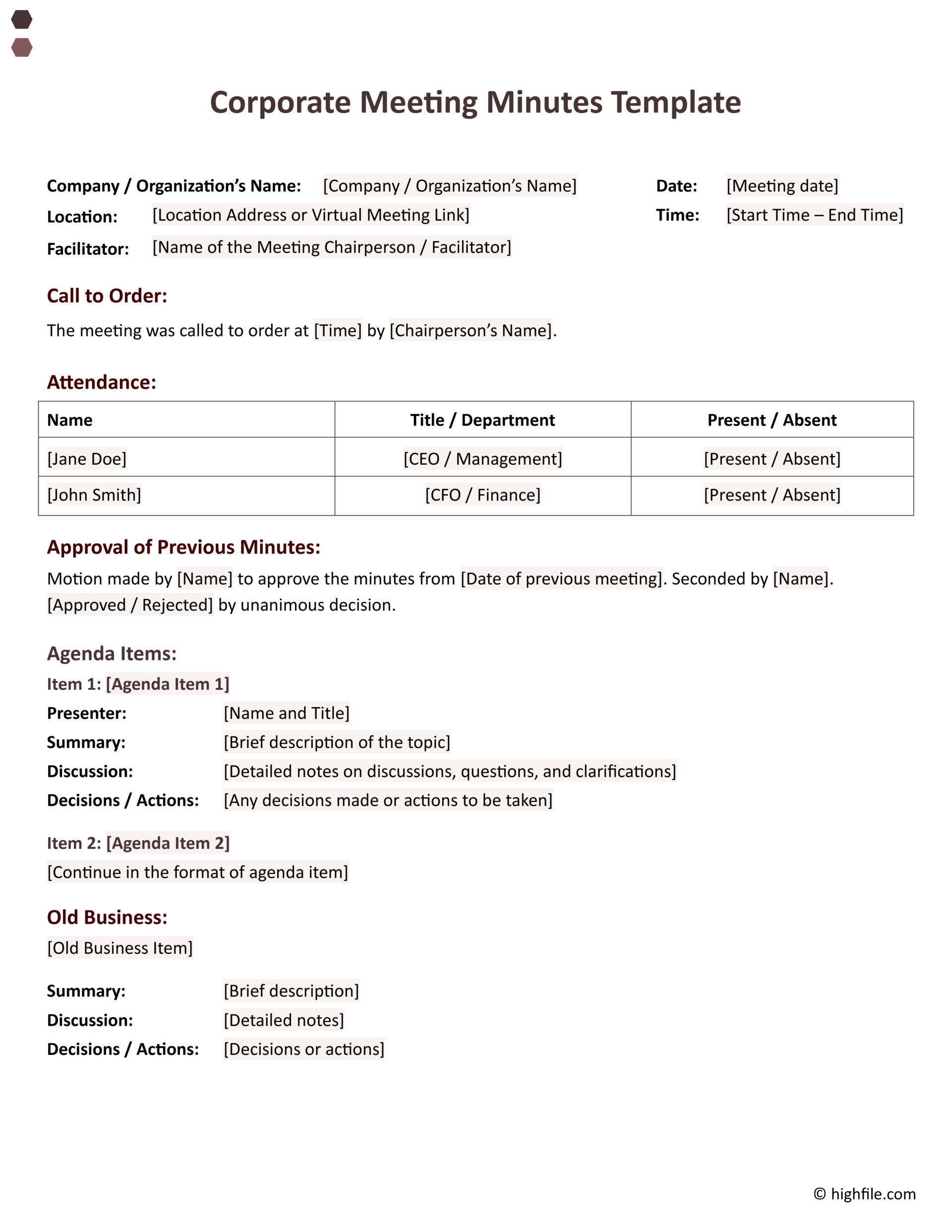
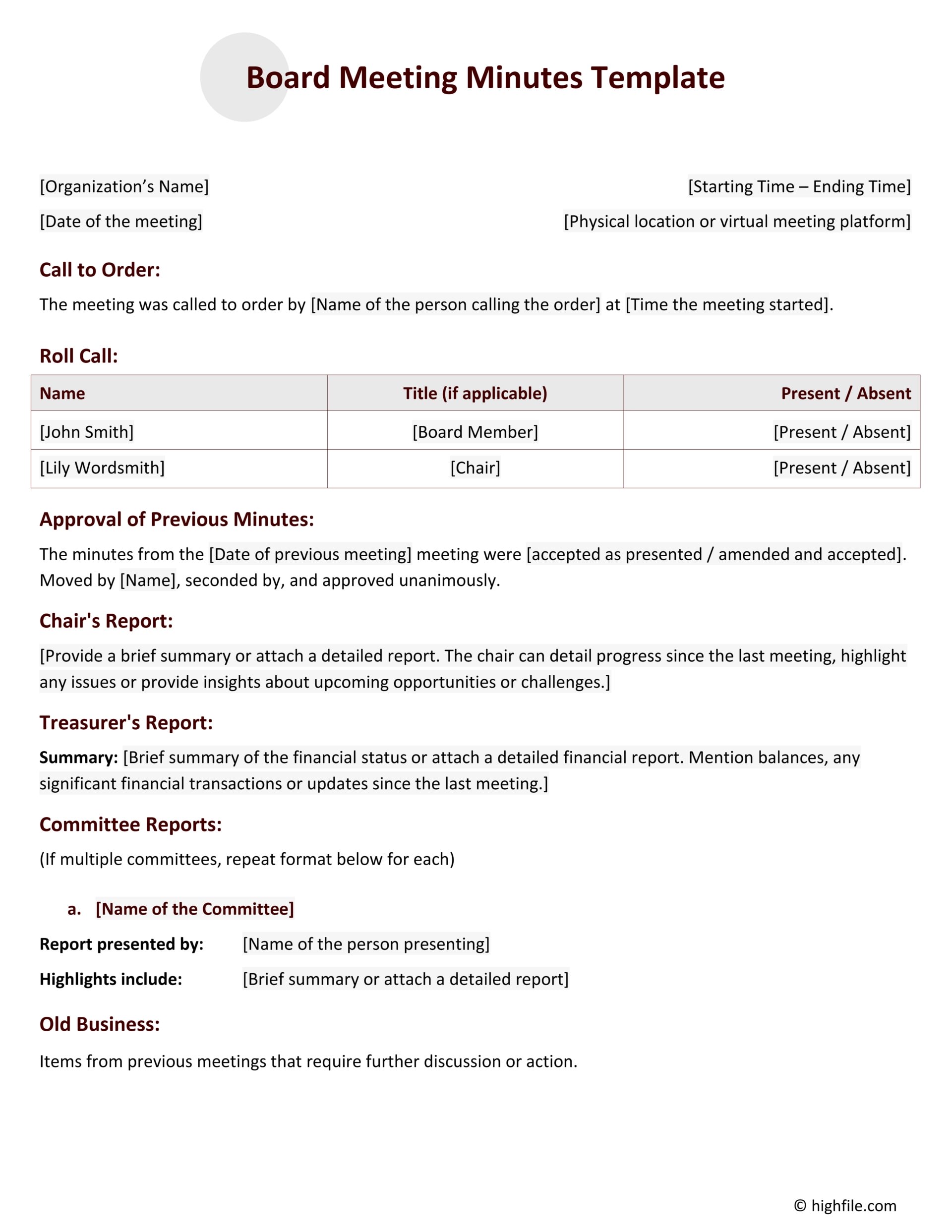
Every reliable template or example of minutes of a meeting PDF contains a standardized set of structural elements. Without these components, the document loses its utility as an administrative or legal record. Knowing what belongs in each section helps drafters structure their notes efficiently during live sessions.
Header and Administrative Details
The document must open with clear administrative metadata. This includes the official name of the organization or committee, the exact date and time the meeting commenced, and the physical or virtual location. Furthermore, the record must list the name of the person presiding over the meeting (such as the chair or president) and the person recording the notes (the secretary).
Attendance and Quorum
A defensible meeting record explicitly states who was present, who attended remotely, and who was excused. This section is vital for verifying whether a quorum—the minimum number of members required to conduct official business—was present. Listing absent members also ensures transparency and accountability within boards of directors and governance committees.
Approval of Previous Minutes
Standard parliamentary procedure requires the review and formal approval of the minutes from the preceding meeting. The document should note whether the previous minutes were approved as circulated or amended, along with the names of the members who moved and seconded the approval.
Reports, Discussions, and Motions
This forms the core of the document. It summarizes reports presented by officers, committees, or department heads. For discussions, the notes capture the general sentiment and key arguments without getting bogged down in personal arguments. Crucially, every formal motion must be recorded verbatim, including the exact wording of the motion, the name of the mover, the seconder, and the final voting outcome (passed, defeated, or tabled).
Action Items and Adjournment
The concluding section tracks assigned tasks, specifying the owner of each task and the expected completion date. Finally, the record documents the exact time the meeting adjourned and sets the date, time, and location for the next scheduled gathering.
Standard Formats: PDF Versus Word Documents
Organizations frequently debate whether to distribute and archive meeting minutes as editable word-processing documents or as static PDFs. While drafting is almost always performed in text editors like Microsoft Word or Google Docs, finalizing the record as a PDF offers distinct operational advantages.
| Feature | Word Document (.docx) | PDF Document (.pdf) |
|---|---|---|
| Editability | Highly editable; prone to accidental alterations. | Read-only; protects historical accuracy and integrity. |
| Formatting Consistency | Varies depending on user software, fonts, and operating systems. | Universal rendering ensures fonts and layouts appear identical everywhere. |
| Security & Compliance | Difficult to lock down against unauthorized post-approval changes. | Supports digital signatures, encryption, and permission controls. |
| Archival Reliability | Not recommended for long-term compliance storage. | Industry standard for secure, long-term document retention. |
For formal corporate governance, the workflow generally involves drafting the text, submitting it for board review, securing approval at the subsequent meeting, and then converting and locking the final version into a PDF for archival storage.
Industry-Specific Variations in Meeting Minutes
Different sectors require tailored approaches to meeting documentation. A corporate board of directors follows strict legal statutes, whereas a creative agency team requires a more agile, project-oriented summary.
Corporate Boards and Nonprofits
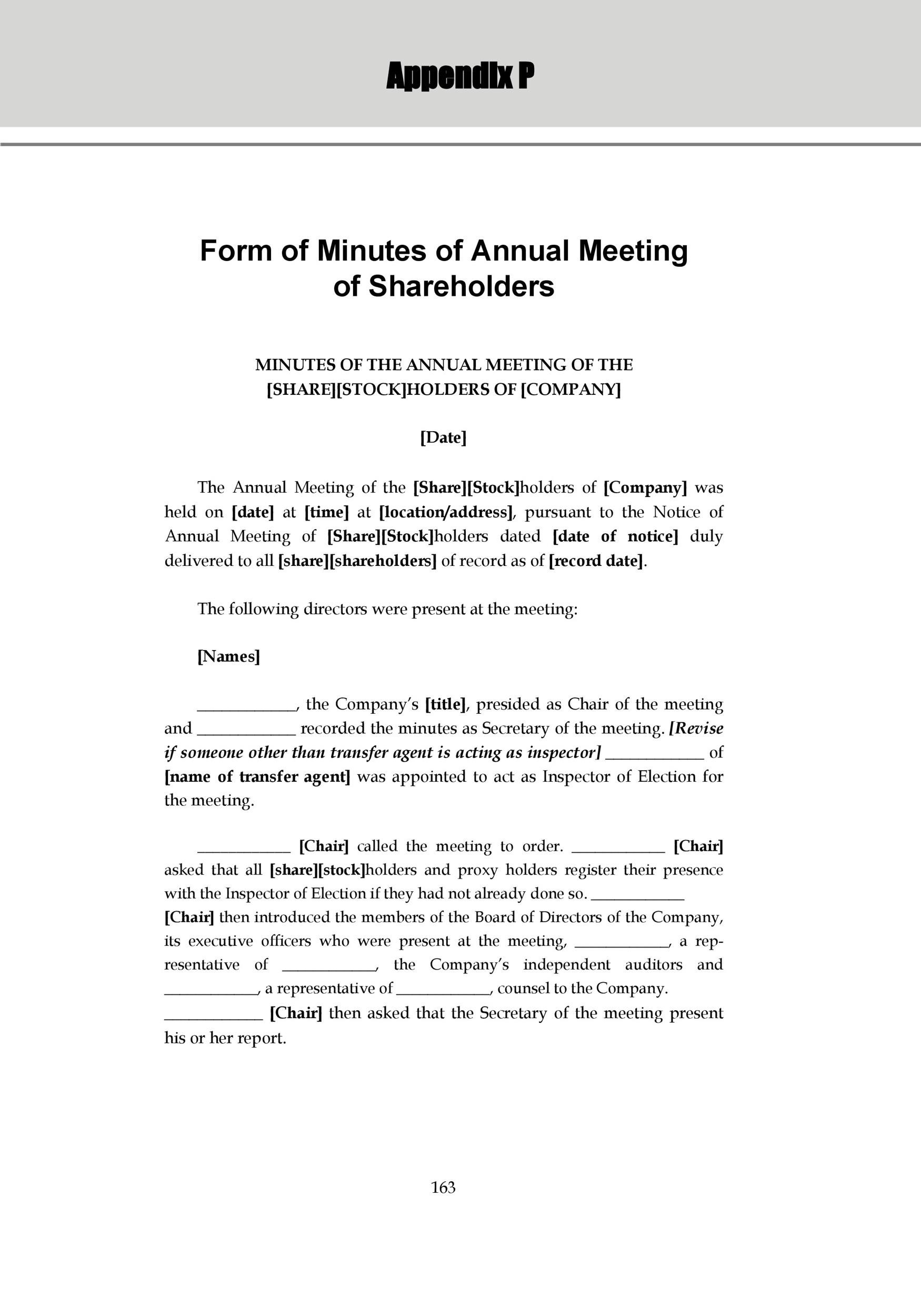
Corporate and nonprofit boards operate under strict bylaws and state or federal regulations. Their minutes must meticulously record voting tallies, abstentions, and conflicts of interest. In these sectors, an example of minutes of a meeting PDF often includes legal disclaimers, signature blocks for the secretary and board chair, and formal attachments of financial audits or executive reports.
Project Teams and Agile Committees
Internal operational teams prioritize speed and execution over rigid parliamentary procedure. Their minutes—often called action minutes or summary notes—concentrate heavily on task allocation, sprint milestones, and technical blockers. While formatting remains clean, the language is less formal and directly addresses operational deliverables.
Step-by-Step Guide to Drafting and Finalizing Minutes
Writing effective meeting minutes requires a systematic workflow that begins before the meeting starts and concludes long after everyone has left the room.
- Preparation: Review the agenda beforehand and use it as the structural framework for your notes template. Having pre-filled headings accelerates data entry during fast-paced discussions.
- Recording: Capture raw notes focusing on decisions, motions, and action items rather than verbatim dialogue. Note the exact times for major transitions, recesses, and adjournment.
- Drafting: Transcribe the raw notes into the standardized PDF template within 24 to 48 hours while memory is fresh. Ensure objective, neutral language is used throughout.
- Review: Send the draft to the executive committee or meeting chair for preliminary proofreading to catch factual errors or misattributed statements.
- Approval and Archiving: Present the draft at the next meeting for formal adoption. Once approved, convert the document to PDF, apply digital signatures if required, and store it in the designated compliance repository.
Common Mistakes to Avoid When Writing Minutes
Inexperienced minute-takers often fall into traps that compromise the legal and administrative value of the document. Avoiding these pitfalls ensures clean, professional records.
- Recording Every Opinion: Including personal commentary, emotional exchanges, or detailed arguments can create legal liabilities and alienate participants. Summarize the decision-making rationale instead.
- Omitting Voting Details: Failing to record who made a motion or omitting vote counts makes it impossible to verify whether proper governance procedures were followed during critical votes.
- Delayed Distribution: Waiting weeks to circulate drafts degrades accuracy and delays the execution of assigned action items.
- Inconsistent Formatting: Using erratic headings and disorganized layouts makes historical audits difficult and frustrates stakeholders trying to track past decisions.
Frequently Asked Questions
Are meeting minutes considered legally binding documents?
Yes. For corporations, LLCs, and nonprofits, approved meeting minutes serve as legal evidence of corporate authorization, fiduciary compliance, and official board actions. Courts and regulatory bodies frequently review minutes to determine whether an organization followed its own bylaws and exercised proper duty of care.
Who is legally responsible for taking meeting minutes?
In most formal organizations, the corporate secretary holds the statutory responsibility for recording and maintaining minutes. However, in practice, the secretary may delegate the actual note-taking duties to an administrative assistant, project manager, or designated committee member, provided the secretary oversees the final approval and archival process.
How long should an organization retain meeting minutes?
Most governance and tax authorities recommend retaining permanent records of board meetings and high-level governance committees indefinitely. For internal operational meetings, retention policies typically range from three to seven years, depending on internal compliance guidelines and local regulatory requirements.
Can meeting minutes be changed after they have been approved?
Once meeting minutes are formally approved by the assembly, they cannot be altered directly. If an error or omission is discovered later, the correction must be made through a formal motion to amend the minutes at a subsequent meeting, which is then recorded in the new meeting's official minutes.
What is the best software to create a meeting minutes PDF?
Standard office suites like Microsoft Word, Google Docs, and Apple Pages can export documents directly into PDF format. Additionally, dedicated project management and governance platforms offer built-in templates that automatically generate formatted PDFs upon meeting adjournment.
Next Actions and Implementation
To establish a consistent documentation standard within your organization, review your current meeting workflows and select a standardized template that aligns with your governance needs. Draft your next set of notes using a structured outline, circulate the draft within 48 hours for review, and secure long-term compliance by archiving approved records in a secure PDF format.
Image Gallery