Why You Should Adopt Cloud MFA Now
Adopting cloud multi-factor authentication (cloud MFA) immediately is critical because static passwords and legacy on-premises authentication servers can no longer protect organizations against sophisticated credential theft, phishing...
Adopting cloud multi-factor authentication (cloud MFA) immediately is critical because static passwords and legacy on-premises authentication servers can no longer protect organizations against sophisticated credential theft, phishing attacks, and ransomware. Cloud MFA delivers adaptive, risk-based access control, supports phishing-resistant standards like FIDO2, and seamlessly scales across cloud, hybrid, and remote work environments without heavy infrastructure management overhead.
Contents
The Evolving Threat Landscape Demands Modern Identity Controls
Identity has officially replaced the corporate network perimeter as the primary line of defense in cybersecurity. Modern enterprise environments rarely rely on a single physical office network protected by traditional firewalls. Instead, employees, contractors, and partners access corporate SaaS applications, cloud infrastructure, and internal databases from diverse locations and devices.
This shift has made identity systems the primary target for malicious actors. According to security guidance published by the Cybersecurity and Infrastructure Security Agency (CISA), threat actors routinely use automated credential stuffing, password spraying, machine-in-the-middle (MitM) phishing, and session hijacking to breach enterprise environments. Relying solely on single-factor authentication (usernames and passwords) or outdated, unmanaged authentication mechanisms leaves systems exposed to catastrophic data breaches and network encryption events.
Deploying cloud-native multi-factor authentication resolves these vulnerabilities by validating multiple independent identity signals before granting access. Unlike legacy hardware or on-premises servers, cloud MFA processes authentications in real time through scalable Identity as a Service (IDaaS) platforms. This architecture allows organizations to enforce precise security policies, automate threat responses, and maintain operational resilience across distributed workforces.
Why Legacy Authentication and On-Premises MFA Are Failing
Many organizations deployed legacy MFA solutions years ago, relying on internal RADIUS servers, local Active Directory infrastructure, or dedicated on-premises hardware security modules. While these setups were sufficient when applications lived exclusively in private data centers, they present significant operational and security liabilities in modern hybrid environments.
Maintenance and Infrastructure Friction
On-premises authentication systems require continuous hardware maintenance, patch management, software upgrades, and redundant server capacity to prevent single points of failure. When an on-premises authentication gateway fails, users are completely locked out of their applications. Scaling these systems to support remote workers or newly acquired business units often requires expensive hardware procurement, complex network routing, and dedicated IT labor.
Inability to Ingest Real-Time Threat Intelligence
On-premises authentication servers typically rely on static rules: they check whether a username, password, and time-based one-time password (TOTP) token match. However, static rules cannot detect contextual anomalies, such as an employee logging in from a new geographic location five minutes after logging in locally, or an authentication attempt originating from an IP address associated with active botnet activity. Cloud MFA platforms analyze billions of authentications across global tenant networks, enabling machine learning models to detect and block suspicious logins before access is granted.
Susceptibility to MFA Fatigue and Push Bombing
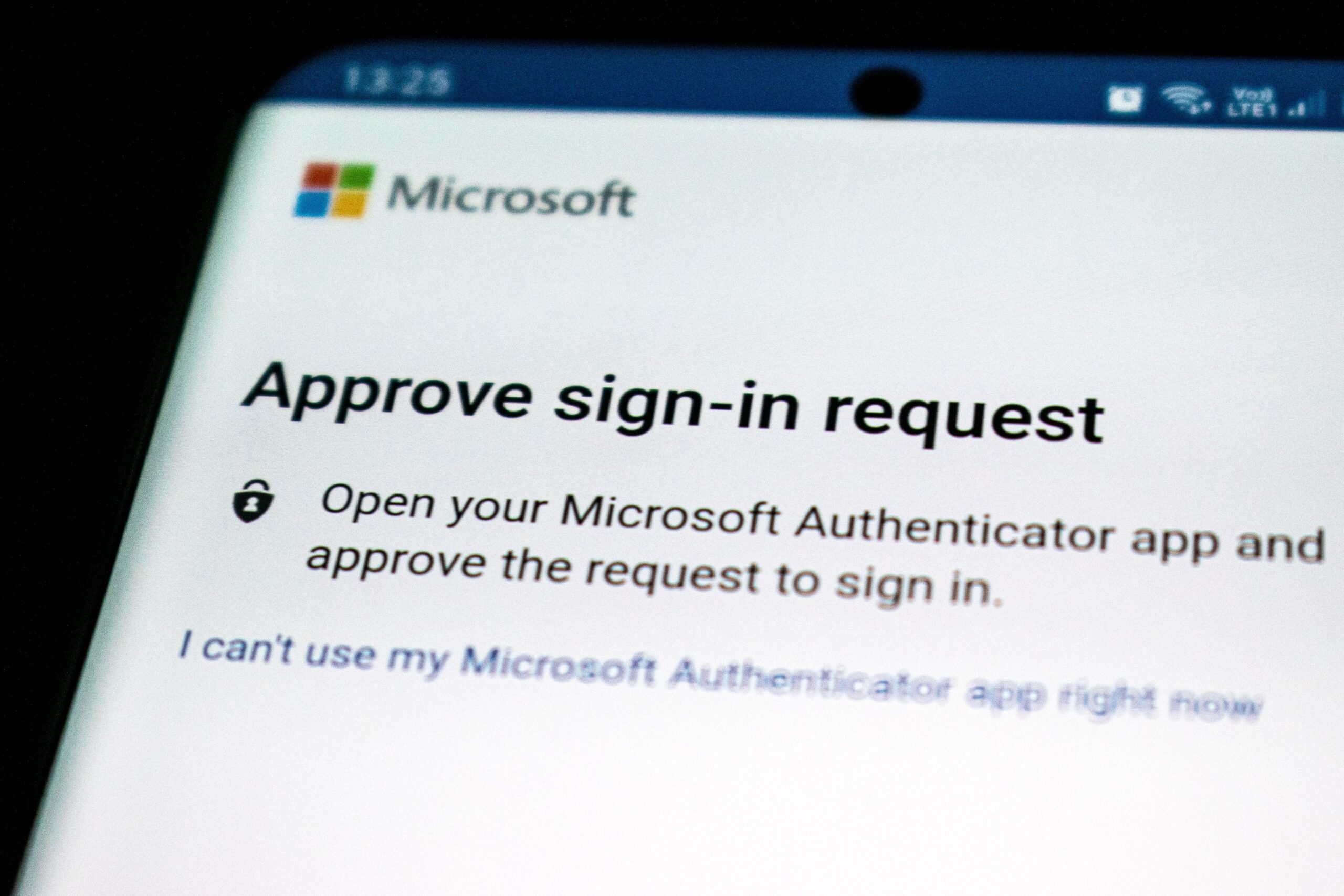
Older push-notification implementations allow attackers who possess stolen passwords to spam a user's mobile device with dozens of authentication prompts late at night. Exhausted or distracted users eventually tap "Approve" to stop the notifications—a technique known as MFA fatigue or push bombing. Legacy platforms often lack native controls to mitigate this attack vector, whereas cloud MFA providers rapidly update their software globally to mandate protective features like number matching and contextual location prompts.
Key Advantages of Migrating to Cloud MFA
Transitioning to cloud-hosted MFA platforms like Microsoft Entra ID, Okta, Cisco Duo, or Ping Identity provides architectural, operational, and financial advantages over maintaining legacy setups.
Cloud MFA Architecture:
- User & Device
- User/Pass
- Biometric
- Contextual Evaluation
- IP & Geolocation
- Device Health
- Impossible Travel
- Cloud Identity Engine
- Risk Engine (Behavioral AI)
- Decision: Allow / Require FIDO2 Prompt / Block Access
1. Seamless Support for Phishing-Resistant Standards
Cloud MFA providers natively support modern identity standards established by the FIDO Alliance and World Wide Web Consortium (W3C), including FIDO2, WebAuthn, and passkeys. The National Institute of Standards and Technology (NIST) highlights in Special Publication 800-63B that authentication methods relying on shared secrets—such as SMS one-time codes, voice calls, and basic TOTP apps—are susceptible to interception, SIM swapping, and MitM phishing toolkits like Evilginx.
Cloud MFA facilitates a seamless transition to phishing-resistant authentication by binding cryptographic key pairs directly to hardware tokens (like YubiKeys) or device biometrics (such as Windows Hello and Apple Touch ID/Face ID). Because the domain origin is cryptographically verified during authentication, users cannot accidentally authenticate on spoofed login pages.
2. Adaptive and Risk-Based Conditional Access
Cloud MFA platforms do not apply a rigid, one-size-fits-all prompt to every login attempt. Instead, they leverage conditional access engines to dynamically evaluate risk factors before determining whether to grant access, require additional verification, or block the attempt outright. Key contextual signals evaluated include:
- User and Group Risk: Whether the user's credentials have appeared in recent dark web leak databases.
- Device Health and Posture: Verifying whether the connecting endpoint is registered, encrypted, compliant with mobile device management (MDM) policies, and running active endpoint protection software.
- Behavioral Anomalies: Flagging impossible travel scenarios (e.g., consecutive logins from London and Tokyo within one hour) or unusual access times.
- Network Reputation: Identifying requests originating from known malicious IP ranges, TOR exit nodes, or anonymizing VPN services.
By reserving stepping-up security prompts strictly for high-risk attempts, organizations improve overall user productivity while maintaining maximum security enforcement.
3. Native Integration Across Cloud, Hybrid, and Legacy SaaS
Enterprise software stacks are complex. Organisations frequently run a mix of modern cloud platforms (AWS, Azure, Google Cloud), SaaS business software (Salesforce, Workday, Microsoft 365), and legacy internal applications (custom web tools, SSH gateways, VPN concentrators).
Cloud MFA providers act as centralized Identity Providers (IdPs) using open standards such as SAML 2.0, OpenID Connect (OIDC), and OAuth 2.0. For legacy software that lacks native cloud protocol support, cloud MFA vendors offer lightweight, secure identity proxies and RADIUS agents that bridge the gap, bringing legacy systems under unified security management without rewriting application source code.
4. Continuous Policy Enforcement and Zero Trust Alignment
Zero Trust architecture mandates a simple foundational principle: never trust, always verify. Traditional network perimeters assume that any traffic inside the internal network is safe. Cloud MFA breaks this flawed assumption by enforcing continuous identity verification.
When integrated with Zero Trust Network Access (ZTNA) frameworks, cloud MFA verifies identity, device state, and user context not just at initial login, but dynamically throughout the session. If a user's risk profile changes—for example, if their device compliance status drops—the cloud identity engine can immediately invalidate active sessions and demand re-authentication.
Comparing On-Premises MFA vs. Cloud-Native MFA
Understanding the operational differences between legacy on-premises authentication architectures and modern cloud-native MFA platforms helps illustrate the long-term value of migration:
| Feature / Metric | On-Premises MFA Infrastructure | Modern Cloud MFA (IDaaS) |
|---|---|---|
| Primary Deployment Model | Local physical/virtual servers, RADIUS/LDAP gateways | Cloud-native microservices, global multi-region deployment |
| Maintenance Overhead | High (hardware cycles, OS patching, database management) | Minimal (managed completely by identity service provider) |
| Phishing Resistance | Often restricted to basic TOTP, SMS, or proprietary hardware tokens | Built-in native support for FIDO2, WebAuthn, Passkeys, and Smart Cards |
| Threat Intelligence Engine | Static rules based on local audit logs | Real-time global telemetry backed by threat monitoring |
| Scalability | Manual expansion requiring server provisioning and load balancing | Automated auto-scaling handling peak global authentication traffic |
| User Experience (UX) | Frequent repetitive prompts, fragmented portal logins | Unified Single Sign-On (SSO), adaptive prompts, passwordless flows |
| Regulatory Compliance | Manual log aggregation across disparate infrastructure | Centralized reporting dashboards built for auditing standards |
Meeting Cyber Insurance and Regulatory Compliance Mandates
Beyond technical advantages, adopting cloud MFA is essential for meeting compliance requirements and securing cyber liability insurance policies.
Cyber Insurance Qualification
Underwriters have tightened eligibility requirements for cyber liability coverage. Insurers now routinely require verified, enterprise-wide MFA enforcement across all entry points—including cloud portals, remote access systems, endpoint logins, and privileged administrative accounts—as a baseline condition for policy issuance or renewal. Denying or delaying MFA implementation can lead to policy exclusions, significantly higher deductibles, or complete denial of coverage following an incident.
Global Compliance Standards
Regulatory bodies explicitly mandate strong multi-factor authentication across various sectors:
- PCI DSS v4.0: Requires multi-factor authentication for all access into the cardholder data environment (CDE), expanding previous requirements that only targeted remote administrative access.
- HIPAA & HITECH: Mandates strict access controls and identity verification to safeguard Protected Health Information (PHI) against unauthorized access.
- EU NIS2 Directive: Mandates robust cybersecurity risk-management measures, explicitly naming multi-factor authentication or continuous authentication solutions as essential safeguards for critical infrastructure entities.
- Executive Orders & Federal Guidelines: Requires federal agencies and enterprise contractors to implement phishing-resistant MFA across all systems.
Cloud MFA solutions simplify compliance verification by providing automated policy enforcement logs, centralized audit trails, and pre-built reporting templates designed specifically for regulatory assessors.
Strategic Implementation Roadmap for Cloud MFA
Migrating an enterprise to cloud MFA requires a structured approach to ensure smooth adoption, avoid workflow disruptions, and prevent accidental account lockouts.
- Phase 1: Audit & Scoping (Inventory apps & users)
- Phase 2: Policy Design (Define risk rules)
- Phase 3: Pilot Deployment (Test with IT & Power Users)
- Phase 4: Full Enforcement (Phased rollout & legacy deprecation)
Phase 1: Audit Identity Repositories and Application Inventory
Before deploying cloud MFA software, catalog all applications, databases, server environments, and user directories across the enterprise. Identify:
- Primary user stores (Active Directory, cloud directories, HR systems).
- Modern SaaS applications supporting SAML 2.0 or OIDC.
- Legacy applications requiring RADIUS, LDAP, or reverse proxy integration.
- High-risk accounts, including domain admins, cloud platform administrators, and financial operators.
Phase 2: Establish Phishing-Resistant Authentication Policies
Design access policies based on the principle of least privilege. Categorize authentication mechanisms into risk-appropriate tiers:
- Tier 1 (High Security / Administrative Access): Mandatory FIDO2 hardware security keys, WebAuthn passkeys, or certificate-based authentication. SMS and basic voice prompts must be strictly prohibited.
- Tier 2 (Standard Enterprise Access): Managed cloud authenticator applications enforcing number matching, push notifications, and biometric verification.
- Tier 3 (Fallback / Emergency Access): Highly restricted, heavily monitored emergency break-glass procedures using isolated, physical hardware tokens stored in secured vaults.
Phase 3: Roll Out Conditional Access Controls and Number Matching
Configure your cloud MFA provider's conditional access rules to require location, device status, and risk checks. Enable explicit protections against MFA fatigue by turning on number matching for mobile authenticator apps. Number matching requires users to enter a two-digit code displayed on their login screen into their authenticator app before approving a push request, effectively preventing accidental taps during push-bombing attacks.
Phase 4: Execute Phased User Onboarding and Training
Deploy cloud MFA in phased cohorts rather than attempting a single overnight change across the entire organization:
- IT and Security Teams: Test administrative configurations, access rules, and lockout recovery flows.
- Pilot Group: Onboard tech-savvy business units to gather operational feedback and refine self-service registration workflows.
- General Employee Rollout: Provide clear documentation, short instructional videos, and explicit guidance on registering authenticator apps or hardware keys.
- Privileged Users: Train executives and administrative users on managing backup keys and enrolling secondary devices.
Phase 5: Deprecate Legacy Authentication Protocols
Once cloud MFA is active, disable legacy authentication protocols such as basic HTTP authentication, older IMAP/POP3 email protocols, legacy RPC services, and unencrypted LDAP connections. Threat actors routinely target these legacy pathways to bypass MFA policies completely.
Overcoming Common Cloud MFA Deployment Challenges
Implementing identity controls across diverse organizations can expose operational friction. Addressing these challenges early keeps deployment on track.
Mitigating User Resistance and Friction
Employees often view security controls as impediments to getting work done. To reduce pushback:
- Implement Single Sign-On (SSO) alongside cloud MFA so employees authenticate only once per session to access all authorized software applications.
- Leverage persistent device trust so compliant, managed laptops do not prompt for MFA repeatedly during routine tasks within trusted environments.
- Provide clear communications explaining why the change is occurring, framing security as a shared responsibility protecting organizational resilience.
Handling Lost Devices and Emergency Break-Glass Access
Account lockouts cause operational downtime and overload IT help desks. Organizations must establish clear recovery workflows:
- Deploy automated, secure self-service account recovery tools integrated with verified secondary contact channels or identity verification services.
- Maintain dedicated, highly secured break-glass administrative accounts. These cloud accounts must use long, complex passwords stored in physical safes, backed by FIDO2 keys, and configured with automated alert rules that notify security operations centers (SOCs) immediately if logged into.
Managing Third-Party Contractors and B2B Guest Access
Contractors and external partners often need temporary access to corporate systems from unmanaged endpoints. Cloud MFA solutions address this via Business-to-Business (B2B) federation. Rather than issuing contractors internal credentials that clutter user directories, cloud MFA allows partners to authenticate using their home organization's identity provider while enforcing external conditional access policies (such as requiring device compliance checks or short session timeouts) on your resource tenant.
Frequently Asked Questions
Why is SMS-based MFA no longer considered secure?
SMS-based multi-factor authentication relies on cellular networks that lack cryptographic protection against modern attack vectors. Attackers can execute SIM-swapping attacks to transfer a victim's phone number to a attacker-controlled SIM card, intercept unencrypted SMS messages via rogue cell towers, or trick users into entering temporary codes into phishing sites. Security agencies like CISA and standards bodies like NIST strongly advise organizations to replace SMS codes with phishing-resistant alternatives such as FIDO2 passkeys or authenticator app push notifications featuring number matching.
Can cloud MFA secure legacy on-premises applications?
Yes. Modern cloud MFA solutions provide application proxies, software connectors, and cloud-hosted RADIUS/LDAP gateways. These components bridge legacy, on-premises applications (such as internal web servers, remote desktop gateways, and network switches) to the cloud identity provider. This infrastructure enables legacy software to inherit central conditional access policies, adaptive risk scoring, and modern MFA methods without modifying application code.
How does cloud MFA mitigate "MFA Fatigue" or push-bombing attacks?
Cloud MFA providers counter MFA fatigue using features such as number matching and contextual display notifications. Instead of presenting a simple "Approve" or "Deny" prompt, number matching displays a multi-digit number on the sign-in screen that the user must enter into their authenticator application to complete authentication. This design prevents users from accidentally approving unauthorized prompts sent by attackers during automated push-bombing attempts.
What is the difference between standard MFA and phishing-resistant MFA?
Standard MFA requires two or more authentication factors (e.g., password + TOTP code or push approval), but the authentication factors can still be intercepted by an attacker operating an inline proxy website (MitM phishing kit). Phishing-resistant MFA—such as FIDO2/WebAuthn hardware keys, passkeys, and Smart Cards—uses public-key cryptography that binds the authentication assertion to the specific domain origin in the browser URL bar. If a user lands on a fake login page, the browser automatically refuses to sign the authentication request, neutralizing the attack.
How does cloud MFA support a Zero Trust cybersecurity framework?
Zero Trust relies on continuous, explicit verification of identity, device health, and environmental context before granting access to enterprise resources. Cloud MFA serves as the core decision engine within Zero Trust architectures. It evaluates real-time risk telemetry—including user location, IP reputation, device posture, and behavior—prior to issuing authentication tokens, and continuously re-evaluates user session validity to ensure security standards remain met.
Action Plan: Next Steps for Enterprise Security Teams
Delaying the transition to modern identity security increases organizational exposure to credential-based attacks, operational disruptions, and compliance failures. Security leaders should execute the following steps to modernize their security stance:
- Conduct an Identity Audit: Map out all directories, user accounts, and applications currently in service across the company.
- Evaluate Cloud MFA Vendors: Select an enterprise-grade cloud identity provider capable of native FIDO2 support, conditional access evaluation, and legacy application integration.
- Mandate Phishing-Resistant MFA for High-Risk Groups: Require FIDO2 keys or WebAuthn passkeys for all IT administrators, developers, and executive leadership immediately.
- Enforce Number Matching: Update existing authenticator app settings to mandate number matching and contextual location display to block push-bombing attacks.
- Sunset Legacy Protocols: Disable unencrypted authentication channels and basic authentication across email, remote access, and identity infrastructure.
Image Gallery