Google Cloud Security Flaws Explained: A Comprehensive Guide to Vulnerabilities and Mitigations
Google Cloud Platform (GCP) provides a highly resilient infrastructure, yet security flaws frequently arise from a combination of complex misconfigurations, inherent architectural logic, and the "Shared Responsibility Model." Understan...
Google Cloud Platform (GCP) provides a highly resilient infrastructure, yet security flaws frequently arise from a combination of complex misconfigurations, inherent architectural logic, and the "Shared Responsibility Model." Understanding these flaws requires analyzing how Identity and Access Management (IAM), storage permissions, and metadata services can be exploited by malicious actors.
Contents
As of 2026, cloud security has evolved beyond simple perimeter defense. Organizations now operate in an environment where the "identity" is the new perimeter. While Google manages the security of the underlying physical infrastructure, hardware, and core software, the responsibility for securing data, configuring access, and managing application-level vulnerabilities rests squarely on the customer. When we discuss "Google Cloud security flaws," we are typically looking at two categories: vulnerabilities discovered within GCP services by security researchers and, more commonly, the systemic misconfigurations made by users that expose sensitive environments.
The Shared Responsibility Model: Where Flaws Originate
Before diving into specific technical flaws, it is essential to understand the framework that governs GCP security. The Shared Responsibility Model dictates that Google is responsible for "Security of the Cloud," while the customer is responsible for "Security in the Cloud."
Flaws often manifest in the "gray areas" of this model. For instance, if Google provides a service like Cloud Storage, they ensure the data is encrypted at rest using their keys. However, if a user changes the Bucket Policy to "allUsers," the resulting data breach is technically a user-side configuration flaw, not a failure of Google’s underlying code. Nevertheless, the complexity of these settings is often cited as a contributing factor to enterprise-level security incidents.
Critical IAM Misconfigurations and Permission Over-Provisioning
Identity and Access Management (IAM) is the most frequent source of security flaws in Google Cloud. Because GCP uses a resource hierarchy (Organization > Folder > Project > Resource), permissions can be inherited in ways that administrators might not fully realize.
The Danger of Primitive Roles
Google Cloud offers "Primitive Roles" (Owner, Editor, Viewer). These roles are extremely broad and often violate the Principle of Least Privilege (PoLP). A common flaw in many GCP environments is the assignment of the "Editor" role to service accounts or developers. An "Editor" has the power to delete almost any resource within a project, create new instances, and modify existing security settings. In a compromised scenario, an attacker with Editor access can easily perform lateral movement or execute a ransomware attack across the entire project.
Service Account Impersonation
Service accounts are non-human identities used by applications to interact with GCP APIs. A significant security flaw occurs when users are granted the iam.serviceAccounts.getAccessToken permission or the Service Account Token Creator role. This allows a user to "impersonate" a service account. If a low-privilege user is allowed to impersonate a high-privilege service account, they effectively escalate their privileges, bypassing standard access controls.
Exploiting the Metadata Server and SSRF
One of the most well-documented architectural "flaws" (or rather, exploitable features) in Google Cloud is the interaction between Server-Side Request Forgery (SSRF) and the Instance Metadata Service (IMDS).
Every Compute Engine instance has access to a metadata server at http://metadata.google.internal/computeMetadata/v1/. This server contains sensitive information, including the project ID, instance name, and, most importantly, the OAuth 2.0 access tokens for the service account attached to the VM.
If a web application running on that VM is vulnerable to SSRF, an attacker can trick the application into making a request to the local metadata server. By including the required header Metadata-Flavor: Google, the attacker can retrieve the service account's access token. With this token, the attacker can authenticate as that VM from their own machine, potentially gaining broad access to the GCP environment depending on the scopes assigned to that service account.
Insecure Cloud Storage and Public Buckets
Data leaks resulting from improperly secured Cloud Storage buckets remain a persistent issue. While Google has introduced several safeguards, such as "Public Access Prevention" (PAP), many legacy projects or poorly managed environments still suffer from:
- ACL vs. IAM Confusion: Google Cloud supports both Access Control Lists (ACLs) and IAM policies for storage. Managing both can lead to conflicting permissions where a bucket appears secure in IAM but is actually public via an ACL.
- Legacy "allUsers" Assignments: In the past, it was common for developers to grant
roles/storage.objectViewertoallUsersto serve static assets. If this is done at the bucket level instead of the object level, every file in that bucket—including sensitive logs or backups—becomes publicly accessible. - Signed URL Leaks: If an application generates Signed URLs (temporary access links) with excessively long expiration times, those links can be intercepted and used by unauthorized parties to exfiltrate data.
Vulnerabilities in Google Kubernetes Engine (GKE)
Google Kubernetes Engine is a managed service, but its complexity introduces several security "flaws" if not hardened correctly.
- Node-to-Node Communication: By default, nodes in a cluster may have more lateral communication capabilities than necessary. If one pod is compromised, an attacker can often scan the internal network to find other vulnerable services.
- Dashboard Exposure: Although less common in 2026 due to updated defaults, the Kubernetes Dashboard has historically been a target for attackers if exposed without proper authentication.
- Over-privileged Pod Service Accounts: Just as with Compute Engine, pods in GKE are often assigned service accounts with broad permissions. An attacker who gains shell access to a container can query the GKE metadata server to steal tokens and move from the containerized environment into the broader GCP infrastructure.
Comparison of Common GCP Security Flaws
The following table summarizes the most prevalent flaws, their potential impact, and the primary method of mitigation.
| Flaw Category | Common Manifestation | Potential Impact | Primary Mitigation |
|---|---|---|---|
| IAM | Use of Primitive Roles (Owner/Editor) | Full project takeover, data deletion | Use Custom Roles or Predefined Roles; enforce PoLP. |
| Networking | 0.0.0.0/0 Firewall Rules (SSH/RDP) | Brute-force attacks, unauthorized entry | Use Identity-Aware Proxy (IAP) and Hierarchical Firewalls. |
| Storage | Publicly accessible buckets (allUsers) | Massive data exfiltration | Enable "Public Access Prevention" at the Organization level. |
| Compute | Metadata Server SSRF Exploitation | Service account token theft | Use Metadata Server V2 and disable legacy access. |
| API Security | Hardcoded API Keys in source code | Unauthorized API usage and billing spikes | Use Secret Manager and avoid committing keys to Git. |
| Logging | Disabled Cloud Audit Logs | Inability to perform forensics after a breach | Enable Data Access logs for all critical services. |
Research-Driven Flaws: GhostToken and Landlord
While most issues are misconfigurations, security researchers have occasionally found flaws in Google’s own implementation.
- GhostToken (2023): A significant vulnerability was discovered where a malicious application could hide its access to a user's Google account. Even if a user tried to revoke the app's permissions, the app could remain "invisible" and maintain access. Google patched this by ensuring that pending or deleted applications are correctly reflected in the user's security console.
- Landlord Vulnerability: Researchers have previously identified flaws in how GCP handled internal routing and tenant isolation in certain serverless environments. These vulnerabilities typically allow for "cross-tenant" attacks, where one customer could potentially view the internal metadata of another customer's resources. Google generally addresses these via their Bug Bounty program before they are exploited in the wild.
Best Practices for Mitigating GCP Security Risks
To protect an organization from both user-induced flaws and platform vulnerabilities, a multi-layered defense strategy is required.
1. Implement Organization Policy Service
The Organization Policy Service is the most powerful tool for preventing security flaws at scale. Administrators can set "constraints" that apply to every project in the company. For example, you can enforce a policy that "Public Access Prevention" must be enabled on all buckets, or that no VM can be assigned an external IP address.
2. Use Security Command Center (SCC)
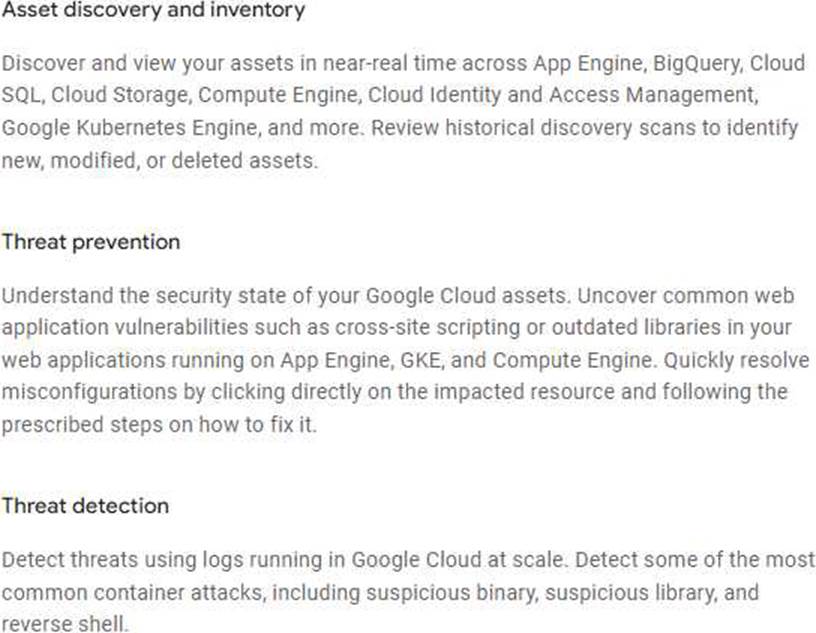
Google’s native security management tool, SCC, provides a "single pane of glass" for detecting flaws. It automatically identifies misconfigured firewalls, over-privileged service accounts, and publicly accessible resources. In 2026, the AI-driven insights in SCC can predict potential attack paths based on current configurations.
3. Move to Identity-Aware Proxy (IAP)
Eliminate the flaw of open firewall ports (like port 22 for SSH or 3389 for RDP) by using Identity-Aware Proxy. IAP allows users to access VMs and applications through a secure tunnel without needing a public IP or an open firewall rule. Access is granted based on IAM identity and context (e.g., device health), significantly reducing the attack surface.
4. Secure the Metadata Server
Ensure that all applications require the Metadata-Flavor: Google header, which is the default for V2 of the Metadata server. This prevents simple SSRF attacks where an attacker cannot control the headers of the outbound request. Additionally, limit the "scopes" of service accounts to the absolute minimum required for the instance to function.
Frequently Asked Questions
Are Google Cloud's default settings secure?
While Google has improved its "secure-by-default" posture (for example, by defaulting new buckets to private), many settings favor functionality over security to ensure a smooth developer experience. Users must still actively configure IAM and VPC settings to achieve a "hardened" environment.
Can an attacker access my data if Google itself is breached?
Google uses "Encryption at Rest" by default, meaning data is encrypted before it is written to disk. If a physical disk were stolen, the data would be unreadable. Furthermore, Google employs strict internal controls and "BeyondCorp" security for its employees to prevent internal unauthorized access to customer data.
What is the most common cause of data breaches in GCP?
Statistically, the most common cause is IAM misconfiguration. This includes granting excessive permissions to users or service accounts, which allows an attacker who gains a foothold to escalate their privileges and access sensitive data.
How do I check if my GCP buckets are publicly exposed?
You can use the Security Command Center or the "Bucket Policy Analyzer" within the Google Cloud Console. These tools will flag any bucket that has allUsers or allAuthenticatedUsers in its permissions list.
Final Recommendation
To minimize the risk of security flaws in Google Cloud, organizations should prioritize automation over manual configuration. Utilizing Infrastructure as Code (IaC) tools like Terraform allows for the deployment of "Security Foundations" blueprints that have been pre-vetted for compliance. Regularly auditing IAM permissions using the IAM Recommender—which identifies unused permissions and suggests more restrictive roles—is the most effective way to close the gaps that attackers exploit.
Image Gallery