How to Use the Pinellas County Inmate Search: A Comprehensive Guide
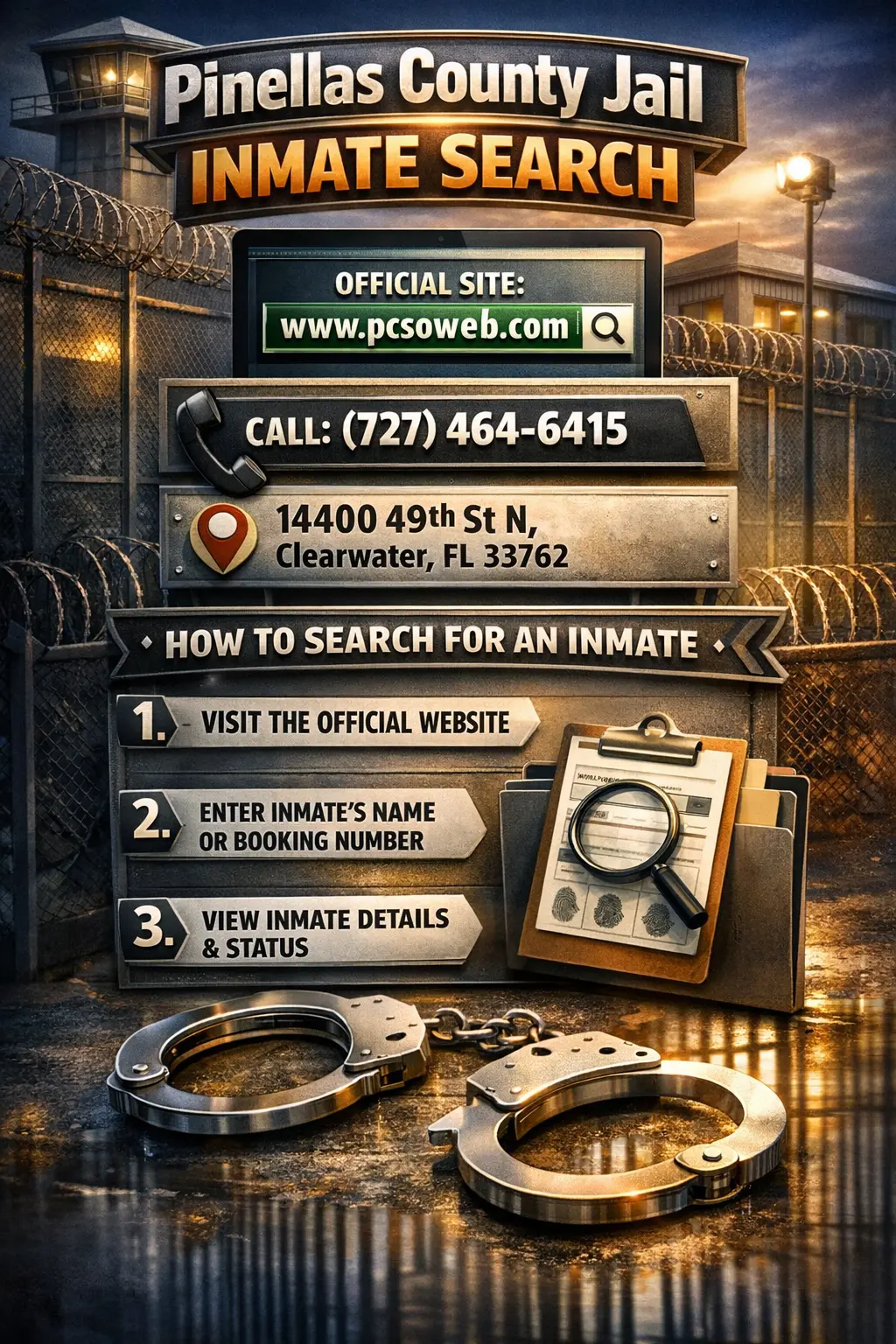
To use the Pinellas County inmate search, visit the official Pinellas County Sheriff’s Office (PCSO) website and access the "Who's in Jail" application. Enter the detainee’s first and last name or their unique booking number to retriev...
To use the Pinellas County inmate search, visit the official Pinellas County Sheriff’s Office (PCSO) website and access the "Who's in Jail" application. Enter the detainee’s first and last name or their unique booking number to retrieve real-time data regarding their charges, bond status, facility location, and scheduled court appearances.
Contents
The Pinellas County Sheriff’s Office (PCSO) maintains one of the most transparent and frequently updated public record portals in Florida. Known officially as the "Who's in Jail" search, this digital tool allows legal professionals, family members, and the general public to locate individuals currently held at the Pinellas County Jail. As of 2026, the system has undergone several interface updates to improve accessibility and mobile compatibility, ensuring that users can find critical information quickly during stressful legal situations.
Understanding how to navigate this system is essential for anyone needing to coordinate legal defense, arrange for bail, or establish contact with a detainee. This guide provides a technical walkthrough of the search process, an explanation of the data fields provided, and the next steps to take once an inmate is located.
Prerequisites for Using the Search Portal
Before attempting to locate an individual, it is helpful to gather as much identifying information as possible. While the system allows for broad searches, specific details minimize the risk of confusing individuals with similar names.
- Legal Name: You must use the individual’s legal name. Nicknames or aliases are generally not searchable unless they have been formally recorded as "AKA" (Also Known As) entries in the criminal justice database.
- Correct Spelling: The search engine is sensitive to spelling. If you are unsure of the spelling, the system does allow for partial name searches (e.g., entering "Smi" for "Smith"), but this will return a significantly higher number of results.
- Booking Number: If you have been contacted by the inmate or a legal representative, they may provide a booking number. This is the most accurate way to search, as it is a unique identifier assigned to a specific arrest event.
- Date of Birth: While not mandatory, knowing the subject's date of birth helps filter results, especially for common surnames like Johnson or Martinez.
The "Who's in Jail" portal is a web-based application. As of 2026, it is optimized for modern browsers including Chrome, Safari, and Firefox. Users should ensure that JavaScript is enabled in their browser settings, as the search results are populated dynamically.
Step-by-Step Instructions: Navigating "Who's in Jail"
Accessing the Pinellas County inmate search is a straightforward process, but following these steps ensures you do not encounter common technical hurdles.
1. Access the Official PCSO Website
Navigate to the Pinellas County Sheriff's Office homepage. From the primary navigation menu, look for the "Public Resources" or "Jail Information" tab. Select the link labeled "Who's in Jail." This will redirect you to the secure search interface hosted by the county.
2. Enter Search Criteria
Once on the search page, you will see several input fields. You can search by:
- Name: Enter the last name followed by the first name.
- Booking Number: Enter the 10-digit booking number if available.
- Booking Date: You can filter results by the date the individual was taken into custody.
3. Review the Results List
After clicking "Search," the system will generate a list of individuals matching your criteria. This list typically includes a thumbnail mugshot, the individual’s full name, their date of birth, and their booking date. Click on the individual's name or the "View Details" button to see the full record.
4. Analyzing the Detailed Inmate Profile
The detailed profile is the core of the inmate search. It provides a comprehensive overview of the individual's current status within the Pinellas County Department of Detention and Corrections.
Interpreting Search Results and Data Fields
The information provided in the Pinellas County inmate search is divided into several categories. Understanding these terms is vital for determining the severity of the situation and the requirements for release.
Personal and Booking Information
This section includes the subject’s physical description (height, weight, hair/eye color), their permanent address (if known), and their unique Booking Number. It also lists the "SOID," which is the Sheriff’s Office Identification number. Unlike a booking number, which changes with each arrest, the SOID remains constant for an individual across multiple interactions with the Pinellas County justice system.
Charge Details
Each charge for which the individual is being held will be listed. This includes:
- Statute Number: The specific Florida law allegedly violated.
- Charge Description: A brief explanation of the offense (e.g., "Grand Theft" or "Simple Battery").
- Severity: Indicates whether the charge is a Felony (F), Misdemeanor (M), or local ordinance violation.
- Court Case Number: The identifier used by the Pinellas County Clerk of the Circuit Court to track the legal proceedings.
Bond and Release Status
The search results will clearly state the bond amount for each charge. There are several statuses you might encounter:
- Cash/Surety: The bond can be paid in full (cash) or through a licensed bail bondsman (surety).
- No Bond: The individual cannot be released at this time. This occurs in cases of capital crimes, certain domestic violence charges, or if the individual is being held on a "vop" (Violation of Probation) warrant.
- ROR (Released on Recognizance): The individual was released based on a promise to appear in court without having to pay a bond.
- Purge: Often seen in child support cases, this is a specific amount that must be paid to secure release.
| Data Field | Description | Actionable Value |
|---|---|---|
| Booking Number | Unique ID for the current stay. | Essential for mailing or depositing money. |
| Facility Location | Where the inmate is physically housed. | Necessary for scheduling visitations. |
| Bond Amount | Total cost required for release. | Determines the financial path to bail. |
| Charge Level | Degree of the crime (Felony/Misdemeanor). | Helps in selecting an appropriate attorney. |
| Next Court Date | The next scheduled hearing. | Allows family/attorneys to attend proceedings. |
Facility Locations and Logistics
The Pinellas County Jail is a large complex with multiple housing divisions. The inmate search will specify which "housing area" or "building" the individual is in. The primary address for the complex is:
Pinellas County Jail 14400 49th Street North Clearwater, FL 33762
Knowing the specific location is important because different buildings (such as the North District or Central Jail) may have different rules for property pickup or specific visitation schedules. As of 2026, most visitations are conducted via video link, but you must still know the inmate’s housing location to register for a session through the county's approved vendor, currently GTL/ViaPath.
Limitations and Legal Disclaimers
While the Pinellas County inmate search is an authoritative source, users must be aware of its limitations. The database is updated frequently, but there is often a delay between the actual arrest and the information appearing online. This "processing time" can take anywhere from two to six hours while the individual is fingerprinted and booked.
Furthermore, the presence of an individual in the search results is not a determination of guilt. Under Florida law, all individuals are presumed innocent until proven guilty in a court of law. The information provided is a matter of public record, but using this data for harassment or illegal purposes is strictly prohibited.
In certain cases, such as those involving sensitive undercover operations, juvenile offenders (unless charged as adults), or specific protective orders, an individual may not appear in the public search results. If you believe someone is in custody but cannot find them online, you may contact the Pinellas County Jail’s Information Line directly at (727) 464-6415.
Next Steps After Locating an Inmate
Once you have successfully used the search tool to locate someone, you typically need to take one of three actions:
Securing Legal Representation
If the charges are serious (Felonies), the first priority should be contacting a criminal defense attorney. Provide the attorney with the Booking Number and the specific charges you found on the search portal. This allows them to begin the "Notice of Appearance" process immediately.
Posting Bail
If a bond amount is listed, you can contact a bail bondsman. They typically charge a non-refundable 10% fee (for state charges) to post the full bond on your behalf. Alternatively, you can pay the full "Cash Bond" at the jail’s bond window, which is located at the 49th Street complex and is open 24/7.
Establishing Communication
To speak with an inmate, you must wait until they have completed the booking process and have been moved to a housing unit. You can then:
- Deposit Funds: Use the "Inmate Trust Account" to add money for commissary or phone calls.
- Register for Video Visitation: Schedule a time through the PCSO-approved video service.
- Mail: Send letters to the inmate following the strict "Smart Communications" electronic mail guidelines used by Pinellas County.
Frequently Asked Questions
How often is the Pinellas County inmate search updated?
The PCSO "Who's in Jail" database is updated approximately every 15 to 30 minutes. However, the initial booking process—including medical screening and fingerprinting—takes several hours. An individual will not appear in the search results until this administrative process is complete.
Why can't I see the mugshot for some inmates?
Mugshots are public records in Florida, but there are exceptions. In 2021, Florida passed legislation (HB 1) and subsequent updates that restrict the commercial use of mugshots. On the official PCSO site, mugshots may be temporarily unavailable if the record is being processed or if the individual’s charges fall under specific privacy protections, though this is rare for adult detainees.
Can I find out when someone will be released?
If an inmate has been sentenced, a "projected release date" may appear in their profile. If they have just been arrested, the release date will remain blank until they post bond or a judge orders their release. The search portal is the best place to monitor for a "Released" status, which usually appears shortly after the individual leaves the facility.
What should I do if I find an error in the search results?
If you believe there is a factual error in the public listing (such as a misspelled name or incorrect birth date), you should contact the PCSO Records Division. Do not rely on the search portal for legal verification of a criminal record for employment purposes; instead, request an official background check through the Florida Department of Law Enforcement (FDLE).
Can I search for past inmates who have already been released?
The primary "Who's in Jail" search is designed for currently detained individuals. To find records for people released in the past, you should use the "Jail Bookings" archive or the Pinellas County Clerk of Court’s online public records search, which maintains the permanent judicial history of the case.
Practical Recommendation
When using the Pinellas County inmate search, always print or save a PDF of the "Details" page immediately. Bond amounts and housing locations can change rapidly following a first appearance hearing (often called "Advisories"), which usually occurs within 24 hours of arrest. Having a timestamped record of the initial booking information will assist bail bondsmen and attorneys in providing faster service. If the search portal is down for maintenance, the Sheriff’s Office non-emergency line remains the most reliable secondary source for inmate status.
Image Gallery