Why the Cloud is the Better Choice for Time and Attendance in 2026
Cloud-based time and attendance systems provide superior flexibility, real-time data accuracy, and significant cost savings compared to legacy on-premise solutions. By centralizing workforce management in a secure, web-based environmen...
Cloud-based time and attendance systems provide superior flexibility, real-time data accuracy, and significant cost savings compared to legacy on-premise solutions. By centralizing workforce management in a secure, web-based environment, businesses can automate complex compliance tasks, integrate seamlessly with modern payroll platforms, and support a diverse, mobile, and remote workforce.
Contents
As we move through 2026, the transition from traditional, server-bound time tracking to cloud-native Software-as-a-Service (SaaS) models has reached a tipping point. Organizations that once clung to on-premise infrastructure for perceived security reasons have largely migrated to the cloud to keep pace with the speed of modern business. The "better choice" is no longer just a matter of convenience; it is a strategic necessity for operational resilience and data integrity.
Eliminating the Infrastructure Burden
One of the most immediate advantages of cloud-based time and attendance software is the removal of the physical and technical overhead associated with on-premise installations. In the past, deploying a time-tracking system required dedicated local servers, complex database configurations, and a robust internal IT team to manage patches and updates.
Reduction in Total Cost of Ownership (TCO)
With cloud solutions, the financial model shifts from a heavy Capital Expenditure (CAPEX) to a manageable Operational Expenditure (OPEX). Businesses no longer need to invest in high-end server hardware that depreciates over three to five years. Instead, they pay a subscription fee—usually per employee, per month—which covers hosting, maintenance, and ongoing development. This "pay-as-you-grow" model ensures that small businesses have access to the same sophisticated tools as large enterprises without the prohibitive upfront costs.
Automated Updates and Maintenance
In an on-premise environment, software updates are often delayed because they require manual intervention, testing, and potential downtime. This leaves systems vulnerable to security flaws and creates a "version gap" where the software lacks the latest features. Cloud providers handle all updates on the backend. In 2026, these updates are typically "invisible" and continuous, ensuring that every user is always working on the most secure and feature-rich version of the platform without any internal effort from the IT department.
Real-Time Data for a Hybrid Workforce
The workplace has fundamentally changed, and the "punch clock" at the front door is no longer sufficient for organizations with remote, field-based, or hybrid employees. Cloud-based systems offer a level of accessibility that on-premise solutions simply cannot match without complex VPNs or remote-access workarounds.
Ubiquitous Access and Mobile Integration
Whether an employee is working from a home office, a client site, or a regional branch, they can log their hours via a web browser or a dedicated mobile app. Modern cloud platforms utilize GPS tagging and geofencing to verify that employees are where they claim to be when they clock in. For managers, this means real-time visibility into labor costs and staffing levels. If a project is running over its allotted hours, a manager in 2026 can see that data instantly on their dashboard and make immediate adjustments, rather than waiting for a weekly sync of local data.
Enhancing Employee Self-Service
Cloud systems empower employees by giving them direct access to their own data. Through self-service portals, workers can view their schedules, check their accrued time-off balances, and submit leave requests from their smartphones. This transparency builds trust and significantly reduces the administrative burden on HR departments, which no longer need to act as intermediaries for basic information requests.
Security, Redundancy, and Disaster Recovery
A common historical hesitation regarding the cloud was data security. However, by 2026, it is widely recognized that professional cloud providers offer a level of security that far exceeds what most medium-sized businesses can provide on their own.
Professional-Grade Data Protection
Top-tier cloud vendors host their applications in data centers that comply with rigorous international standards, such as ISO/IEC 27001 and SOC 2 Type II. These facilities feature 24/7 physical security, biometric access controls, and advanced fire suppression. From a digital perspective, data is protected by AES-256 encryption both at rest and in transit. For most companies, replicating this level of security in an on-site server room is financially and technically impossible.
Built-in Disaster Recovery
If an on-premise server fails due to a hardware crash, fire, or local power surge, the business risks losing critical payroll data. Cloud systems are built on redundant architectures. Data is mirrored across multiple geographic regions. If one data center experiences an outage, another takes over seamlessly. This ensures that time and attendance records—which are legally required documents for labor audits—remain safe and accessible regardless of local incidents.
Strategic Comparison: Cloud vs. On-Premise (2026 Standards)
The following table outlines the fundamental differences between these two deployment models based on current 2026 industry benchmarks for performance and cost.
| Feature | Cloud-Based (SaaS) | On-Premise (Legacy) |
|---|---|---|
| Initial Cost | Low (Setup/Subscription) | High (Servers/Licenses) |
| Maintenance | Included in subscription | Internal IT responsibility |
| Scalability | Instant (Add/Remove users) | Slow (Hardware upgrades) |
| Accessibility | Global (Internet required) | Limited (Local network/VPN) |
| Updates | Automatic & Continuous | Manual & Periodic |
| Security | Multi-layered (Provider-managed) | Variable (User-managed) |
| Compliance | Real-time legal updates | Requires manual configuration |
Compliance and Regulatory Automation
Labor laws are in a constant state of flux. From changes in overtime eligibility to new paid sick leave mandates at the state or city level, staying compliant is a significant challenge for HR teams.
Automated Legal Adjustments
Cloud-based time and attendance systems are designed to be "compliance-aware." Providers monitor legislative changes and update the system's underlying logic automatically. For example, if a specific jurisdiction changes its "fair workweek" scheduling laws, a cloud system can be updated globally by the provider to flag potential violations before they occur. In contrast, an on-premise system often requires an HR administrator to manually reconfigure the software, a process prone to human error and legal risk.
Audit Readiness and Record Retention
The Department of Labor and other regulatory bodies require businesses to maintain accurate records of hours worked, rates of pay, and deductions. Cloud systems provide a comprehensive audit trail that logs every change made to a timesheet, including who made the change and when. This digital "paper trail" is invaluable during an audit. Because the data is stored in the cloud, retrieving records from three or five years ago is a matter of a few clicks, rather than digging through physical files or legacy server backups.
Seamless Integration with the HR Ecosystem
In 2026, data silos are a major barrier to efficiency. A time and attendance system is most valuable when it talks to other software. Cloud platforms are built with Application Programming Interfaces (APIs) that allow them to share data effortlessly with payroll providers, HR Information Systems (HRIS), and Enterprise Resource Planning (ERP) tools.
When time data flows automatically from the cloud-based clocking system into the payroll engine, the risk of data entry errors is virtually eliminated. This "single source of truth" ensures that employees are paid accurately and on time. It also allows for advanced data analytics. Companies can correlate time-tracking data with sales data or production output to gain deep insights into labor productivity and unit costs.
Potential Challenges and Mitigations
While the cloud is the superior choice, it is not without its considerations. Businesses must plan for two specific areas: connectivity and data privacy.
- Internet Dependency: Since cloud systems require an internet connection, an outage can theoretically prevent clocking. However, most modern hardware terminals and mobile apps now feature "offline mode." These devices store time punches locally and sync them to the cloud automatically once the connection is restored.
- Data Sovereignty: Companies operating in the European Union or other regions with strict data privacy laws (like GDPR) must ensure their cloud provider hosts data in compliant locations. Most major vendors now allow customers to choose their "data residency" to meet these legal requirements.
Practical Recommendation for Implementation
For organizations still utilizing manual processes or aging on-premise systems, the transition to the cloud should be treated as a priority project.
- Audit Your Requirements: Identify specific needs such as job costing, shift swapping, or biometric verification (e.g., facial recognition or fingerprint scanning to prevent "buddy punching").
- Evaluate Vendor Security: Request SOC 2 reports and inquire about data encryption standards.
- Pilot the Solution: Start with a single department to test the mobile app and integration with your existing payroll provider.
- Train the Workforce: Focus on the benefits for employees, such as easier leave requests and 24/7 access to their schedules.
Frequently Asked Questions
Is a cloud-based system more expensive over time?
While monthly subscriptions are ongoing, they typically cost less than the combined expense of on-premise server maintenance, IT labor, software upgrades, and hardware replacement cycles. When factoring in the reduced risk of compliance fines and payroll errors, the cloud almost always provides a better return on investment.
Can we use our existing hardware with a cloud system?
Many cloud providers offer "hardware-agnostic" software that can work with various tablets or mobile devices. However, for specialized biometric clocks, you may need to upgrade to internet-enabled terminals provided by the software vendor to ensure seamless data synchronization.
What happens to our data if we cancel the subscription?
Standard SaaS contracts include data portability clauses. Before signing, ensure the vendor provides a way for you to export your historical time and attendance data in a standard format (like CSV or SQL) for your archives or for migration to a different platform.
Is cloud time tracking legal for remote workers?
Yes, provided you comply with local privacy laws and labor regulations. In most jurisdictions, tracking the hours of remote employees is not only legal but required for non-exempt workers to ensure they are paid for all hours worked and appropriate overtime.
How does the cloud handle "buddy punching"?
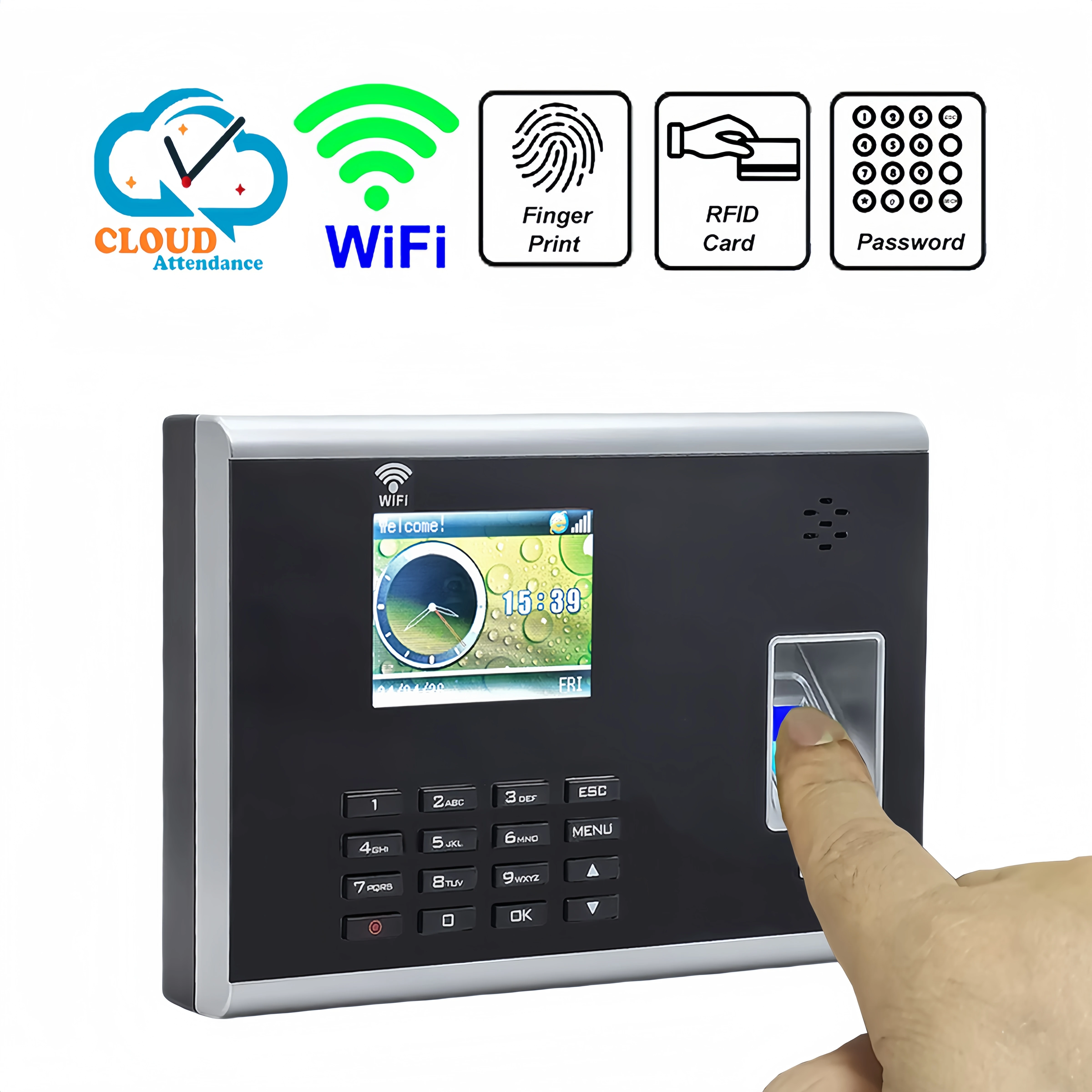
Cloud systems mitigate "buddy punching" (one employee clocking in for another) through several methods. These include biometric verification at physical terminals, facial recognition via mobile apps, and GPS tracking that ensures the employee is at the designated work location.
Image Gallery