What Is Wi-Fi Networking? How Wireless Local Area Networks Work
Wi-Fi networking is a wireless communication technology that uses radio frequency signals to connect devices—such as computers, smartphones, tablets, and smart home equipment—to each other and to the internet without physical Ethernet...
Wi-Fi networking is a wireless communication technology that uses radio frequency signals to connect devices—such as computers, smartphones, tablets, and smart home equipment—to each other and to the internet without physical Ethernet cables. Built on the IEEE 802.11 family of standards, Wi-Fi networks translate digital data into radio waves transmitted across designated frequency bands.
Contents
Core Architecture: How Wi-Fi Networks Transmit Data
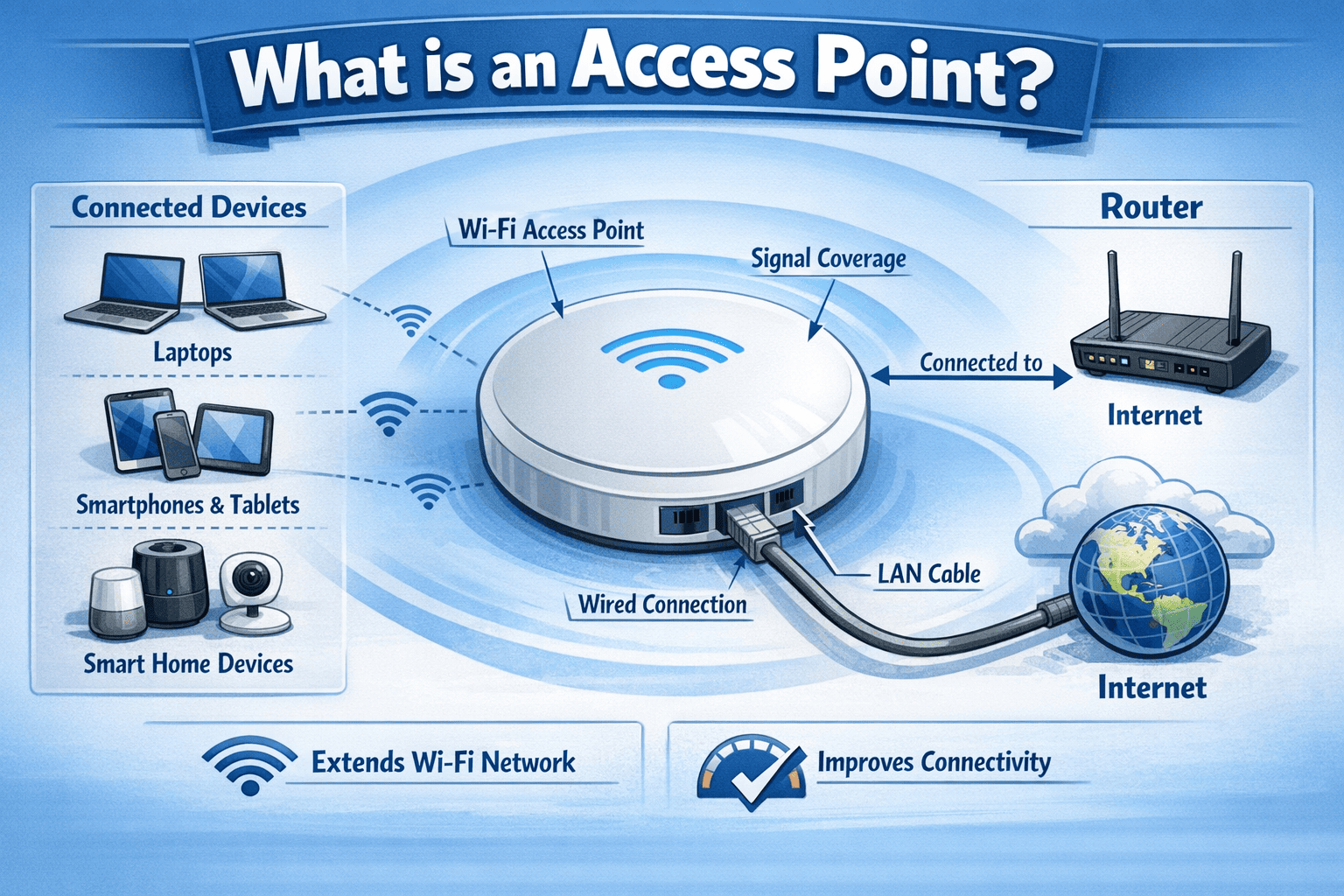
Wi-Fi networking operates as a Wireless Local Area Network (WLAN). At its core, the technology relies on bidirectional radio frequency (RF) communication between a central broadcasting node and client devices equipped with wireless network interface controllers (NICs).
[ Internet ] <---> [ Modem ] <---> [ Wireless Router / Access Point ] <--- Radio Waves ---> [ Client Devices ]
When a device requests data—such as opening a webpage or streaming video—the sequence follows a precise technical flow:
- Data Conversion: The sending device’s software translates binary digital data ($1\text{s}$ and $0\text{s}$) into electrical signals.
- Radio Modulation: The device’s wireless adapter modulates these electrical signals onto radio carrier waves using digital modulation techniques such as Orthogonal Frequency-Division Multiplexing (OFDM) or Quadrature Amplitude Modulation (QAM).
- RF Transmission: The internal antenna converts the modulated electrical signals into electromagnetic radio waves radiated across specified frequency spectrums.
- Reception and Demodulation: The receiving node—typically a wireless access point (AP) or router—captures the radio waves via its antenna, converts them back into electrical signals, demodulates the data into binary frames, and routes them to their destination.
Essential Components of a Wi-Fi Network
A complete Wi-Fi deployment requires distinct hardware layers to bridge local wireless signals with public internet infrastructures:
- Internet Service Provider (ISP) Modem: Converts signals from your ISP's physical medium (fiber optic, coaxial cable, or DSL) into standard digital Ethernet frames.
- Router: Acts as the network layer gateway (Layer 3 of the OSI model). It assigns local IP addresses via Dynamic Host Configuration Protocol (DHCP), manages Network Address Translation (NAT), and directs traffic between the local network and the internet.
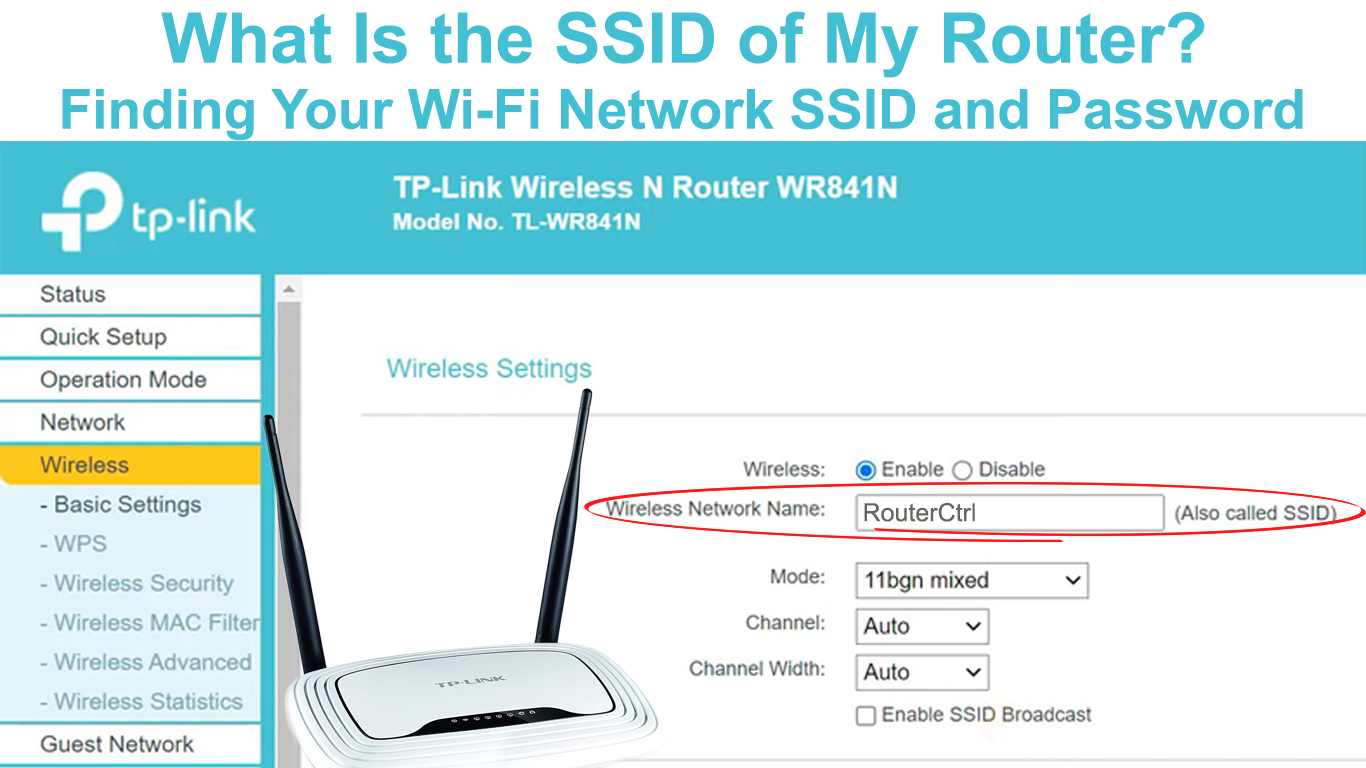
- Wireless Access Point (AP): The transceiver hardware that generates the RF signal, broadcasts the Service Set Identifier (SSID), and manages data link layer connections (Layer 2) with wireless client devices. In most residential environments, the router and access point are integrated into a single physical unit.
- Client Devices: End-user hardware containing integrated wireless NICs and antennas capable of processing 802.11 protocols.
Evolution of Wi-Fi Standards
The performance, bandwidth, and efficiency of Wi-Fi networking depend on the underlying IEEE 802.11 specification supported by both the router and client devices. The Wi-Fi Alliance established simplified numerical naming conventions (Wi-Fi 4 through Wi-Fi 7) to help consumers identify generation advancements.
| Wi-Fi Generation | IEEE Standard | Release Year | Supported Frequency Bands | Max Theoretical Data Rate | Key Technical Features |
|---|---|---|---|---|---|
| Wi-Fi 4 | 802.11n | 2009 | 2.4 GHz, 5 GHz | Up to 600 Mbps | Single-user MIMO, 40 MHz channel width, 64-QAM |
| Wi-Fi 5 | 802.11ac | 2013 | 5 GHz | Up to 6.9 Gbps | Downlink MU-MIMO, 80/160 MHz channels, 256-QAM |
| Wi-Fi 6 | 802.11ax | 2019 | 2.4 GHz, 5 GHz | Up to 9.6 Gbps | OFDMA, Uplink/Downlink MU-MIMO, 1024-QAM, Target Wake Time |
| Wi-Fi 6E | 802.11ax (Extended) | 2021 | 2.4 GHz, 5 GHz, 6 GHz | Up to 9.6 Gbps | Access to 6 GHz band, up to 14 additional 80 MHz channels |
| Wi-Fi 7 | 802.11be | 2024 | 2.4 GHz, 5 GHz, 6 GHz | Up to 46 Gbps | 320 MHz channels, 4096-QAM (4K-QAM), Multi-Link Operation (MLO) |
Key Technological Breakthroughs Across Generations
Modern Wi-Fi standards introduce complex spectral efficiency mechanisms to overcome overcrowding in shared airspace:
- OFDMA (Orthogonal Frequency-Division Multiple Access): Introduced in Wi-Fi 6, OFDMA divides individual wireless channels into smaller sub-carriers called Resource Units (RUs). This allows an access point to transmit data to multiple devices simultaneously in a single transmission cycle, drastically reducing latency in high-density environments.
- MU-MIMO (Multi-User, Multiple-Input, Multiple-Output): Enables access points to use multiple spatial streams to communicate with distinct client devices at the same time, rather than queuing requests sequentially.
- Multi-Link Operation (MLO): A defining feature of Wi-Fi 7 that allows compatible devices to aggregate multiple radio bands (e.g., 5 GHz and 6 GHz simultaneously) to send and receive data concurrently, increasing throughput and lowering latency.
Radio Frequency Bands: 2.4 GHz, 5 GHz, and 6 GHz
Wi-Fi operates across unlicensed radio frequency bands designated by regulatory bodies such as the Federal Communications Commission (FCC). Each frequency band presents specific trade-offs between physical range, obstacle penetration, and maximum data capacity.
Frequencies & Trade-offs: [ 2.4 GHz ] ------------------> Broad Coverage / High Obstacle Penetration / Lower Data Rates [ 5.0 GHz ] --------------> Medium Coverage / Moderate Penetration / High Data Rates [ 6.0 GHz ] ------> Short Coverage / Low Penetration / Extremely High Data Rates & Low Latency
The 2.4 GHz Band
The 2.4 GHz band operates between 2.400 GHz and 2.4835 GHz. Because lower frequency electromagnetic waves attenuate slower through solid matter, 2.4 GHz signals travel long distances and pass easily through drywall, brick, and concrete walls.
However, the 2.4 GHz band offers limited total spectrum. It contains only 11 to 13 channels (depending on geography), of which only three are non-overlapping: channels 1, 6, and 11. When neighboring routers use overlapping channels (such as channel 2 or 4), co-channel interference occurs, severely degrading performance. Additionally, Bluetooth devices, microwave ovens, and legacy cordless phones operate on 2.4 GHz, leading to persistent signal noise.
The 5 GHz Band
Operating from 5.150 GHz to 5.850 GHz, the 5 GHz band offers significantly more spectrum than 2.4 GHz. It supports dozens of non-overlapping channels, allowing wider channel widths (40 MHz, 80 MHz, and 160 MHz) that yield higher throughput.
The higher frequency means 5 GHz signals attenuate rapidly when passing through solid objects, resulting in shorter physical range than 2.4 GHz. Portions of the 5 GHz band overlap with radar installations, requiring access points to use Dynamic Frequency Selection (DFS) to detect radar signals and automatically change channels when detected.
The 6 GHz Band
Introduced alongside Wi-Fi 6E and fully utilized by Wi-Fi 7, the 6 GHz band provides up to 1,200 MHz of contiguous unlicensed spectrum (from 5.925 GHz to 7.125 GHz in supported jurisdictions). This expanded spectrum accommodates up to seven 160 MHz channels or three ultra-wide 320 MHz channels.
Because legacy Wi-Fi 4, 5, and 6 devices cannot access the 6 GHz spectrum, the band operates without legacy backward-compatibility overhead. This eliminates co-channel congestion from older devices, providing exceptionally low latency for high-bandwidth applications like real-time industrial automation, telepresence, and virtual reality.
Wi-Fi Topologies and Deployment Architectures
Wi-Fi networks can be deployed using several architectural topologies depending on coverage area, density requirements, and management preferences.
Standalone Router: [ Router/AP ] ---- wireless ----> [ Devices ] Mesh Network: [ Main Node ] <=== wireless backhaul ===> [ Satellite Node ] | | +----> [ Client A ] +----> [ Client B ] Enterprise Controller: [ WLAN Controller ] <--- Ethernet ---> [ AP 1 ] <--- Ethernet ---> [ AP 2 ]
1. Standalone Wireless Routers
Common in apartments and small homes, a single wireless router manages routing, firewall protection, and wireless broad-casting from a centralized point. Range is limited by the single physical location of the antennas, making performance susceptible to attenuation across large physical footprints.
2. Mesh Wi-Fi Systems
Mesh networks use a main router connected to the modem alongside one or more satellite nodes distributed across a building. Instead of operating as isolated repeaters, mesh nodes communicate dynamically over a shared wireless or wired backhaul connection.
- Seamless Roaming: Mesh nodes present a single SSID and security profile, using IEEE 802.11k/v/r roaming standards to steer client devices smoothly to the node offering the strongest signal without dropping active sessions.
- Dynamic Pathing: Traffic automatically reroutes if a satellite node loses power or encounters physical interference.
3. Enterprise Controller-Based Networks
Commercial deployments in offices, schools, and hospitals rely on multiple lightweight Access Points connected via Power over Ethernet (PoE) switches back to a central Wireless LAN Controller (WLC) or cloud controller interface.
- Centralized Management: Network administrators configure security policies, SSIDs, and VLAN assignments across hundreds of APs simultaneously.
- Radio Resource Management (RRM): Enterprise systems continuously monitor the RF environment, automatically adjusting AP output power and channel selection to minimize interference and prevent coverage dead zones.
Wi-Fi Security Protocols and Encryption
Because radio signals propagate openly through walls and outdoor spaces, securing wireless traffic against unauthorized access and interception requires robust encryption standards established by the IEEE Standards Association.
WPA2 (Wi-Fi Protected Access 2)
Introduced in 2004 based on the IEEE 802.11i standard, WPA2 became the baseline security protocol for over a decade. It utilizes the Advanced Encryption Standard (AES) algorithm paired with CCMP (Counter Mode Cipher Block Chaining Message Authentication Code Protocol) to ensure data confidentiality and integrity.
- WPA2-Personal (PSK): Uses a pre-shared key (passphrase) shared among all users. Vulnerable to offline dictionary attacks if weak passwords are used.
- WPA2-Enterprise (802.1X): Requires an authentication server (such as a RADIUS server). Each user authenticates with unique credentials or client certificates, isolating individual sessions.
WPA3 (Wi-Fi Protected Access 3)
Released in 2018, WPA3 replaces legacy authentication methods with updated cryptographic protections:
- Simultaneous Authentication of Equals (SAE): Replaces the WPA2 pre-shared key exchange with a Diffie-Hellman-based key exchange resistant to offline dictionary attacks and passive eavesdropping.
- Forward Secrecy: Prevents attackers from decrypting captured historical wireless traffic, even if the primary network password is compromised at a later date.
- Protected Management Frames (PMF): Mandates encryption for management frames (such as deauthentication and disassociation packets), protecting client devices against wireless denial-of-service and spoofing attacks.
Factors Affecting Wi-Fi Performance
Actual real-world Wi-Fi throughput rarely matches theoretical marketing estimates. Real-world speeds are dictated by environment, physical limitations, and device capabilities.
[ Obstacles / Interference ] | [ Router ] ---- ( RF Wave Signal Decay ) ----> [ Client Device ] | [ Channel Overlap & Congestion ]
Physical Attenuation and Distance
Radio waves decrease in strength proportionally to distance following the inverse-square law, aggravated by absorption and reflection from construction materials:
- Low Attenuation: Standard glass, drywall, clear air.
- Medium Attenuation: Solid wood doors, plaster, double-pane treated windows.
- High Attenuation: Concrete walls, brickwork, metal studs, mirror backings, and water bodies (such as large aquariums).
Co-Channel and Adjacent-Channel Interference
When multiple access points transmit on the same radio channel, devices must wait for the channel to clear before transmitting, leading to contention delays. Adjacent-channel interference occurs when networks operate on overlapping channels (e.g., Channel 1 and Channel 2 on 2.4 GHz), causing unreadable signal corruption and frame retransmissions.
Channel Width Configuration
Configuring wider channel widths increases aggregate throughput but reduces the number of available independent channels, raising susceptibility to radio interference:
- 20 MHz: Most stable in congested environments; provides longest reliable range.
- 40 MHz: Standard balance for 2.4 GHz and medium-density 5 GHz setups.
- 80 MHz: Common default for high-speed 5 GHz connections.
- 160 / 320 MHz: Ultra-high throughput intended for clean 5 GHz (DFS) or 6 GHz channels; highly sensitive to physical obstruction.
Best Practices for Deploying and Optimizing Wi-Fi
- Elevate and Centralize Access Points: Mount access points centrally in the intended coverage zone, elevated off the floor and away from metal surfaces, electrical panels, and large appliances.
- Audit Spectrum Usage: Use a Wi-Fi analyzer tool to survey local channel usage. Set 2.4 GHz radios strictly to channels 1, 6, or 11 based on which has the lowest noise floor.
- Implement Band Steering: Enable band steering on dual-band or tri-band routers so capable client devices automatically transition from congested 2.4 GHz signals to faster 5 GHz or 6 GHz bands.
- Enforce WPA3/WPA2-Mixed Security: Migrate legacy networks toward WPA3-Personal or WPA3-Enterprise while using WPA2/WPA3 transitional modes to support older hardware.
- Separate Guest Traffic: Use guest networking features to segregate visitor devices and smart home IoT appliances onto isolated Virtual LANs (VLANs), blocking direct access to local file shares and management interfaces.
Frequently Asked Questions
What is the primary difference between Wi-Fi and the internet?
Wi-Fi is a wireless local networking technology used to connect devices together within a limited physical space, whereas the internet is a global network of interconnected computer networks. Wi-Fi acts as a local wireless bridge that transfers traffic between client devices and a router, which then routes that traffic over an ISP link to the global internet.
Why is 5 GHz Wi-Fi faster than 2.4 GHz Wi-Fi, but with shorter range?
Higher frequency radio signals like 5 GHz oscillate faster and carry wider data channels, enabling higher throughput speeds. However, higher frequency electromagnetic waves decay faster over distance and absorb more rapidly when passing through solid materials like walls, resulting in a shorter physical coverage radius than lower-frequency 2.4 GHz signals.
Can a Wi-Fi network function without an internet connection?
Yes. A Wi-Fi network operates independently of internet connectivity. Devices connected to the same Wi-Fi network can transfer files, stream media to local displays, print to network printers, and communicate with local smart home hubs even if the modem is disconnected from the internet service provider.
What is the difference between Wi-Fi 6 and Wi-Fi 6E?
Both standards use the IEEE 802.11ax protocol and support advanced features such as OFDMA and MU-MIMO. The key difference is frequency band access: Wi-Fi 6 operates exclusively in the traditional 2.4 GHz and 5 GHz bands, whereas Wi-Fi 6E extends operations into the clean, uncrowded 6 GHz spectrum.
How many devices can connect to a single Wi-Fi router at once?
While standard consumer routers theoretically support up to 250 connected IP addresses via DHCP, practical limits depend on internal memory, processor power, airtime availability, and application usage. Typical consumer routers perform reliably with 30 to 50 active devices, while enterprise-grade access points can handle hundreds of concurrent client connections.
Next Steps for Network Setup
To build or upgrade a Wi-Fi deployment:
- Assess Coverage Requirements: Measure the square footage of your property and identify wall construction materials to determine whether a single router or a multi-node mesh system is necessary.
- Verify Client Compatibility: Check the wireless standards supported by your primary devices; buying a Wi-Fi 7 router offers limited benefit if your client devices only support Wi-Fi 5 or Wi-Fi 6.
- Conduct a Signal Survey: Use basic signal diagnostic apps to identify coverage dead zones and channel interference before permanently mounting access points.
Image Gallery