Can You Refund on PayPal? A Complete Guide to Reversing Transactions
Yes, you can get a refund on PayPal. Whether you can secure your money back depends entirely on how the transaction was funded, whether the merchant voluntarily issues a return, or if you need to file a formal dispute through PayPal Pu...
Yes, you can get a refund on PayPal. Whether you can secure your money back depends entirely on how the transaction was funded, whether the merchant voluntarily issues a return, or if you need to file a formal dispute through PayPal Purchase Protection within the designated timeframe.
Contents
Navigating the mechanics of digital payments can sometimes feel overwhelming, especially when a transaction goes wrong. Whether you made a mistaken transfer to the wrong email address, purchased an item from an online merchant that never arrived, or fell victim to an unauthorized account charge, understanding your options is vital. PayPal functions both as a digital wallet and a financial intermediary, meaning its refund procedures are governed by strict operational guidelines, merchant cooperation policies, and buyer protection laws.
Understanding the Two Main Types of PayPal Refunds
When users ask whether they can get a refund on PayPal, they are usually referring to one of two distinct scenarios: a voluntary merchant refund or a disputed transaction resolution. Recognizing the difference between these two paths ensures you take the correct steps to recover your funds without unnecessary delays.
1. Voluntary Merchant Refunds
A voluntary refund occurs when a seller or merchant willingly sends your money back to your PayPal account. This typically happens when you return an item, cancel a service before fulfillment, or overpay for a product. In these instances, no formal dispute or claim needs to be escalated to PayPal. The merchant initiates the refund from their own dashboard, and the funds are routed back through the original payment method you used during checkout.
2. PayPal Purchase Protection Disputes and Claims
If a merchant refuses to cooperate, stops responding to communication, or sends a counterfeit or significantly different item, a voluntary refund is no longer an option. In this scenario, you must utilize PayPal Purchase Protection. This process requires you to open a formal dispute within the allowable window, allowing PayPal to investigate the transaction and potentially force a refund if the seller fails to provide valid proof of delivery or fulfillment.
How to Request and Receive a Voluntary Merchant Refund
If you purchased an item and need to return it, your first step should always be contacting the merchant directly. PayPal does not automatically issue refunds for buyer's remorse or simple returns; the merchant must process it from their end.
The Merchant Refund Process
When a merchant agrees to issue a refund, they use the "Refund this payment" tool inside their PayPal business account. They can choose to issue a full refund or a partial refund (for instance, if restocking fees apply or if only one item out of a multi-item order is being returned).
- Timeframes: Once a merchant initiates a refund, it is not always instantaneous. While the transaction status updates immediately inside your PayPal account, the time it takes for the money to appear in your bank account or credit card depends on your original funding source.
- PayPal Balance: If you paid using your existing PayPal balance, the refunded funds typically appear in your account balance within a few minutes.
- Bank Accounts and Debit Cards: Refunds directed back to a linked bank account or debit card usually take between 3 to 5 business days to clear, though financial institution processing times can occasionally extend this to a week or longer.
- Credit Cards: Credit card refunds are subject to your card issuer's clearing cycle and often take anywhere from 1 to 3 billing cycles to officially post to your statement, though the credit is usually applied to your available balance much sooner.
What to Do If a Merchant Refuses: The Dispute and Claim Process
When a transaction goes wrong—such as an item failing to arrive or arriving completely broken—and the seller refuses to issue a voluntary refund, you must escalate the issue through PayPal's resolution center.
Step-by-Step Guide to Opening a Dispute
You cannot simply demand PayPal take money from a seller; you must follow a structured dispute lifecycle within strict deadlines.
- Log into the Resolution Center: Access your PayPal account via a web browser or the mobile app and navigate to the Resolution Center.
- Open a Dispute: Click on "Report a Problem" and select the specific transaction you wish to challenge. You have up 180 days from the date of the transaction to open a dispute.
- Select the Reason: Categorize your issue accurately. Common categories include "Item Not Received" (INR) or "Significantly Not As Described" (SNAD). Providing clear details and uploading photos or communication logs strengthens your case.
- Communicate with the Seller: Once a dispute is opened, a messaging thread opens between you and the merchant inside PayPal. Both parties have 20 days from the date the dispute was opened to resolve the issue directly through dialogue.
- Escalate to a Claim: If the seller fails to respond or refuses to cooperate within those 20 days, you must manually escalate the dispute to a claim. If you do not escalate within the 20-day window, the dispute automatically closes, and you lose the right to pursue it further through PayPal. Escalating transforms the dispute into an investigation where PayPal employees review the evidence and make a final binding decision.
PayPal Purchase Protection Eligibility Criteria
Not every payment made through PayPal qualifies for a refund under Purchase Protection. Understanding what is covered—and what is explicitly excluded—prevents misplaced expectations.
What is Covered
- Physical Goods: Items that do not arrive or arrive in a condition vastly different from what was described in the listing.
- Intdigital Goods: Certain digital downloads or services may qualify under specific terms, provided they do not violate user agreements.
- Unauthorized Transactions: Payments made from your account that you did not authorize or make yourself (subject to immediate reporting guidelines).
What is Not Covered
- Real estate, motor vehicles, and industrial machinery: Heavy assets and certain customized vehicles are often excluded from standard protection policies.
- Cash equivalents and prepaid cards: Buying gift cards or transferring funds directly to friends and family.
- "Friends and Family" Transfers: If you send money to someone using the Friends and Family category to avoid service fees, PayPal Purchase Protection does not apply. These transactions are treated as cash gifts, and PayPal will not issue a refund if you are scammed.
| Funding Source | Voluntary Refund Timeline | Dispute / Claim Window | Friends and Family Coverage |
|---|---|---|---|
| PayPal Balance | Instant to 24 Hours | Within 180 Days of Payment | Not Covered (No Protection) |
| Linked Bank Account | 3 to 5 Business Days | Within 180 Days of Payment | Not Covered (No Protection) |
| Debit/Credit Card | 3 to 30 Business Days | Within 180 Days of Payment | Not Covered (No Protection) |
| Goods & Services | Varies by Merchant | Within 180 Days of Payment | Fully Covered (If Eligible) |
Fee Handling and Currency Conversions During Refunds
When a transaction involves currency conversion or merchant fees, understanding how refunds affect your bottom line is essential.
- Merchant Fees: Historically, when a merchant refunded a transaction, PayPal did not return the fixed fee portion of the processing charge to the merchant. However, merchant fee refund policies have evolved globally. For buyers, the fundamental rule remains: you are entitled to a full refund of the purchase price you paid. If you paid $50.00 for an item, a full refund returns $50.00 to your account.
- Currency Exchange Rates: If your purchase involved a cross-border transaction requiring currency conversion, fluctuations in exchange rates can impact the exact amount returned to your bank account. PayPal applies the exchange rate active at the time the refund is processed, which means you might receive slightly more or less local currency than you originally paid due to daily market rate shifts.
Common Mistakes That Prevent Successful Refunds
Many users fail to secure a refund due to procedural errors or misunderstandings of PayPal’s operational boundaries. Avoid these frequent pitfalls:
- Using the Friends and Family Option for Commercial Purchases: Sellers who ask you to use Friends and Family to avoid fees are stripping away your consumer rights. If you pay this way, PayPal's automated systems and support agents will reject any dispute claims.
- Missing the 180-Day Deadline: Waiting too long to check on a delayed shipment is dangerous. If 181 days pass from the transaction date, the system locks you out completely, and you can no longer open a dispute.
- Failing to Escalate a Dispute: Opening a dispute is only the first step. Many users open a dispute, talk to a seller who makes empty promises, and let the 20-day timer expire without clicking "Escalate to Claim." Once expired, the case closes permanently.
- Ignoring Chargeback Alternatives: If PayPal denies your claim or your situation falls outside their policy window, you may still have recourse by contacting your credit card issuer directly to file a chargeback. However, note that filing a chargeback with your bank while an active PayPal dispute is ongoing can complicate or freeze the resolution process.
Practical Next Steps for Resolving Your PayPal Refund
If you are currently waiting on a refund or trying to reverse a transaction, follow this prioritized checklist to maximize your chances of success:
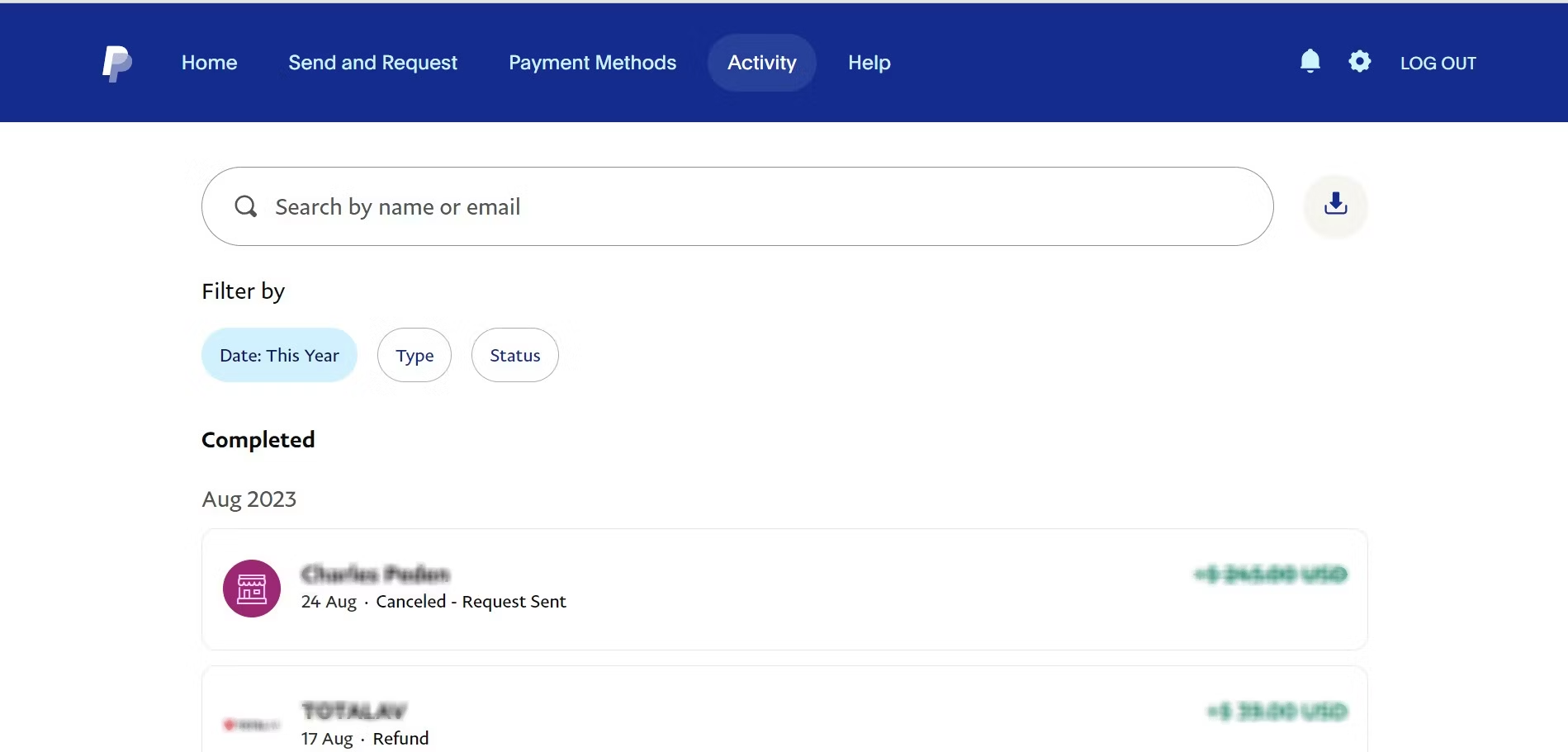
- Verify Transaction Status: Check your PayPal activity feed to confirm whether the transaction shows as "Completed," "Pending," or "Refunded."
- Contact the Seller First: Send a polite message through the transaction details page asking for a voluntary refund and reference your order number.
- Monitor the 20-Day Window: If the seller is unresponsive, ensure you escalate your opened dispute to a claim before the 20-day evaluation period expires.
- Keep Records: Save all tracking numbers, screenshots of conversations, email receipts, and photos of damaged merchandise to upload to your PayPal claim file if needed.
By adhering to these structured procedures and respecting PayPal's strict operational timeframes, you can effectively secure refunds and protect your financial assets in digital commerce.
Image Gallery