Navigating the HHC PeopleSoft Portal: Enterprise Employee and Financial Management Guide 2026
Houston Healthcare (HHC) utilizes the Oracle PeopleSoft enterprise resource planning (ERP) platform to manage human resources, payroll, benefits, and financial operations. For staff members, clinicians, and administrative personnel, ac...
Houston Healthcare (HHC) utilizes the Oracle PeopleSoft enterprise resource planning (ERP) platform to manage human resources, payroll, benefits, and financial operations. For staff members, clinicians, and administrative personnel, accessing the HHC PeopleSoft environment is essential for managing employment records, reviewing paystubs, updating tax withholdings, and processing internal workflows. This technical guide outlines secure access protocols, system navigation standards, troubleshooting methodologies, and administrative best practices for the 2026 operational year.
Contents
Understanding the HHC PeopleSoft Architecture and Infrastructure
Enterprise resource planning frameworks like Oracle PeopleSoft serve as the central nervous system for large healthcare networks. Houston Healthcare relies on this system to integrate disparate human capital management (HCM) and financial data streams into a single secure repository.
The architecture is partitioned into distinct portals depending on user clearance and departmental responsibilities:
- Employee Self-Service (ESS): Tailored for general staff and clinicians to view earnings, manage direct deposits, and request time off.
- Manager Self-Service (MSS): Provides supervisory controls for approving timesheets, reviewing departmental budget allocations, and initiating personnel change requests.
- Financial Supply Chain Management (FSCM): Utilized by procurement and accounting teams to manage hospital supply inventories, vendor payments, and general ledger reconciliation.
Maintaining system integrity requires strict adherence to institutional security policies. Because PeopleSoft instances handle sensitive Protected Health Information (PHI) analogs regarding workforce data and institutional financials, unauthorized access attempts are logged and scrutinized by cybersecurity monitoring agents.
Secure Access Protocols and Multi-Factor Authentication
Logging into the HHC PeopleSoft portal in 2026 demands strict compliance with multi-factor authentication (MFA) standards. Gone are the days of simple username and password combinations. Network administrators enforce security boundaries to protect against credential stuffing and unauthorized lateral movement within the health system's network.
Step-by-Method Procedure for Secure Portal Login
- Navigate to the official, organization-approved HHC PeopleSoft entry URL from an authorized workstation or via the secure enterprise Virtual Private Network (VPN) for off-site connections.
- Enter your assigned organizational network credentials (username and network password).
- Complete the multi-factor authentication challenge via your registered authenticator application or hardware token.
- Verify your identity prompt within the designated timeout window (typically 60 seconds).
- Land on the unified PeopleSoft home dashboard, ensuring the browser address bar displays the valid HTTPS security certificate for Houston Healthcare.
Network Security Advisory Remote Access Requirements: Accessing PeopleSoft outside the physical hospital or clinic network perimeter requires an active, approved VPN client or single sign-on (SSO) gateway. Never input enterprise credentials into unverified third-party links or cached bookmark redirects.
Core Modules and Employee Self-Service Features
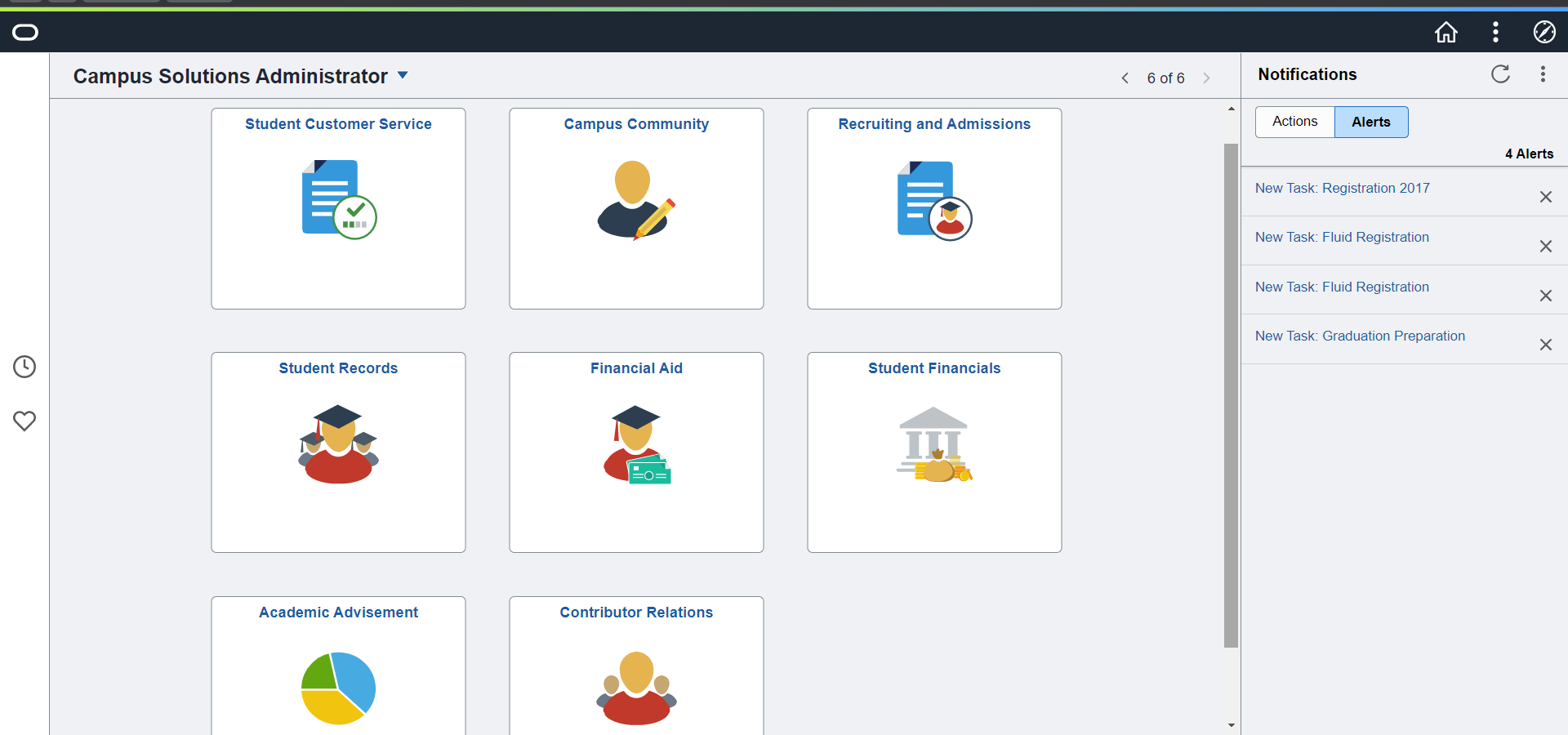
Once logged into the HHC PeopleSoft environment, users interact with intuitive tile-based navigation. The interface consolidates major administrative tasks into functional modules designed to reduce manual paperwork and streamline HR inquiries.
| Module Name | Primary Function | Target User Group | Key Operational Features |
|---|---|---|---|
| Human Capital Management (HCM) | Employee records, personal data, and credential tracking. | All HHC Personnel | Update emergency contacts, view job descriptions, verify certifications. |
| Global Payroll and Compensation | Wage calculation, tax withholding, and historical earnings. | All HHC Personnel | Download pay statements, modify W-4 forms, review year-end W-2 documents. |
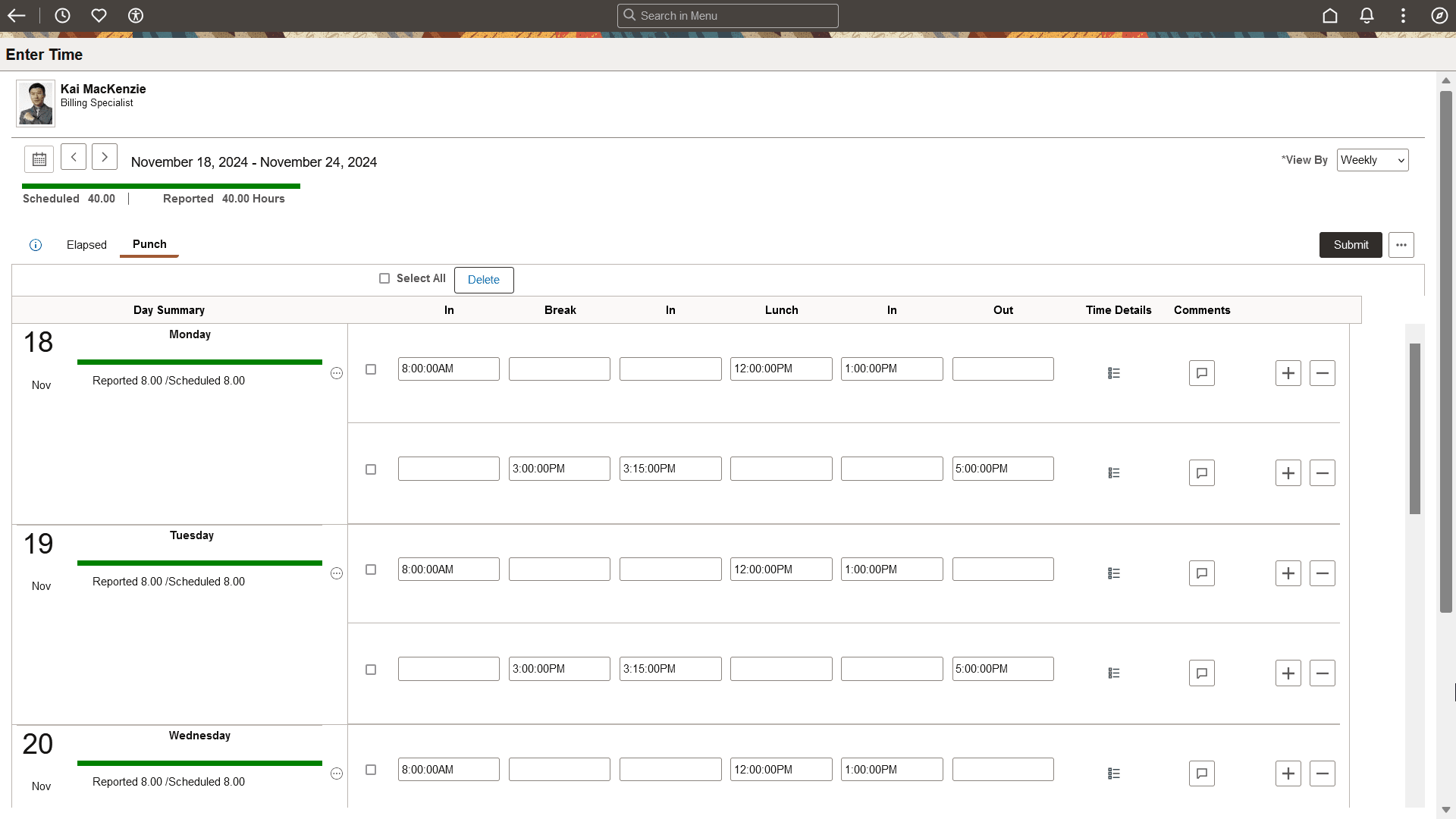
| Time and Labor | Shift logging, punch verification, and leave requests. | Hourly & Salaried Staff | Submit timesheets, track PTO accruals, manage FMLA tracking. |
| Benefits Administration | Health, dental, vision, and retirement plan enrollment. | Eligible Employees | Annual open enrollment execution, life event updates, beneficiary adjustments. |
Maximizing these modules minimizes friction between frontline healthcare workers and central human resources personnel, allowing clinical staff to focus on patient care outcomes rather than administrative roadblocks.
Troubleshooting Common PeopleSoft Access and Performance Errors
Technical friction points occasionally disrupt administrative workflows. Recognizing standard error codes and system behaviors enables users to resolve minor issues independently before escalating tickets to the internal IT Helpdesk.
- Account Lockout: Occurs after consecutive failed authentication attempts. Users must wait out the lockout timer or contact the IT Service Desk to verify identity and reset credentials.
- Session Timeout: PeopleSoft automatically terminates idle sessions to protect sensitive data. Unsaved changes in time sheets or benefit forms may be lost if autosave fails; always click "Save" before stepping away.
- Browser Compatibility Issues: Outdated browsers can cause layout distortion or script execution errors. Enterprise standard mandates the use of updated iterations of Microsoft Edge, Google Chrome, or Mozilla Firefox with cache cleared regularly.
- Pop-Up Blockers: Certain document generations, such as printable paystubs or tax forms, open in a new window. Users must configure browser exceptions to allow pop-ups originating from the HHC PeopleSoft domain.
Comparison of Access Methods: On-Premises vs. Remote Workstations
Accessing the system from different physical locations involves distinct technical considerations. The table below contrasts standard on-site login parameters with remote workflow requirements.
| Operational Parameter | On-Site (Hospital / Clinic Network) | Remote Access (Off-Site / VPN) |
|---|---|---|
| Network Security Layer | Direct intranet connection; local firewall protection. | Encrypted VPN tunnel or secure SSO gateway required. |
| Authentication Requirement | Standard credentials + institutional MFA prompt. | Standard credentials + advanced MFA + device posture check. |
| Data Transmission Speed | Optimized high-bandwidth local area network (LAN). | Dependent on external broadband provider and VPN throughput. |
| Session Persistence | Standard timeout rules apply; stable IP environment. | Subject to dropped connections if VPN tunnel resets. |
Frequently Asked Questions
What should I do if I forget my HHC PeopleSoft password?
Users can reset their passwords by utilizing the self-service password reset utility on the main login screen or by contacting the internal IT Helpdesk directly. Avoid sharing temporary passwords with anyone, including department supervisors.
Can I access my paystubs and tax documents from my personal smartphone?
Yes, the PeopleSoft interface is responsive and accessible via mobile web browsers, provided you complete the required multi-factor authentication steps. For security reasons, avoid saving login credentials on shared or public mobile devices.
How do I update my direct deposit allocation within the portal?
Navigate to the Payroll tile within Employee Self-Service, select Direct Deposit, and securely input your new routing and account numbers following secondary verification prompts. Changes typically take effect by the subsequent pay cycle.
Why is my timecard submission showing an error or exception warning?
Timecard exceptions usually occur due to missed punch-in/punch-out entries, overlapping shifts, or unapproved overtime. Review the specific day flagged with the error icon, correct the discrepancy, and resubmit the timecard for managerial approval.
Who should I contact if my benefits deductions appear incorrect on my paystub?
Reach out to the Houston Healthcare Human Resources and Benefits Department immediately to review your open enrollment elections and deduction codes. Timely reporting ensures retroactive adjustments can be processed accurately.
Is the PeopleSoft portal available 24/7 for shift workers?
The portal is generally available around the clock, though periodic scheduled maintenance windows on weekends may temporarily restrict login access. System maintenance notices are typically published on the internal employee intranet ahead of time.
Conclusion and Administrative Support
Mastering the HHC PeopleSoft environment ensures seamless handling of your career lifecycle, compensation records, and institutional benefits at Houston Healthcare. By adhering to established security protocols, leveraging multi-factor authentication, and utilizing self-service modules correctly, employees maintain administrative autonomy while protecting vital organizational data. For persistent technical issues or complex payroll inquiries, submit a ticket through the internal IT service portal or contact the Houston Healthcare Human Resources department during standard business hours.
Image Gallery