How Mailchimp SPF Record Changes Affect Domain Authentication
Mailchimp no longer requires adding include:servers.mcsv.net to your domain's SPF TXT record for standard domain authentication. Modern domain authentication in Mailchimp relies on DKIM CNAME records to establish domain alignment for D...
Mailchimp no longer requires adding include:servers.mcsv.net to your domain's SPF TXT record for standard domain authentication. Modern domain authentication in Mailchimp relies on DKIM CNAME records to establish domain alignment for DMARC compliance, preventing email delivery failures while protecting your DNS zone from exceeding the strict 10-SPF-lookup limit.
Contents
Understanding Mailchimp's Domain Authentication Evolution
Historically, configuring an Email Service Provider (ESP) like Mailchimp required updating your domain’s Sender Policy Framework (SPF) record by adding include:servers.mcsv.net. For years, this was considered standard practice across the digital marketing and enterprise IT sectors. However, as major mailbox providers implemented stricter sender verification guidelines to combat phishing and spoofing, the architecture of third-party email delivery underwent a major shift.
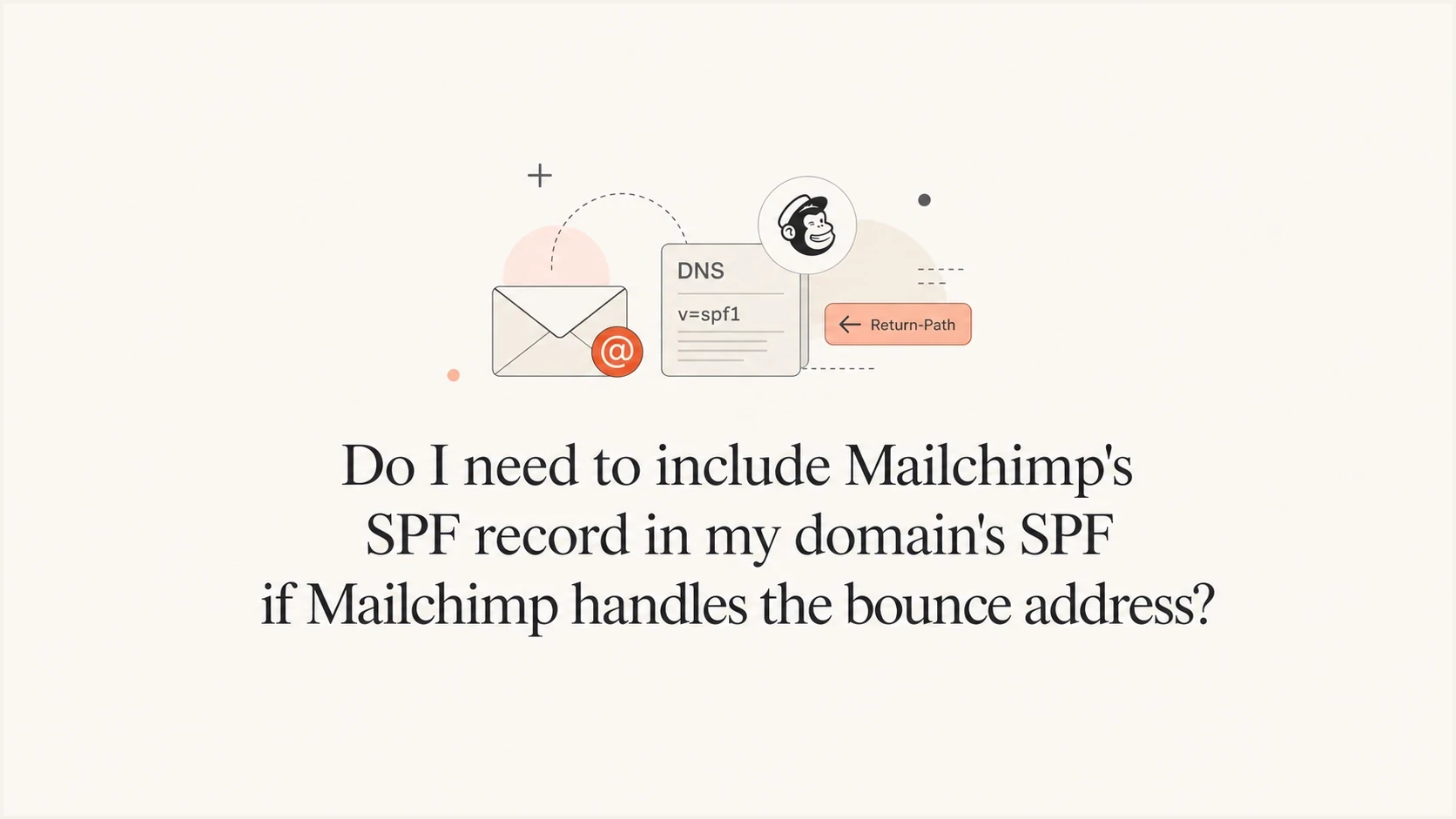
Mailchimp updated its authentication protocol to streamline domain setup and overcome fundamental technical limitations inherent to SPF. In standard email campaigns, Mailchimp uses its own managed domain (such as mcsv.net or mcdomain.com) in the envelope sender (the Return-Path address). Because mailbox providers evaluate SPF against this envelope sender domain rather than your visible From: address domain, placing an SPF record on your organizational domain does not validate Mailchimp’s sending servers.
Consequently, requiring domain owners to append include:servers.mcsv.net to their root DNS records created unnecessary operational complexity without providing true alignment under Domain-based Message Authentication, Reporting, and Conformance (DMARC). The modern authentication model relies heavily on DomainKeys Identified Mail (DKIM) key alignment, ensuring messages pass validation seamlessly while keeping recipient domain policies clean and reliable.
Technical Mechanics: Envelope Sender vs. Header From Address
To understand why Mailchimp modified its SPF guidance, it is necessary to examine how email security protocols inspect incoming messages. Every outbound email contains two separate address headers that identify the sender:
- Envelope Sender (RFC 5321 Return-Path): This address is utilized by mail transfer agents (MTAs) to direct transmission and process delivery bounces. Mailchimp automatically assigns its own managed domain to the Return-Path header. Receiving mail servers execute SPF queries specifically against the domain contained in this envelope address.
- Header From Address (RFC 5322): This represents the human-readable email address visible to the recipient in their inbox client (for example,
news@yourcompany.com).
Because the envelope sender for standard Mailchimp campaigns resolves to Mailchimp's internal infrastructure, the SPF check performed by the receiving server inspects Mailchimp's SPF record—not yours. Mailchimp's internal servers validate their own IP addresses, allowing the SPF check to pass on their domain automatically.
Incoming Email Inspection Flow: [Receiving Server] ---> Checks Return-Path (mcsv.net) ---> Evaluates Mailchimp SPF ---> SPF PASS [Receiving Server] ---> Checks Header From (yourdomain.com) ---> Evaluates DKIM Signature ---> DKIM PASS (Aligned) [Receiving Server] ---> Compares Header From to DKIM Domain ---> DMARC PASS
DMARC requires that the domain in the visible From: header matches (aligns with) the domain validated by either SPF or DKIM. If an organization relies strictly on SPF for third-party sending, DMARC validation fails because the Envelope Sender domain (mcsv.net) does not match the visible From: header domain (yourcompany.com).
To resolve this alignment mismatch, Mailchimp utilizes DKIM public key cryptography. When custom domain authentication is completed, you publish unique CNAME records pointing your domain's subdomains to Mailchimp's key servers. Mailchimp then signs outgoing messages with a digital signature tied directly to your visible From: domain. Receiving servers verify this signature against your DNS, yielding an aligned DKIM pass that completely satisfies DMARC requirements without altering your primary SPF record.
The Practical Impact of Omitting Mailchimp from Your SPF Record
Transitioning away from manual SPF record modifications yields several structural advantages for domain administration and deliverability performance.
1. Eliminating the 10-DNS-Lookup Limit (PermError)
The official SPF specification (RFC 7208) mandates a strict limit of no more than 10 DNS lookups during an evaluation. Terms like include, a, mx, ptr, and redirect trigger nested DNS queries. If a recipient's mail server encounters more than 10 lookups while checking an incoming message's SPF record, it generates an SPF PermError (Permanent Error).
When receiving networks enforce strict DMARC rejection policies, an SPF PermError causes legitimate emails to bounce immediately. Legacy setups requiring include:servers.mcsv.net frequently consumed 2 to 3 lookups on their own due to internal redirects. Removing Mailchimp from your SPF record frees up valuable lookup capacity for services that require direct SPF evaluation on your primary domain, such as Microsoft 365, Google Workspace, or custom transactional gateways.
2. Preserving Full DMARC Compliance and Deliverability
Omitting Mailchimp from your SPF record does not harm your domain reputation or message placement. Under DMARC specifications, an email successfully passes DMARC validation as long as either SPF or DKIM achieves both authorization and domain alignment. Because Mailchimp's authentication protocol relies on custom DKIM keys configured via CNAME, every email sent from your account achieves DKIM alignment on your custom domain. This satisfies DMARC policy requirements for receiving providers like Gmail, Yahoo, Apple Mail, and Microsoft Outlook.
3. Streamlining DNS Maintenance and Reducing Syntax Faults
Direct edits to DNS TXT records carry inherent risk. A single misplaced space, stray character, or duplicate v=spf1 tag can render an entire SPF record invalid, exposing all corporate email streams to delivery failures. Shifting authentication to dedicated CNAME records isolates Mailchimp’s DKIM configuration from your root domain’s primary TXT records, minimizing human error and simplifying infrastructure management.
Protocol Comparison: Modern Mailchimp Authentication
The table below outlines how each security protocol functions within Mailchimp's domain authentication framework:
| Protocol Feature | Legacy SPF Configuration | Modern Custom DKIM Configuration | DMARC Alignment Mechanism |
|---|---|---|---|
| DNS Record Type | TXT record on root domain | Dual CNAME records on subdomains | TXT record at _dmarc.yourdomain.com |
| Record Syntax Example | v=spf1 include:servers.mcsv.net ~all |
k2._domainkey.yourdomain.com pointing to dkim2.mcsv.net |
v=DMARC1; p=reject; rua=mailto:dmarc@yourdomain.com |
| Impact on 10-Lookup Limit | Consumes 1 to 3 DNS lookups | Consumes 0 SPF DNS lookups | Consumes 0 SPF DNS lookups |
| Primary Function | Authorizes sending IP addresses | Cryptographically authenticates message content | Enforces policy and alignment verification |
| DMARC Alignment Status | Unaligned (Envelope domain does not match From: header) |
Fully Aligned (d= tag matches visible From: domain) |
Evaluates alignment of SPF and/or DKIM |
| Current Requirement | Not Recommended / Optional | Mandatory for Custom Domains | Mandatory for Bulk Senders |
Step-by-Step: Authenticating Your Domain in Mailchimp
To align your domain with modern mailbox provider standards, complete authentication using DKIM CNAME records inside Mailchimp and your DNS manager.
Step 1: Generate Authentication Keys in Mailchimp
- Log into your Mailchimp account.
- Navigate to Admin (or click your profile icon) and select Account & billing.
- Click Domains -> Email Domains.
- Locate your custom sending domain and click Add & Verify Domain (or Authenticate if previously added).
- Mailchimp displays two unique CNAME records and their corresponding target values.
Step 2: Publish CNAME Records in Your DNS Host
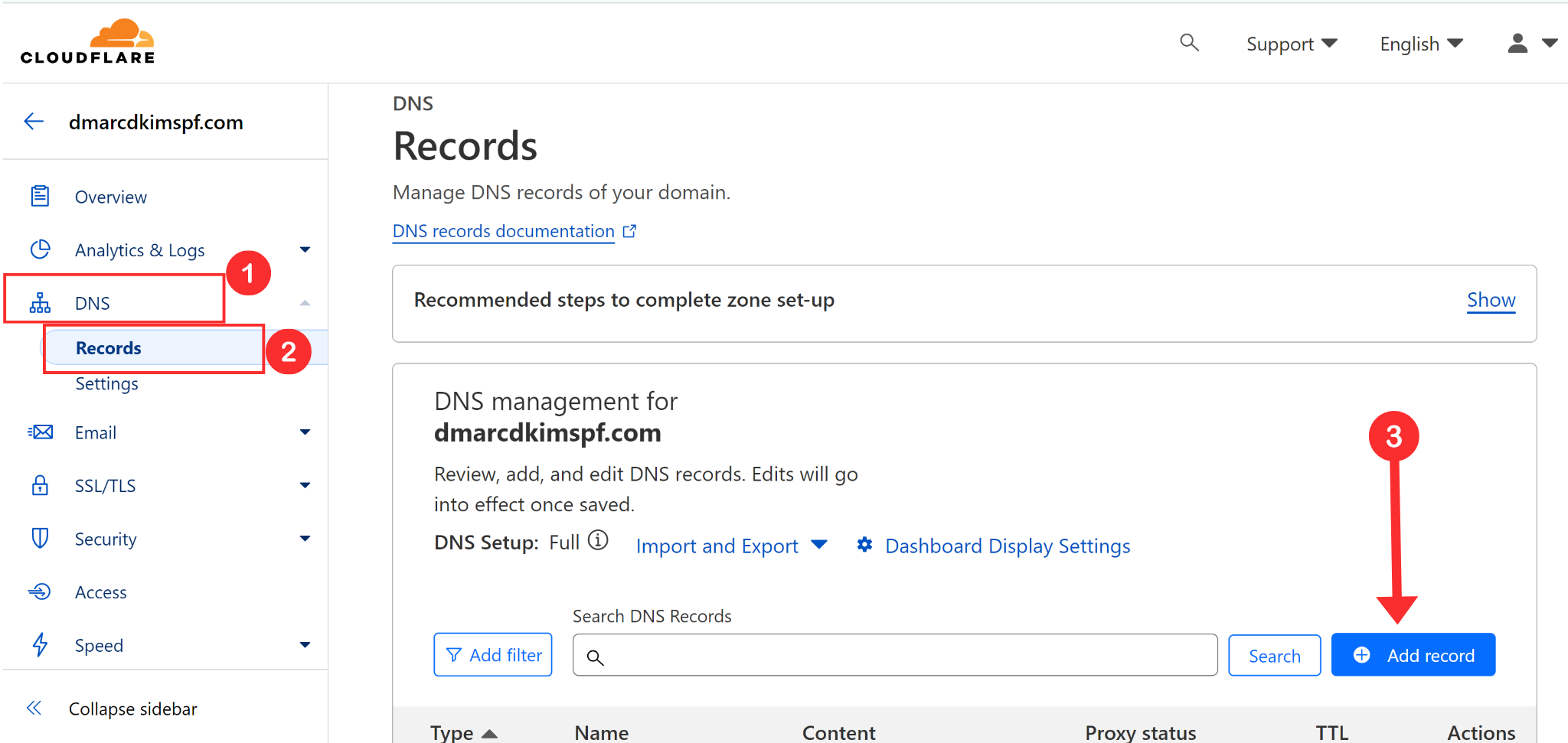
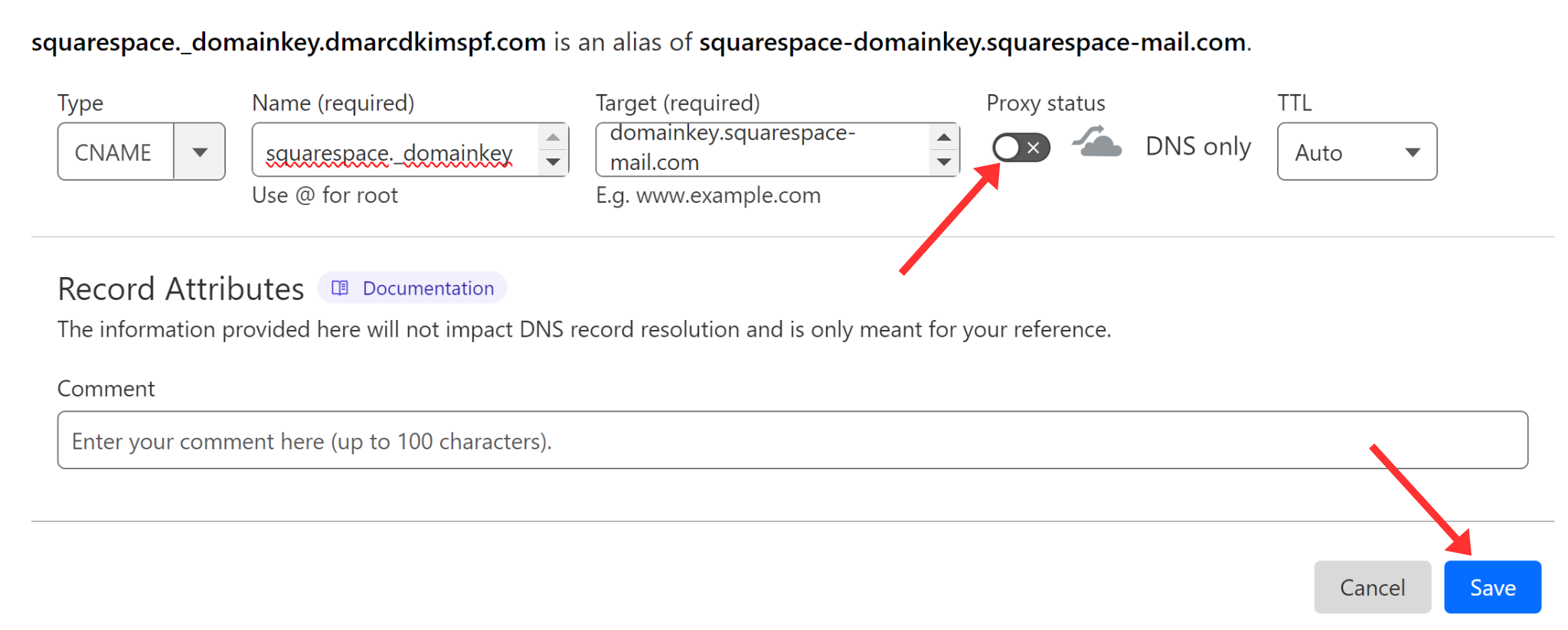
Access the management console for your DNS host (such as Cloudflare, GoDaddy, Namecheap, or Amazon Route 53) and add the two custom CNAME records provided by Mailchimp.
- First CNAME Record:
- Name / Host:
k2._domainkey(ork2._domainkey.yourdomain.comdepending on provider interface) - Value / Target:
dkim2.mcsv.net
- Name / Host:
- Second CNAME Record:
- Name / Host:
k3._domainkey(ork3._domainkey.yourdomain.com) - Value / Target:
dkim3.mcsv.net
- Name / Host:
Note for Cloudflare users: Ensure the proxy status for both DKIM CNAME records is set to DNS Only (gray cloud). Setting records to "Proxied" (orange cloud) alters the target output, preventing Mailchimp from verifying the cryptographic keys.
Step 3: Publish a Root DMARC Record
If your domain does not already have a DMARC policy, create a TXT record in your DNS provider:
- Host / Name:
_dmarc(or_dmarc.yourdomain.com) - Record Type: TXT
- Value:
v=DMARC1; p=none; rua=mailto:dmarc-reports@yourdomain.com
Note: Starting with a p=none policy allows you to monitor deliverability reports without risking legitimate email rejections while confirming your DKIM alignment.
Step 4: Validate Authentication Status in Mailchimp
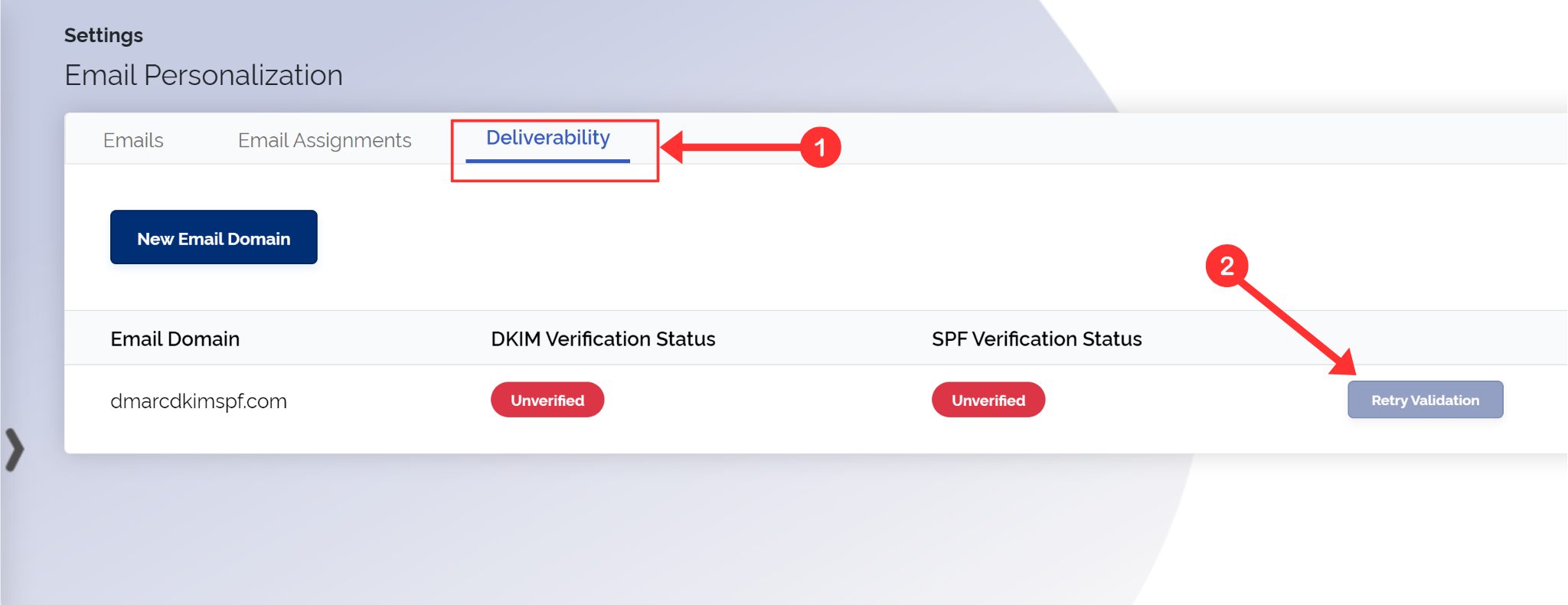
Return to the Mailchimp Email Domains dashboard and click Authenticate Domain. Mailchimp will check your public DNS records for the proper CNAME targets. Once discovered, the status updates to Authenticated.
Step 5: Audit and Clean Up Existing SPF Records
If your existing SPF record contains include:servers.mcsv.net, inspect your total lookup count using an online SPF analyzer. If removing the entry keeps your SPF valid and reduces lookups below 10, remove include:servers.mcsv.net from your root TXT record to optimize DNS resolution.
Troubleshooting Common Authentication Pitfalls
Even straightforward DNS updates can encounter setup errors. Address these common issues to ensure delivery remains uninterrupted:
1. Proxying CNAME Records Through CDN Services
When configuring DKIM CNAME records within security providers like Cloudflare, automatic proxying masks the origin target IP/hostname. Mailchimp's automated verification system cannot read the public DKIM signature when records are proxied. Always set DKIM CNAME entries to DNS Only.
2. Retaining Unnecessary SPF Includes
Leaving stale ESP entries in your SPF record degrades DNS lookup performance. If your domain uses multiple platforms (e.g., Salesforce, Zendesk, Google Workspace, Microsoft 365), retaining legacy Mailchimp SPF inclusions can push your domain past the 10-lookup threshold, triggering silent deliverability failures across other enterprise applications.
3. Misaligned Sending Addresses
Custom domain authentication applies specifically to the domain configured in your DNS. If you authenticate yourcompany.com in Mailchimp but schedule campaigns using a sender address like yourcompany.mailchimpapp.com or a personal @gmail.com address, authentication will fail. Ensure your campaign's From: field matches your authenticated domain exactly.
4. Premature Strict DMARC Policies
Enforcing a strict DMARC policy (p=reject) before fully authenticating custom domains in third-party platforms leads to message drops. Always verify that Mailchimp displays an Authenticated status next to your sending domain prior to escalating your DMARC policy from p=none to p=quarantine or p=reject.
Frequently Asked Questions
Will removing Mailchimp from my SPF record cause emails to land in spam?
No. Mailchimp authenticates custom sending domains using DKIM keys configured via CNAME records. Because DKIM provides direct domain alignment for DMARC, your emails satisfy modern receiver security requirements without needing an SPF include statement on your primary domain.
Why did Mailchimp stop requiring SPF inclusions for domain authentication?
Mailchimp sends outbound campaign messages using its own envelope sender domain (Return-Path), which handles SPF checks at the infrastructure level. Because SPF checks look at the envelope domain rather than your visible From: address domain, adding Mailchimp to your SPF record provided no DMARC alignment benefits and frequently caused domains to exceed the 10-lookup SPF limit.
What happens if my domain exceeds the 10-SPF-lookup limit?
When a domain's SPF record requires more than 10 DNS lookups, receiving email servers throw an SPF PermError. Under strict security rules enforced by providers like Google and Yahoo, messages triggering an SPF PermError fail authentication checks and are frequently sent to spam folders or rejected entirely.
Do I still need a DMARC record if I use Mailchimp?
Yes. Major mailbox providers mandate that senders maintain a valid DMARC record published at _dmarc.yourdomain.com. While Mailchimp handles the underlying DKIM alignment on your custom domain, publishing a DMARC policy in your DNS is necessary to tell receiving servers how to handle unauthenticated mail.
How long does it take for Mailchimp domain authentication to take effect?
DNS changes typically propagate within a few minutes, though full global propagation can take up to 24–48 hours depending on your DNS host's Time-to-Live (TTL) settings. You can re-trigger validation inside your Mailchimp account at any point after adding the CNAME records.
Recommended Next Actions for System Administrators
To guarantee maximum inbox placement and maintain compliance with global email security standards, take the following steps:
- Audit Current DNS Zone Records: Use a DNS lookup tool to inspect your domain's TXT records. Identify your total SPF lookup count and locate any legacy
include:servers.mcsv.netstatements. - Verify DKIM CNAME Publishing: Confirm that both
k2._domainkeyandk3._domainkeyCNAME records are published and set to DNS Only (unproxied). - Check Mailchimp Authentication Status: Confirm that Mailchimp marks your sending domain as Authenticated under Account Settings.
- Clean Up Root SPF Records: Remove
include:servers.mcsv.netif present to reclaim DNS lookup budget, ensuring your main SPF string remains under the 10-lookup ceiling. - Monitor DMARC Reports: Review incoming DMARC aggregate reports (
rua) to confirm that all legitimate outbound mail streams pass DKIM alignment consistently.
Image Gallery