Top Microsoft Cloud Access Security Reports for Threat Detection and Compliance
The best reports in Microsoft Cloud Access Security—integrated within Microsoft Defender for Cloud Apps—include Cloud Discovery Executive Summaries, Discovered App Risk Ratings, OAuth App Permission Audits, and Sensitive Data Exposure...
The best reports in Microsoft Cloud Access Security—integrated within Microsoft Defender for Cloud Apps—include Cloud Discovery Executive Summaries, Discovered App Risk Ratings, OAuth App Permission Audits, and Sensitive Data Exposure Reports. Available in the Microsoft Defender portal, these reports give security teams clear visibility into Shadow IT, over-privileged third-party apps, user activity anomalies, and regulatory compliance risks across multi-cloud environments.
Contents
Understanding the Microsoft Defender for Cloud Apps Reporting Framework
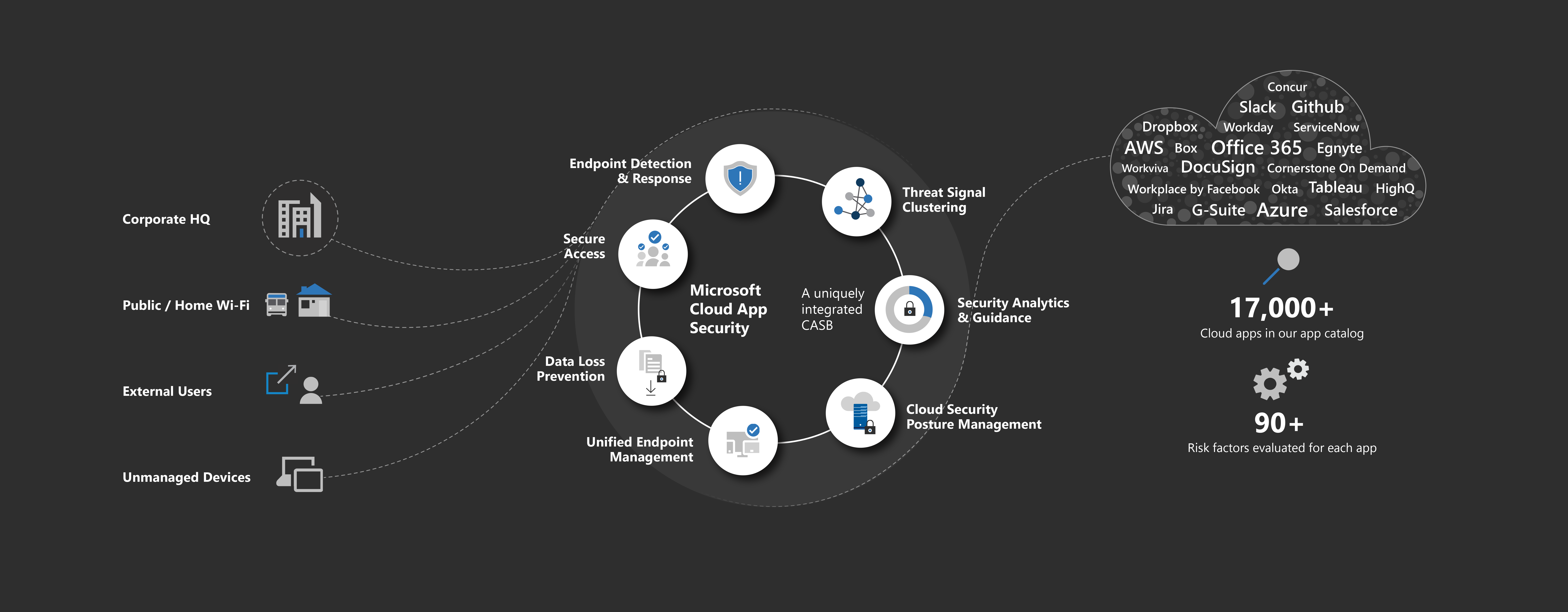
Microsoft Cloud App Security (MCAS), now branded as Microsoft Defender for Cloud Apps, serves as a Cloud Access Security Broker (CASB). It provides deep visibility, strong data controls, and automated threat protection across native Microsoft enterprise cloud services and third-party Software-as-a-Service (SaaS) applications.
Generating effective reporting requires understanding how the platform ingests and correlates log data. Defender for Cloud Apps collects telemetric information through three main channels:
- Integration with Microsoft Defender for Endpoint: Network traffic logs from managed Windows and macOS endpoints feed directly into the cloud broker without requiring additional network appliances.
- Log Collectors and Reverse Proxies: Syslog or SFTP feeds from enterprise firewalls and Secure Web Gateways (SWGs) provide agentless network coverage for unmanaged endpoints.
- API Connectors: Direct API integrations with cloud providers (such as Microsoft 365, Salesforce, AWS, Google Workspace, and Box) monitor user actions, administrative configuration changes, and file-level activities in real time.
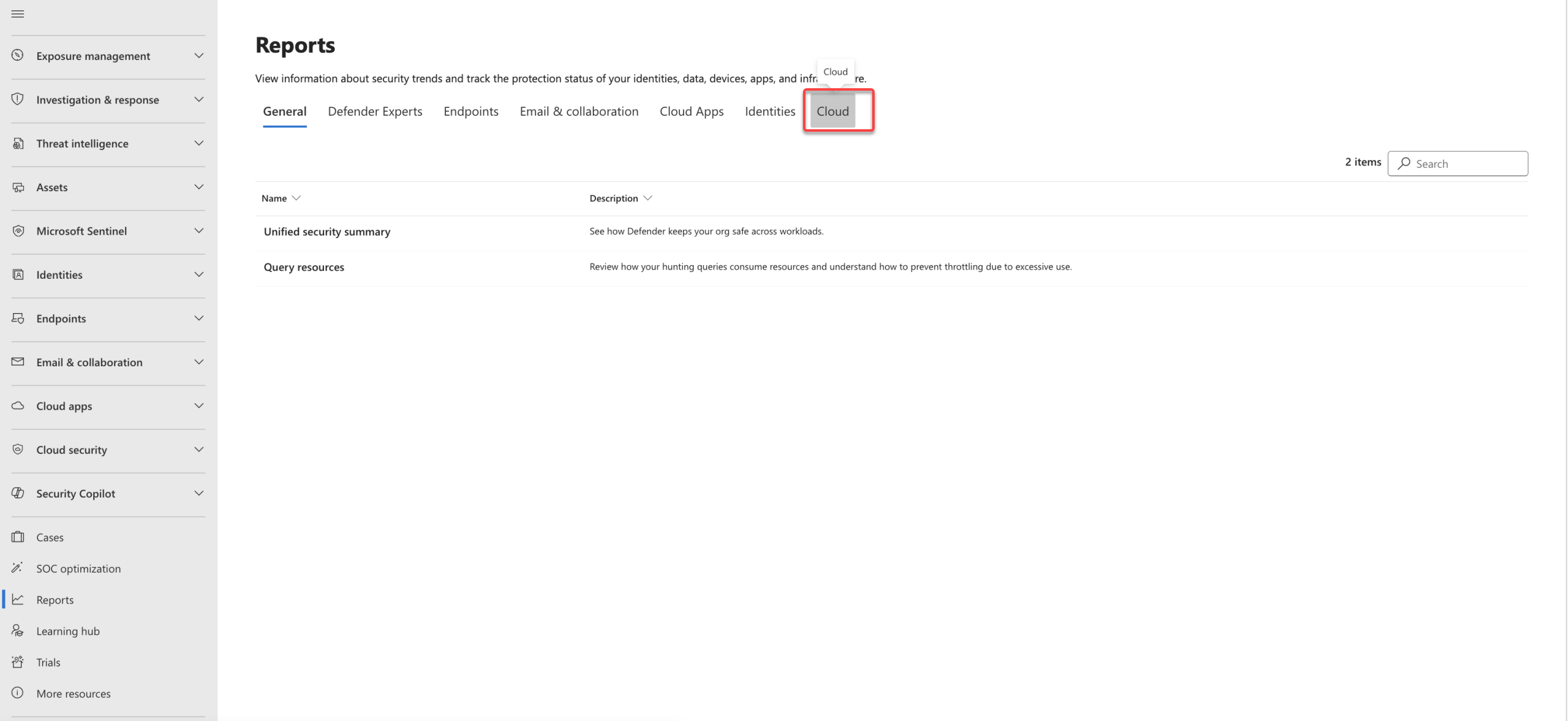
All native reports live in the Microsoft Defender portal (security.microsoft.com) under the Cloud apps navigation tree. Reporting outputs range from high-level summaries for executive leadership to granular event streams designed for Security Operations Center (SOC) analysts and compliance auditors.
Core Built-In Reports in Microsoft Defender for Cloud Apps
1. Cloud Discovery Executive Summary and Shadow IT Reports
Unsanctioned cloud application usage—commonly referred to as Shadow IT—creates significant security blind spots. The Cloud Discovery Executive Summary report aggregates network traffic data to display all SaaS applications accessed by users across the enterprise network.
- Cloud Discovery Data Pipeline Inputs:
- Defender for Endpoint
- Enterprise Firewalls
- Secure Web Gateways
- Data Normalization
- Discovery Reports
Key features of this report include:
- Top App Categories and Usage Volume: Identifies total data uploaded and downloaded, total active users, and transaction volumes categorized by service type (such as cloud storage, generative AI tools, collaboration, and CRM platforms).
- Sanctioned vs. Unsanctioned App Ratios: Measures the balance between corporate-approved services and high-risk shadow applications.
- IP Address and Subnet Spikes: Highlights specific office locations, VPN segments, or user groups driving high volumes of unmanaged cloud usage.
Security administrators use this report to baseline enterprise SaaS usage, block high-risk domains via Microsoft Defender for Endpoint integration, and negotiate enterprise licenses for popular unsanctioned applications.
2. Discovered App Risk Assessment Reports
The Discovered Apps catalog evaluates over 31,000 cloud apps using an automated scoring mechanism rated from 1 to 10. The Risk Assessment Report breaks down these scores using 90 distinct risk factors grouped into three main categories:
- General Governance: Evaluates domain registration age, hosting provider reputation, operational transparency, and financial viability.
- Security Controls: Audits multi-factor authentication (MFA) support, data encryption in transit (TLS version) and at rest (AES-256), vulnerability disclosure programs, and IP restriction capabilities.
- Legal and Compliance Certifications: Verifies compliance frameworks including ISO 27001, SOC 2 Type II, HIPAA, FedRAMP, and GDPR readiness.
This report allows risk management teams to quickly filter for apps with scores below acceptable compliance thresholds (for example, applications scoring under 6) that handle sensitive company data.
3. OAuth and App Governance Reports
Modern cloud environments face increasing risks from OAuth consent phishing attacks and over-privileged third-party OAuth apps. The OAuth App and App Governance reports track applications integrated into Azure Active Directory (Microsoft Entra ID) and Google Workspace environments.
Key insights provided by these reports include:
- Permission Levels: Categorizes app access into High, Medium, or Low risk based on granted scopes (such as
Files.ReadWrite.AllorMail.Read). - Unused and Dormant Apps: Highlights OAuth apps with elevated privileges that have not recorded activity in 30, 60, or 90 days.
- App Publisher Verification: Distinguishes between verified enterprise publishers and unverified third-party developers.
Using this report, security architects can audit permission creep, revoke consent for rogue applications, and enforce app governance policies to restrict consent grants for unverified app publishers.
4. Information Protection and Data Exposure Reports
Data Protection reports aggregate telemetry from file scanning engines and Microsoft Purview Information Protection policies. These reports track how sensitive data moves inside and outside the enterprise boundary.
Essential metrics captured include:
- External Sharing Reports: Lists all files stored in Microsoft OneDrive, SharePoint, Google Drive, or Box that are shared with external email domains or accessible via public links.
- Sensitive Information Type (SIT) Matches: Identifies files containing Personally Identifiable Information (PII), Payment Card Industry (PCI) data, confidential intellectual property, or custom regex patterns.
- DLP Violation Summaries: Highlights user accounts triggering Data Loss Prevention policies across connected cloud storage platforms.
Compliance officers rely on these reports during audit cycles to demonstrate control over sensitive data assets and quickly remediate publicly accessible internal files.
5. User Activity and Anomaly Detection Reports
The Activity Log and Anomaly Detection reports track user behavioral analytics to detect compromised credentials, insider threats, and malicious administrative activities.
These reports highlight critical security incidents, such as:
- Impossible Travel: Detects a single user account authenticating from geographically distant locations within an impossible timeframe.
- Mass Download or Deletion Events: Signals potential data exfiltration or ransomware activity by tracking unusual download spikes.
- Activity from Suspicious IP Addresses: Flags connections originating from anonymous proxies, TOR exit nodes, or high-risk threat actor infrastructure identified by Microsoft Threat Intelligence.
SOC teams use these reports to isolate compromised user accounts and feed automated responses into Microsoft Sentinel or third-party Security Information and Event Management (SIEM) systems.
Primary Microsoft Cloud Access Security Reports Comparison
The table below summarizes the core operational features of the primary Defender for Cloud Apps reporting dashboards:
| Report Name | Primary Data Source | Core Security Focus | Key Target Audience | Recommended Review Frequency |
|---|---|---|---|---|
| Cloud Discovery Summary | Defender for Endpoint, Firewall/Proxy Logs | Shadow IT, bandwidth usage, unmanaged SaaS tools | CISOs, Network Security Teams | Monthly |
| Discovered Apps Risk | Microsoft Cloud App Catalog Analytics | SaaS vendor security postures, compliance compliance | IT Governance, Risk & Compliance (GRC) | Bi-weekly |
| OAuth Permission Audit | Microsoft Entra ID / App Governance | Over-privileged OAuth apps, consent phishing | Identity & Access Management (IAM) | Weekly |
| External Sharing Report | API Connectors (M365, Google Workspace, Box) | Unsecure external links, data leakage risks | Data Governance, Compliance Officers | Weekly |
| Anomaly Detection Report | Real-time API telemetry, Behavioral Baselines | Account takeover, mass downloads, impossible travel | SOC Analysts, Incident Responders | Real-time / Daily |
| Connected Apps Audit | Cloud App API Connections | Administrative changes, privilege escalation | Cloud Infrastructure Engineers | Monthly |
Creating Custom Reports Using Advanced Hunting (KQL)
While built-in dashboards provide essential operational visibility, enterprise threat hunting often requires custom, tailored queries. Microsoft Defender for Cloud Apps exports unified telemetry into the Advanced Hunting schema in the Microsoft Defender portal.
Analysts use Kusto Query Language (KQL) to query the CloudAppEvents table to create custom reports tailored to specific organization requirements.
Example 1: Reporting Unsanctioned File Downloads by Volume
The following KQL query generates a custom report of high-volume file downloads from unsanctioned cloud applications over the past 7 days:
CloudAppEvents | where TimeGenerated > ago(7d) | where ActionType == "FileDownloaded" | extend ApplicationName = Application | summarize TotalDownloads = count(), TotalDataBytes = sum(RawEventData.Bytes) by UserPrincipalName, ApplicationName | sort by TotalDownloads desc | take 50
Example 2: Auditing High-Risk OAuth Permission Grants
To generate a custom compliance report tracking high-risk OAuth consent events granted by users:
CloudAppEvents | where TimeGenerated > ago(30d) | where ActionType in ("Consent to application", "Add app role assignment to service principal") | extend AppName = tostring(RawEventData.Target[0].ID) | extend GrantedPermissions = tostring(RawEventData.ModifiedProperties[1].NewValue) | project TimeGenerated, UserPrincipalName, AppName, GrantedPermissions, IPAddress | sort by TimeGenerated desc
These custom KQL queries can be saved directly in the Defender portal, scheduled for automatic execution, and converted into continuous monitoring dashboards.
Best Practices for Automating and Exporting Reports
To prevent manual reporting overhead and maintain audit readiness, organizations should integrate report delivery into standard administrative workflows.
1. Configure Scheduled Executive Digest Emails
Within the Cloud Discovery and App Governance dashboards, security leaders can schedule weekly or monthly executive summaries. These automated notifications highlight overall SaaS risk scores, newly discovered apps, and remediation progress over time.
2. Continuous Export to Azure Monitor and Microsoft Sentinel
For long-term retention and security correlation, native cloud app reports should feed directly into a centralized Security Operations data lake.
- Configure continuous export of CloudAppEvents and discovery logs to an Azure Log Analytics Workspace.
- Enable standard Microsoft Sentinel data connectors to automatically trigger incident response playbooks (SOAR) when high-severity anomalies appear in reports.
3. Power BI Integration for Custom Governance Analytics
Organizations requiring complex metrics can connect Power BI directly to Defender for Cloud Apps through the Cloud Discovery REST APIs or Log Analytics connectors. This allows IT teams to combine CASB findings with HR data, asset tracking databases, and financial procurement records.
Frequently Asked Questions
What is the difference between Microsoft Cloud App Security and Microsoft Defender for Cloud Apps?
Microsoft Cloud App Security (MCAS) was officially rebranded to Microsoft Defender for Cloud Apps. The core CASB functionality remains intact, but reporting and management dashboards are now fully consolidated within the unified Microsoft Defender security portal alongside Endpoint, Identity, and Office 365 security management tools.
How frequently is data updated in Cloud Discovery reports?
Endpoint traffic logs collected via Microsoft Defender for Endpoint update within minutes. Log collector logs uploaded manually or via automated Syslog scripts refresh based on your network upload frequency, typically ranging from every hour to once daily depending on bandwidth configurations.
Where can I export raw report data for external compliance audits?
All standard reports in the Microsoft Defender portal include an Export button that outputs formatted CSV files. For large-scale data exports, administrators should use the Advanced Hunting KQL interface or stream logs directly to an Azure Storage account via Log Analytics settings.
Do Cloud Discovery reports track corporate devices when off-network?
Yes. When devices run Microsoft Defender for Endpoint, traffic telemetric data is captured and evaluated by Defender for Cloud Apps regardless of network location. This provides complete visibility into remote employee web traffic without requiring a persistent corporate VPN connection.
How does Defender for Cloud Apps calculate application risk ratings?
Risk scores (1-10) are determined by comparing evaluated applications against a database of over 90 legal, security, and compliance criteria. Scores update dynamically as vendors adopt new security attestations (such as ISO certifications), update privacy policies, or address reported software vulnerabilities.
Recommended Next Steps for Enterprise Security Teams
To maximize the practical value of your CASB reporting setup, implement the following steps:
- Verify Endpoint Telemetry Coverage: Ensure Microsoft Defender for Endpoint integration is fully enabled across all corporate workstations to feed complete network traffic data into Cloud Discovery reports.
- Establish Baseline Risk Thresholds: Work with internal GRC teams to define acceptable risk score limits (for example, unsanctioning any app scoring below 6) and create automated blocking rules for unacceptable apps.
- Automate OAuth Sanctioning Workflows: Review the top 20 OAuth applications listed in your App Governance report weekly, revoking consent for unused or over-privileged third-party connections.
- Stream Security Events to Sentinel: Set up continuous log streaming from Defender for Cloud Apps to Microsoft Sentinel to correlate cloud application threats with identity and endpoint signals in real time.
Image Gallery