Maximizing Verizon Promotional Code Savings: A Complete Guide to Discounts and Bill Credits
Verizon promotional code savings allow new and existing subscribers to lower monthly plan costs, receive device credits, and earn gift cards on wireless and Fios home internet services. Customers can redeem these savings by applying pr...
Verizon promotional code savings allow new and existing subscribers to lower monthly plan costs, receive device credits, and earn gift cards on wireless and Fios home internet services. Customers can redeem these savings by applying promo codes at checkout, submitting rebate claims through the Verizon Rebate Center, or verifying eligibility for group-specific discounts.
Contents
Understanding Verizon Promotional Structures: Promo Codes vs. Bill Credits
Securing the maximum possible savings on Verizon services requires understanding how different promotional mechanisms operate. Verizon utilizes two primary formats to deliver savings to consumers: instant promotional codes applied during online checkout and structured bill credits distributed over monthly billing cycles.
Instant Promotional Codes
Instant promotional codes are alphanumeric strings entered into the designated discount field in the online shopping cart or during phone checkout. These codes typically reduce upfront costs, such as waiving standard activation fees (normally charged per line), discounting accessories, or providing an immediate cash-off discount on hardware purchases. Instant promo codes are time-sensitive and usually tied to specific marketing campaigns, holiday events, or device launches.
Recurring Bill Credits
The majority of major Verizon incentives—such as Bring Your Own Device (BYOD) promotions, device trade-in offers, and account switcher bonuses—are delivered as monthly recurring bill credits rather than upfront lump sums. Under standard Verizon service agreements, promotional bill credits are distributed evenly across a 36-month plan obligation.
For example, a $720 trade-in promotion is applied as a $20 credit on each monthly bill over 36 months. If a subscriber cancels service, upgrades early, or transitions to an ineligible plan tier before the 36-month period concludes, the remaining promotional credits are forfeited, and the remaining balance on the device payment agreement becomes immediately due.
Standard Categories of Verizon Promo Codes and Discounts
Verizon structures its promotional savings across several distinct program categories. Knowing which category applies to your account setup helps ensure you satisfy all prerequisites before finalizing an order.
- VERIZON SAVINGS CATEGORIES
- Plan & Line Discounts
- BYOD Credits
- Auto Pay
- Hardware & Trade-in
- 36-Month Credits
- Switcher Cards
- Exclusive Segment
- Military
- Teachers
- Nurses
- Students
- Bundled & Loyalty
- Mobile + Home
- Verizon Visa
- Plan & Line Discounts
1. New Customer and Account Switcher Promotions
To attract new subscribers from competing telecommunications carriers, Verizon routinely offers switcher incentives. These promotions often feature prepaid Mastercard or Visa virtual gift cards valued between $150 and $200 per line, designed to offset early termination fees or device balance payouts from previous providers. Switcher promotions usually require entering a specific promotional claim code in the Verizon Rebate Center after line activation.
2. Bring Your Own Device (BYOD) Savings
Customers who transfer an existing, compatible smartphone to a new Verizon Unlimited plan without purchasing new hardware can unlock significant monthly bill credits. BYOD promotions generally offer lower overall costs per line over a 36-month period. Because BYOD orders do not involve new hardware financing, these discounts represent one of the most cost-effective entry points for new customers.
3. Identity-Verified Group Discounts
Verizon maintains standing discount programs for specific demographic and professional groups. These offers apply to eligible Unlimited plans and require third-party identity verification through ID.me:
- Military and Veterans: Active duty service members, reservists, veterans, and Gold Star families receive monthly plan savings ranging from $10 to $25 per account, depending on the total number of active lines.
- First Responders: Active firefighters, EMTs, police officers, and healthcare workers qualify for tiered account-level plan discounts.
- Teachers and Educators: K-12 teachers and post-secondary faculty members receive monthly account savings upon verifying current employment credentials.
- Nurses: Licensed practical nurses (LPNs), registered nurses (RNs), and nurse practitioners qualify for standard professional group pricing.
- College Students: Currently enrolled undergraduate and graduate students receive a direct plan discount of up to $10 per month for one line or $25 per month for two lines on eligible Unlimited plans.
4. Home Internet and Mobile + Home Rewards
Subscribers who bundle Verizon Wireless mobile services with Verizon Fios, 5G Home Internet, or LTE Home Internet qualify for Mobile + Home Rewards. This program yields recurring monthly credits on both the mobile bill and the home internet statement. Additionally, new Fios home internet sign-ups frequently include promotional codes redeemable for smart home hardware, streaming service gift cards, or bill credit rebates.
Step-by-Step: How to Apply a Verizon Promo Code Online and via My Verizon
Applying promo codes correctly during checkout or submitting claim receipts post-purchase ensures that your discount registers on your billing statement without administrative delays.
Method A: Entering a Promotional Code at Checkout
- Build Your Order: Add desired devices, accessories, or plan options to your cart on the official Verizon website or My Verizon app.
- Navigate to Checkout: Proceed through the service setup screens (line selection, plan tier configuration, and device protection choices) until you reach the Payment & Review screen.
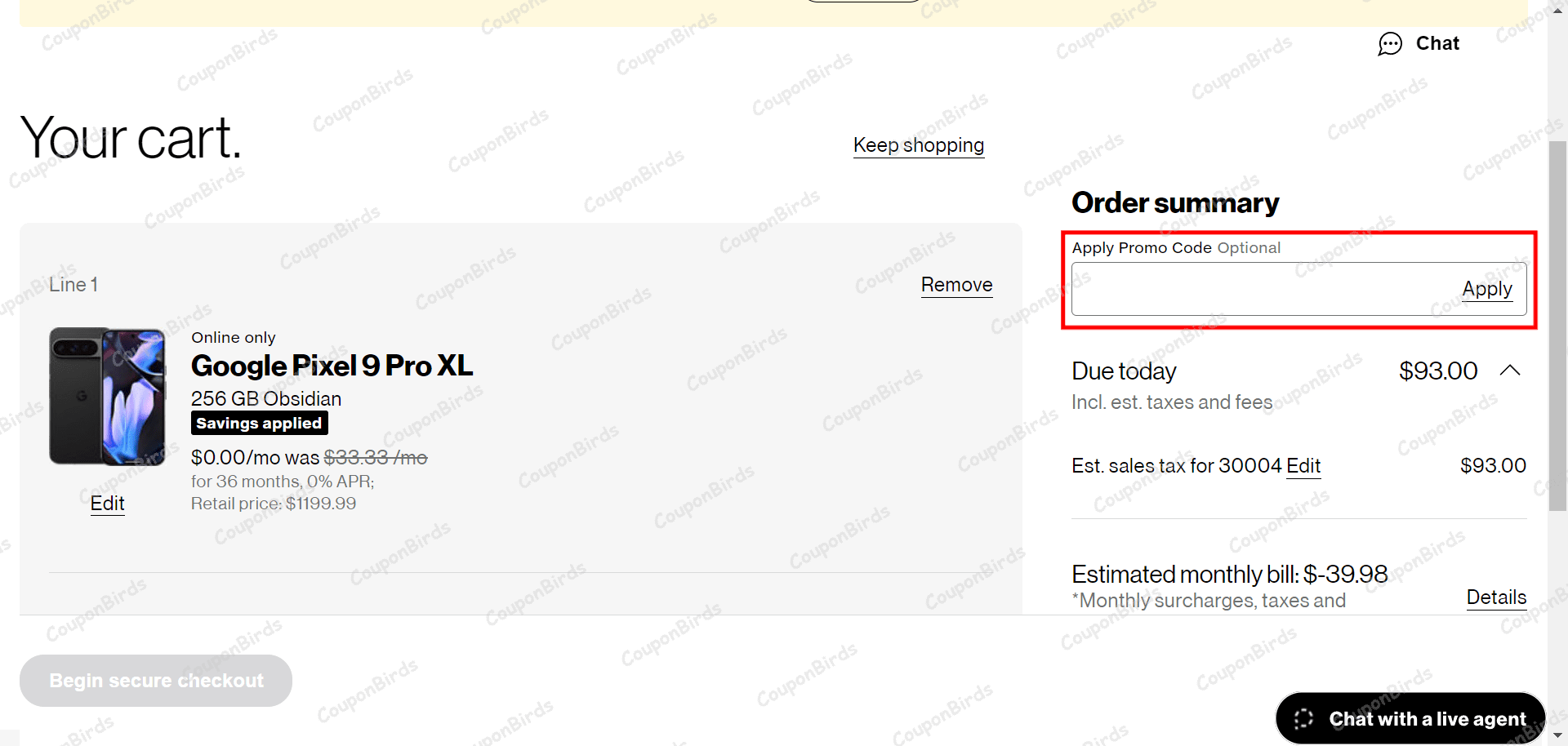
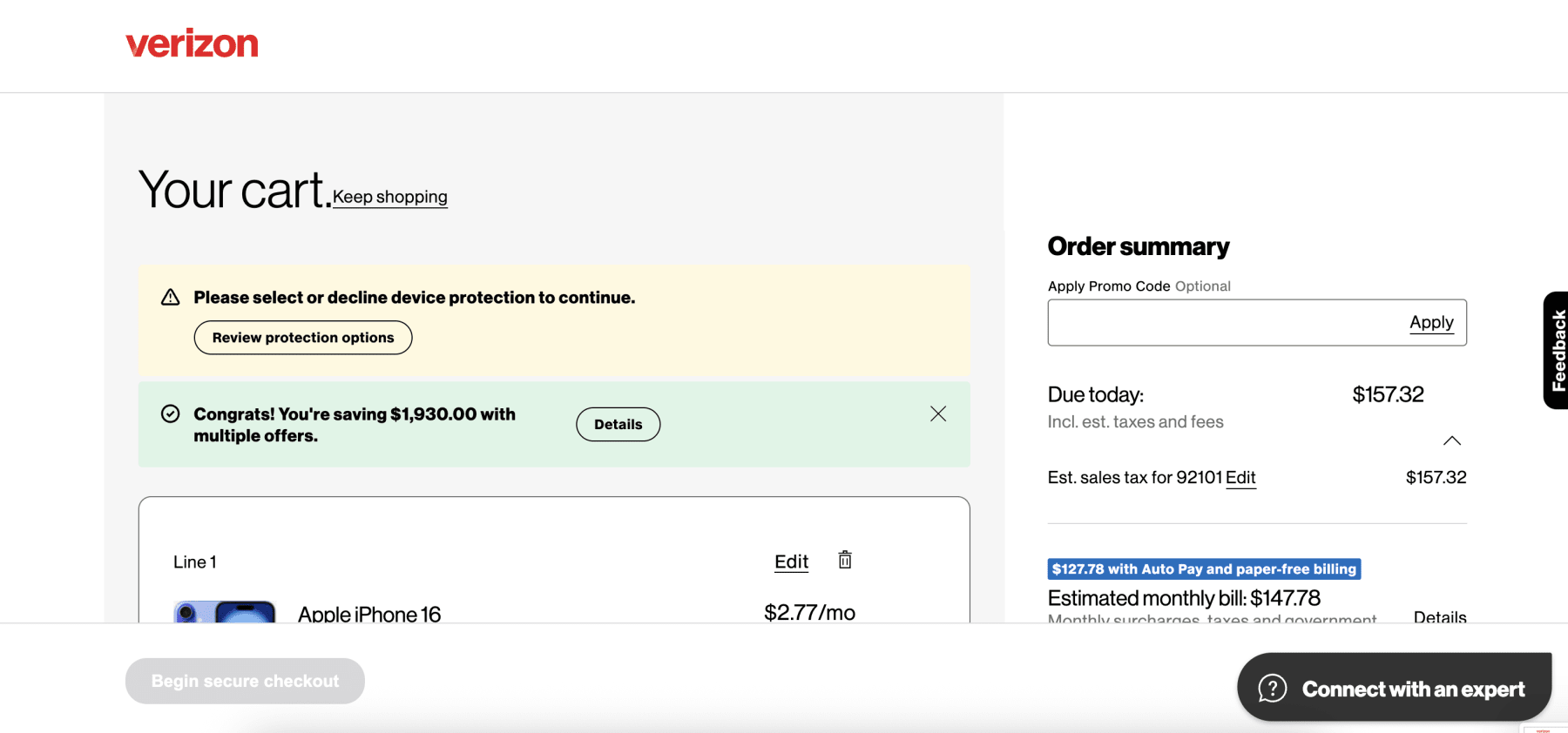
- Locate the Promo Code Field: Locate the collapsible section marked "Have a Promo Code?" or "Discount Code" prior to placing the order.
- Enter and Apply: Enter the exact alphanumeric code into the field and click Apply. Verify that the discount amount reflects in the order breakdown before confirming payment.
- VERIZON CHECKOUT
- Items: Unlimited Plus Line (1) .............. $80.00/mo
- Hardware: iPhone 16 Pro (36 mos) ............ $27.77/mo
- [ Have a Promo Code? ]
- SWITCH2026
- APPLY
- Applied: Promo Code SWITCH2026 .......... -$10.00/mo
- Estimated Monthly Total ..................... $97.77/mo
- [ PLACE ORDER ]
Method B: Submitting a Promo Code in the Verizon Rebate Center
Certain promotional rewards—including BYOD mastercards, switch incentives, and trade-in bonus codes—must be claimed after your line is activated.
- Collect Details: Obtain your order confirmation number, purchase date, active phone number, and the specific rebate code (often provided in purchase documentation or promotional fine print).
- Access the Rebate Portal: Open a browser and navigate directly to the Verizon Rebate Center (verizon.com/digital/nsa/secure/ui/rebatecenter/).
- Log In: Sign in with your My Verizon primary account credentials.
- Submit Claim Code: Enter the promotion code in the box labeled "Submit a Rebate."
- Provide Tracking Information: Input the purchase date and account details as prompted, then submit. Most electronic rebate gift cards are issued digitally within 8 to 10 weeks after verification.
Stacking Verizon Discounts: Rules and Limitations
Maximizing savings requires combining multiple promotions without triggering system conflicts that invalidate one or more discounts. Verizon enforces specific guidelines regarding discount stacking.
What You Can Combine (Permitted Stacking)
- Auto Pay & Paperless Billing + Group Discounts: You can combine the $10 per line/month Auto Pay discount (when using an eligible bank account, debit card, or the Verizon Visa Card) with professional group discounts (Military, Teacher, Student, or First Responder).
- Trade-in Bill Credits + Auto Pay: Promotional trade-in credits apply directly to hardware payments and do not interfere with account-level plan discounts like Auto Pay.
- Mobile + Home Rewards + Plan Discounts: Combining mobile service with Fios home internet generates bundle savings that sit alongside line-level plan credits.
What You Cannot Combine (Restricted Stacking)
- Multiple Group Discounts: Accounts are restricted to a single primary group discount. An account holder cannot stack a Military discount on top of a Teacher discount; the system automatically retains whichever discount yields the higher savings.
- BYOD Credits + Device Trade-in Promos: BYOD credits require bringing your own equipment. Financing a new device on that same line forfeits remaining BYOD monthly credits.
- Corporate Employee Discounts + Unlimited Plans: Legacy corporate percentage discounts (e.g., 15% off plan fees via an employer agreement) generally apply only to older shared-data plans. Modern Unlimited plans are excluded from legacy corporate percentage discounts, though employee accounts may still qualify for waived activation fees or accessory deals.
Summary of Verizon Promotional Savings and Requirements
The following table summarizes common Verizon promotional structures, typical savings values, verification requirements, and fulfillment timelines.
| Promotional Category | Typical Savings / Benefit | Primary Requirement | Verification Method | Processing Timeline |
|---|---|---|---|---|
| Auto Pay & Paperless | $10 off per line / month | Link checking account, debit card, or Verizon Visa Card | Automatic upon payment method enrollment | 1–2 billing cycles |
| Bring Your Own Device (BYOD) | $5–$15 off per month (36 mos) | Port number and activate existing compatible device | Account setup verification at checkout | 1–2 billing cycles |
| Device Trade-in Credit | Up to $800–$1,000 off hardware | Trade in an eligible smartphone on a qualified Unlimited plan | IMEI check and physical device inspection | 1–3 billing cycles |
| Military & First Responder | $10–$25 off total account / month | Active duty, veteran, or responder status | Online identity check via ID.me | 1–2 billing cycles |
| Teacher & Nurse | $10–$25 off total account / month | Active professional license or employment verification | Online identity check via ID.me | 1–2 billing cycles |
| College Student Discount | $10/mo (1 line) or $25/mo (2 lines) | Current enrollment in an accredited college/university | Online student check via ID.me | 1–2 billing cycles |
| Account Switcher Rebate | $100–$200 digital gift card per line | Port line from competitor; keep account active 60+ days | Claim code submission at Verizon Rebate Center | 8–10 weeks |
| Mobile + Home Rewards | $5–$15 off monthly bills | Active Verizon Unlimited mobile AND Fios/5G Home Internet | Linked account profiles in My Verizon | 1–2 billing cycles |
Common Reasons Verizon Promo Codes Fail and How to Fix Them
If a promotional code is rejected during checkout or your post-purchase rebate claim is denied, inspect the following potential causes:
1. Ineligible Plan Tiers
Many high-value promotional codes—particularly maximum trade-in values and premium switcher gift cards—require enrollment in specific premium Unlimited plan tiers (such as Unlimited Plus or Unlimited Ultimate). If your account sits on an entry-level tier (such as Unlimited Welcome or a legacy plan), the promo code will trigger an eligibility error.
- Solution: Review the promotional terms and upgrade the line’s plan tier to meet minimum requirements before applying the code.
2. Expired Code or Redirection Limits
Promotional codes issued for specific marketing campaigns carry rigid expiration dates. Additionally, targeted promo codes sent via email or direct mail are often restricted to the specific account number listed on the offer.
- Solution: Check the promotional offer fine print for validity dates and target account restrictions. If a public code has expired, contact Verizon customer support or check the My Verizon "Offers for You" tab for account-specific alternatives.
3. Delayed Trade-in Submission
Device trade-in promotional codes require physical delivery of the old device to Verizon within a strict calendar window (typically 30 days from new device activation). Failing to ship the trade-in unit within this window causes the system to cancel recurring promotional credits, reverting the account to full monthly hardware pricing.
- Solution: Use the provided pre-paid shipping label promptly and track the package. If delayed, contact customer service with your shipping tracking number to manually re-apply the promo credit code.
4. Incorrect Rebate Code Submission
Entering a general shopping promo code into the Rebate Center (or entering a rebate claim code into the retail checkout cart) results in format error messages.
- Solution: Distinguish between checkout discounts (entered in the cart during order placement) and post-activation rebates (submitted at
verizon.com/digital/nsa/secure/ui/rebatecenter/).
Frequently Asked Questions
Where do I enter a Verizon promo code during online checkout?
You enter promotional codes on the final Payment & Review screen during the online ordering process. Expand the section labeled "Have a Promo Code?", type or paste your code into the field, and select Apply before placing the order.
How do I check the status of a submitted Verizon rebate promotional code?
Track submitted rebate codes by logging into the Verizon Rebate Center online. Enter your submission tracking number or account credentials to review the claim status, approval phase, and estimated digital gift card delivery date.
Can existing Verizon customers use promotional codes?
Yes. While certain hardware incentives target new lines, existing customers can access promotional savings through device upgrade trade-in offers, accessory discount codes, Mobile + Home bundling, and group discounts (Military, Student, Teacher, Nurse) applied to their existing accounts.
What happens to my promotional credits if I pay off my device early?
If you pay off your device balance early—even to upgrade to a new phone—any remaining monthly promotional credits associated with that device agreement are forfeited. The system stops issuing credits once the original loan balance is cleared.
Can I stack a student discount with an Auto Pay discount on Verizon?
Yes. Student discounts verified through ID.me can be combined with the monthly Auto Pay and Paperless Billing discount on eligible Unlimited plans, providing dual monthly plan savings.
Strategic Next Steps to Optimize Your Verizon Bill
To secure the lowest possible monthly rate on your Verizon statement, follow this optimization checklist:
- Audit Your Current Plan Tier: Log into My Verizon and review your active plan specifications against current promotional requirements. Ensure your plan tier qualifies for maximum trade-in and BYOD credits.
- Verify Group Eligibility: If you are a veteran, educator, nurse, first responder, or college student, complete the identity verification flow via ID.me at
verizon.com/discountsto add recurring plan savings. - Enroll in Auto Pay: Link an eligible checking account, debit card, or the Verizon Visa Card, and activate paperless billing to reduce costs per line each month.
- Review the Rebate Center: If you recently switched carriers or purchased new hardware, visit the Verizon Rebate Center within 30 days of activation to ensure all eligible rebate codes and promotional claims have been submitted.
EDITORIAL CATEGORY METADATA:
Image Gallery