Is VMware Enterprise Plus Worth the Cost in 2026?
Determining if VMware vSphere Enterprise Plus—now primarily delivered through the VMware vSphere Foundation (VVF) subscription—is worth the cost depends on your need for automated resource management and network scalability. For large-...
Determining if VMware vSphere Enterprise Plus—now primarily delivered through the VMware vSphere Foundation (VVF) subscription—is worth the cost depends on your need for automated resource management and network scalability. For large-scale environments requiring Distributed Resource Scheduler (DRS) and Distributed Switch (VDS), the operational savings typically justify the premium subscription fees.
Contents
The landscape of virtualization shifted dramatically following Broadcom’s acquisition of VMware. By 2026, the traditional "perpetual" license for vSphere Enterprise Plus has been entirely phased out in favor of core-based subscriptions. This transition changed the math for IT departments. To evaluate whether this tier is "worth it," one must look beyond the sticker price and analyze the operational efficiencies, automation capabilities, and the true cost of managing a modern data center without high-level orchestration.
The Evolution of Enterprise Plus: VVF and VCF
Historically, vSphere Enterprise Plus was the "gold standard" for enterprise virtualization. In 2026, those same features are now the centerpiece of VMware vSphere Foundation (VVF). This package includes the ESXi hypervisor, vCenter Server, and the advanced features that formerly defined the Enterprise Plus tier, such as Distributed Resource Scheduler (DRS) and the vSphere Distributed Switch (VDS).
The shift to a subscription model means that organizations no longer pay a large upfront Capital Expenditure (CapEx) followed by modest annual support fees. Instead, the cost is an ongoing Operational Expenditure (OpEx), calculated per CPU core with a minimum requirement (typically 16 cores per processor). This pricing structure has made the "value" conversation more complex, as organizations must now justify an annual recurring cost that may be higher than their previous maintenance renewals.
Critical Features That Define the Value Proposition
The decision to invest in the Enterprise Plus tier (via VVF) usually hinges on a few non-negotiable technical requirements. If your workload requires these features, the "worth" is often found in the prevention of downtime and the reduction of manual administrative labor.
Distributed Resource Scheduler (DRS)
DRS is arguably the most significant feature included in this tier. It provides automated load balancing across a cluster of ESXi hosts. Without DRS, administrators must manually monitor CPU and RAM usage on individual hosts and move Virtual Machines (VMs) using vMotion when a host becomes congested.
In 2026, with the increasing density of workloads and the rise of AI-driven applications, manual balancing is virtually impossible in environments with more than a dozen hosts. DRS ensures that every VM gets the resources it needs by automatically migrating them to hosts with available capacity. The "worth" here is measured in application performance consistency and the elimination of "noisy neighbor" syndrome.
vSphere Distributed Switch (VDS)
For any environment exceeding three or four hosts, the vSphere Distributed Switch is a necessity for operational sanity. Unlike a Standard Switch, which must be configured individually on every host, a VDS allows for centralized network management across the entire cluster.
When you add a new VLAN or modify a port group, you do it once at the vCenter level, and it propagates to all hosts. The value of VDS lies in risk mitigation. Manual configuration of standard switches is a leading cause of network outages during VM migrations (vMotion). If a destination host isn't configured exactly like the source host, the VM loses connectivity upon arrival. VDS eliminates this configuration drift.
Host Profiles and Auto Deploy
For organizations managing hundreds of servers, Host Profiles allow administrators to create a "golden image" of a host configuration. This profile can then be applied to other hosts to ensure compliance and consistency. Combined with Auto Deploy, which allows for PXE-booting of ESXi hosts directly into memory, these features enable rapid scaling. If you are adding capacity frequently, the time saved by these automation tools is a direct offset to the licensing cost.
The Cost Equation in 2026: Subscription vs. Reality
To understand if the cost is justified, we must look at the 2026 pricing environment. Broadcom’s move to per-core pricing means that high-density servers (e.g., dual-socket servers with 64 cores each) are significantly more expensive to license than they were under the old per-socket model.
Minimum Core Requirements
Most VMware subscriptions now require a minimum of 16 cores per physical CPU. If you are running older hardware with low core counts, you are effectively paying for "phantom cores." To make Enterprise Plus/VVF worth the cost, organizations should align their hardware refresh cycles with their licensing. Using high-frequency CPUs with core counts that match the licensing brackets (e.g., 16, 32, or 64 cores) optimizes the value of every dollar spent on software.
Bundled Value: Aria Operations
A major change in the current VVF bundle is the inclusion of VMware Aria Operations (formerly vRealize Operations). In previous years, this was an add-on cost. By 2026, Aria is deeply integrated, providing predictive analytics and capacity planning. This inclusion adds significant value, as it helps prevent over-provisioning. If Aria can show you that you can safely increase VM density by 20%, the software effectively pays for itself by delaying the need for new server hardware.
Comparison: vSphere Standard vs. Enterprise Plus (VVF)
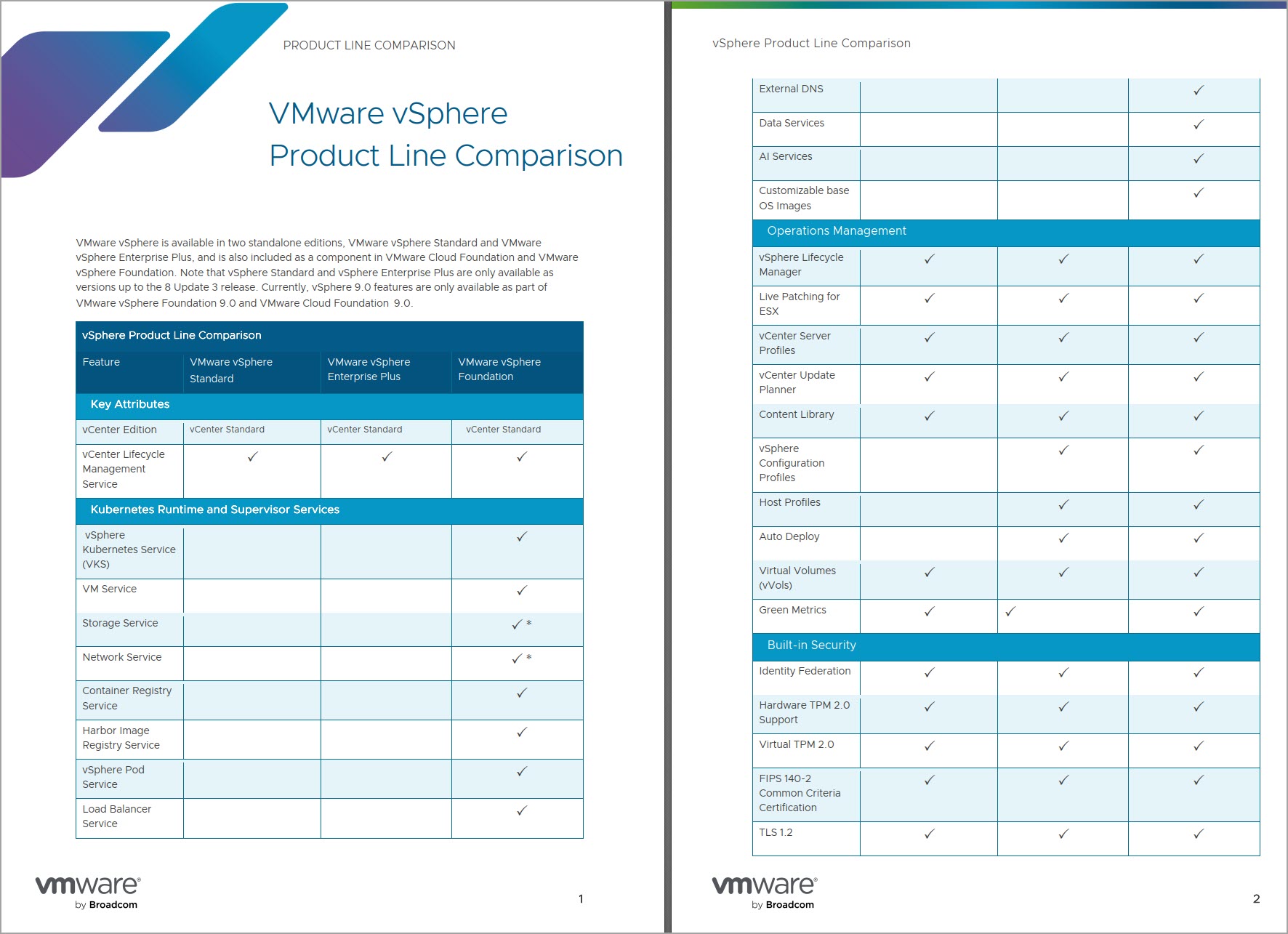
| Feature | vSphere Standard | vSphere Foundation (Enterprise Plus Tier) | Business Impact |
|---|---|---|---|
| Max Hosts per Cluster | 96 | 96 | Same scale, different management. |
| vMotion | Included | Included | Basic mobility for maintenance. |
| DRS | No | Yes | Automated load balancing; reduces manual labor. |
| Distributed Switch | No | Yes | Centralized networking; reduces config errors. |
| Host Profiles | No | Yes | Configuration consistency across clusters. |
| Aria Operations | No | Included (Standard tier) | Predictive analytics and capacity management. |
| GPU Support | Limited | Advanced (vGPU) | Essential for AI, ML, and VDI workloads. |
Evaluating the Alternatives and Opportunity Costs
Is it worth the cost compared to the alternatives? In 2026, the "Broadcom tax" has pushed many organizations to evaluate Nutanix AHV, Microsoft Azure Stack HCI, and open-source solutions like Proxmox.
The Migration Tax
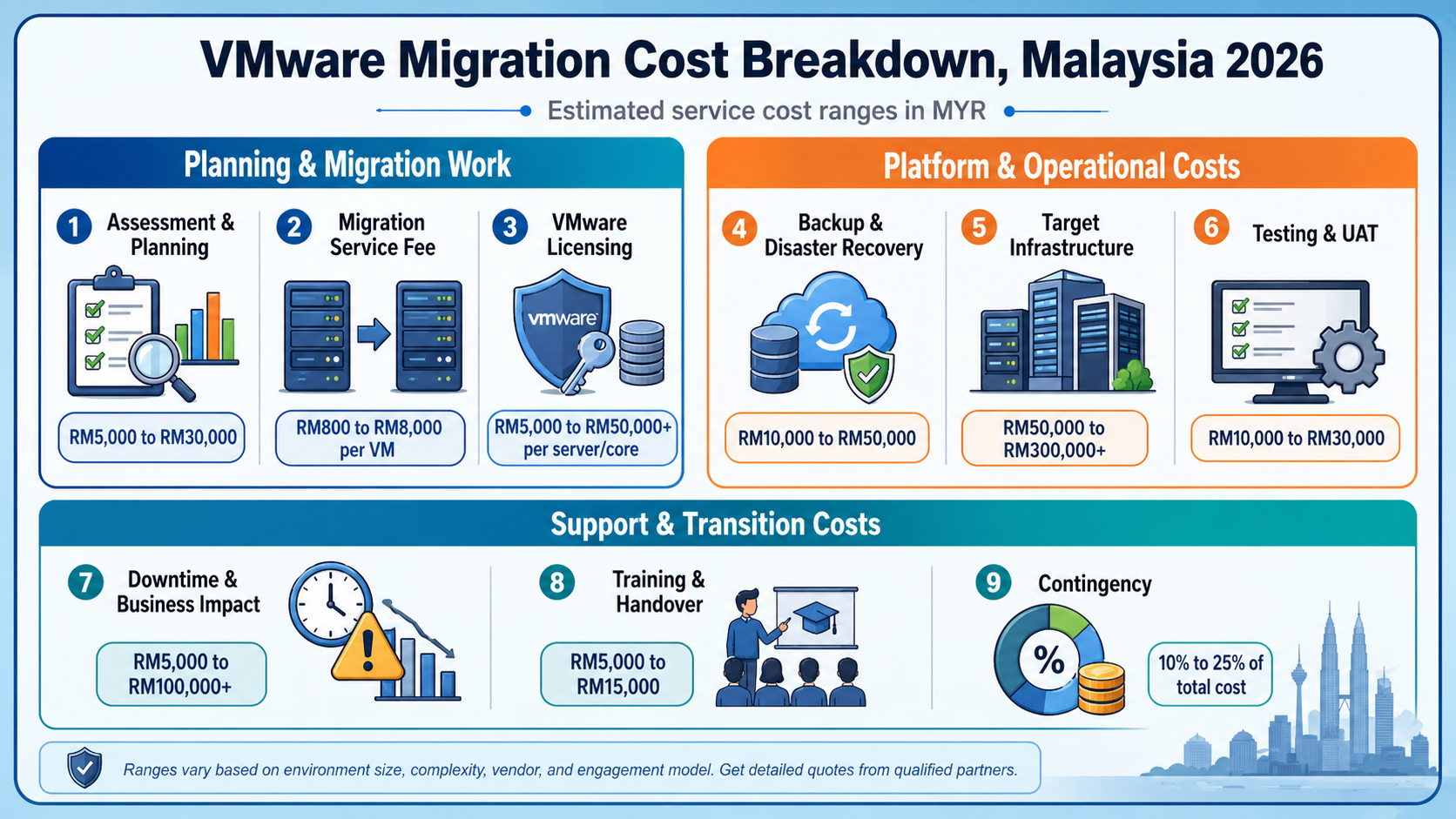
While a competitor's license might be 30% cheaper, the "cost" of switching is often underestimated. This includes:
- Retraining costs: Your team knows vSphere. Moving to a new hypervisor requires months of learning.
- Tooling compatibility: Your backup software (e.g., Veeam), monitoring tools, and automation scripts (PowerCLI) are likely built around VMware APIs. Replacing these adds to the total cost of ownership (TCO).
- Risk: Migrating production workloads is high-risk.
The "Good Enough" Standard Tier
If your environment is small (fewer than 3-5 hosts) and your workloads are static (they don't fluctuate in resource demand), vSphere Standard might be more than enough. You lose the automation of DRS and the centralized management of VDS, but you save a significant amount on annual subscription fees. If you have a "set it and forget it" environment, Enterprise Plus is likely an unnecessary luxury.
Common Mistakes in Value Assessment
Many IT managers fail to accurately calculate the ROI of Enterprise Plus features because they focus on the invoice rather than the operational lifecycle.
- Ignoring "Admin Minutes": Calculate how many hours your team spends manually balancing VMs or troubleshooting network mismatches. If Enterprise Plus saves 10 hours of a senior engineer's time per week, that is roughly $40,000–$60,000 in saved "soft costs" annually.
- Underutilizing Bundled Tools: Many organizations pay for VVF but never deploy Aria Operations. If you aren't using the analytics and automation tools included in the bundle, you are definitely overpaying.
- Hardware Mismatch: Running the latest VMware subscription on 5-year-old hardware is rarely cost-effective. Modern ESXi versions are optimized for modern CPU instructions and NVMe storage. To get the most "worth" out of the software, the hardware must be capable of supporting high-density, high-performance workloads.
Frequently Asked Questions
Can I still buy Enterprise Plus as a perpetual license?
No. As of 2024, and continuing through 2026, VMware has moved exclusively to a subscription model. You can no longer buy "perpetual" licenses. You must subscribe to VMware vSphere Foundation (VVF) or VMware Cloud Foundation (VCF) to access Enterprise Plus-level features.
Does Enterprise Plus include VSAN?
In the current VVF (VMware vSphere Foundation) bundle, a limited entitlement of vSAN (typically 100GiB per core) is often included. However, for full-scale software-defined storage, you generally need to add a vSAN capacity add-on or move to the VMware Cloud Foundation (VCF) tier.
Is DRS really necessary for small clusters?
For a 2-node or 3-node cluster, DRS is a "nice-to-have" but rarely a necessity. You can manually manage placement. However, once you hit 4 nodes or more, the complexity of manual placement increases exponentially, making DRS essential for maintaining application SLAs.
What happens if I stop paying the subscription?
Unlike perpetual licenses where you could keep the software running without support, a subscription model typically means that if the contract expires, you lose the right to use the software and may lose access to management interfaces like vCenter after a grace period.
Is Enterprise Plus worth it for VDI?
Yes. VDI (Virtual Desktop Infrastructure) workloads are notoriously "bursty"—everyone logs in at 9:00 AM. Without the automated load balancing of DRS, your VDI hosts will struggle to handle the morning login storm, leading to poor user experience and helpdesk calls.
Final Recommendation: Should You Buy?
VMware vSphere Enterprise Plus (via VVF) is worth the cost if your organization values operational uptime and administrative efficiency over the lowest possible software spend.
- Buy it if: You manage more than 8-10 hosts, run mission-critical databases that require consistent performance, or have a lean IT team that cannot afford to spend hours on manual resource balancing and network configuration.
- Skip it if: You have a small, static environment with fewer than 4 hosts, or if your budget is so constrained that you are willing to trade human labor (manual management) for software savings. In these cases, vSphere Standard is the more pragmatic choice.
For the enterprise, the "worth" of VMware is no longer just about the hypervisor—it is about the ecosystem of automation and the assurance that the infrastructure will self-heal and self-optimize without constant human intervention.
Image Gallery